3-2
Paper Requirements
Loading and Outputting Paper
3
Paper Requirements
Usable Paper
To ensure optimum performance, use only paper that falls within the specifications
in the following lists. Using inappropriate paper may result in deterioration in print
quality or paper jams.
IMPORTANT
•
Print speed may drop depending on the settings for the paper size, paper type, and total
print pages.
- Envelope: Approximately 5 ppm
•
When continuously printing the paper of 200 mm size or smaller, the safety function that
prevents damages caused by heat may slow the print speed down in stages. (It may be
as slow as approximately 2 ppm.)
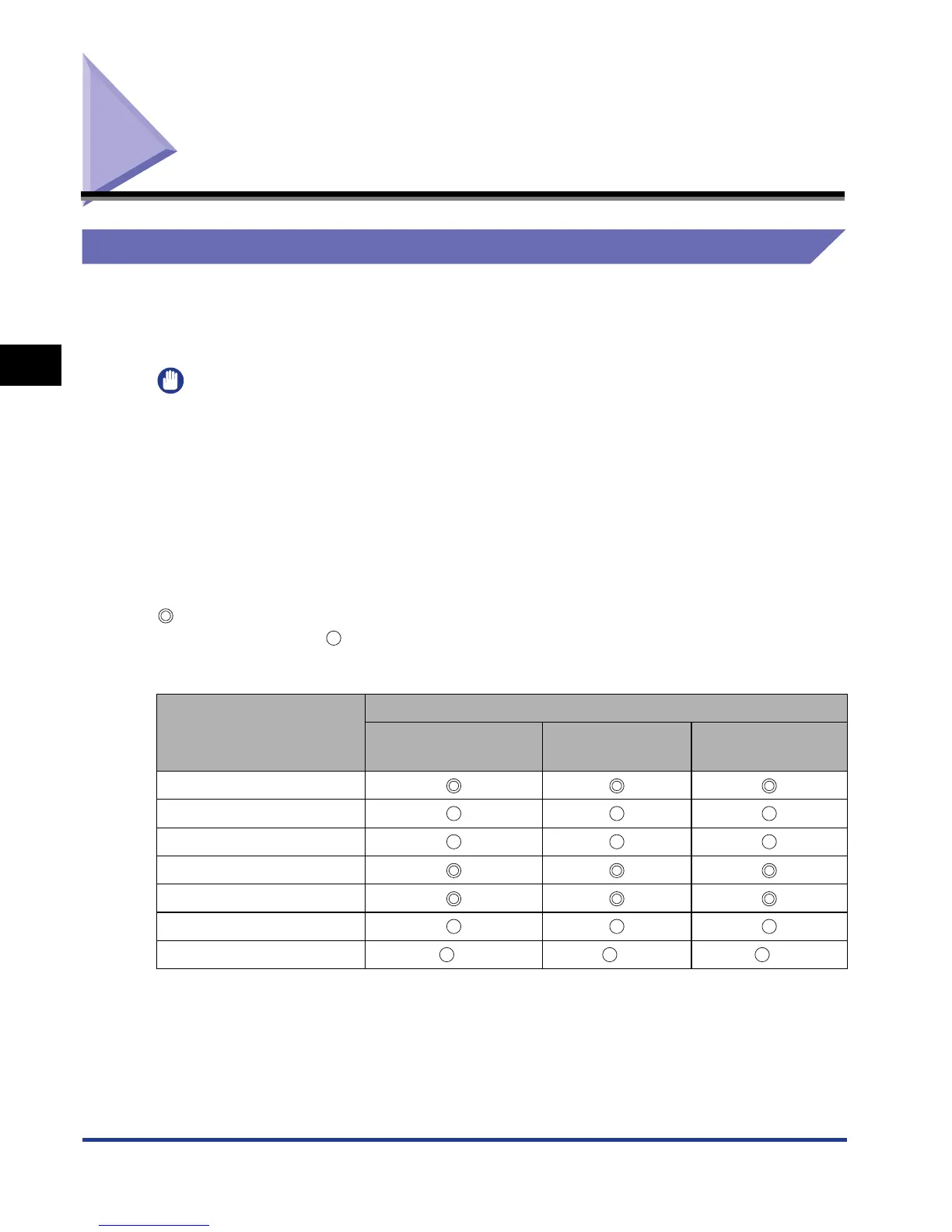
Paper Size
The following shows the paper sizes that can be used with this printer. The symbol
indicates the paper that can be used for 1-sided printing and automatic 2-sided
printing, the symbol indicates the paper that can be used for only 1-sided
printing, and the symbol X indicates the paper that cannot be used.
Paper Size
Paper Source
Multi-purpose Tray Cassette 1
Cassette 2
(Optional)
A4
B5
A5
Legal
Letter
Executive
Custom Size *
1
*
2
*
2











 To Next Page