6-26
Routine Maintenance
6
Adjusting the Printing Position
Next, check the printout results and specify the direction and position to be adjusted in
"Adjusting the Printing Position" (See the next item).
Adjusting the Printing Position
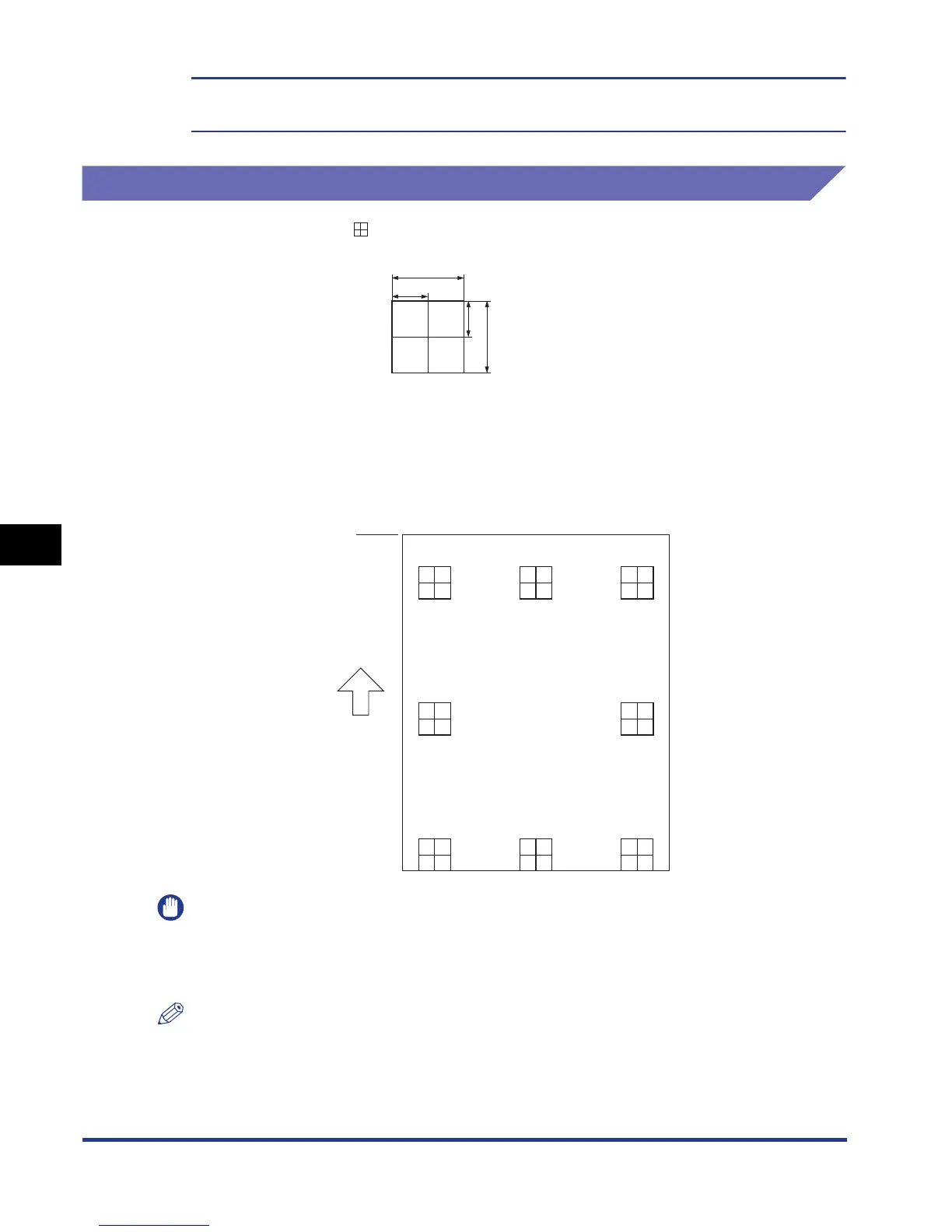
The measurements of printed on paper are as the following:
This section describes the setting procedure for the following Printing Position
Adjustment Print printed with Cassette 1 specified, as an example.
In this case, adjust the printing position by -5.0 mm upward.
IMPORTANT
OFFSET Y (DUP.) and OFFSET X (DUP.) allow you to specify the printing position of the
first page of 2-sided printing. The second page of 2-sided printing follows the settings for
each paper source.
NOTE
The printing position can be adjusted within a range from + 5.0 to - 5.0 mm.
""
5 mm
10 mm
5 mm
10 mm
* 5 mm from each edge of
paper (10 mm for envelopes)
Top
Feeding
direction



 To Next Page