6-34
Routine Maintenance
6
Moving the Printer
4
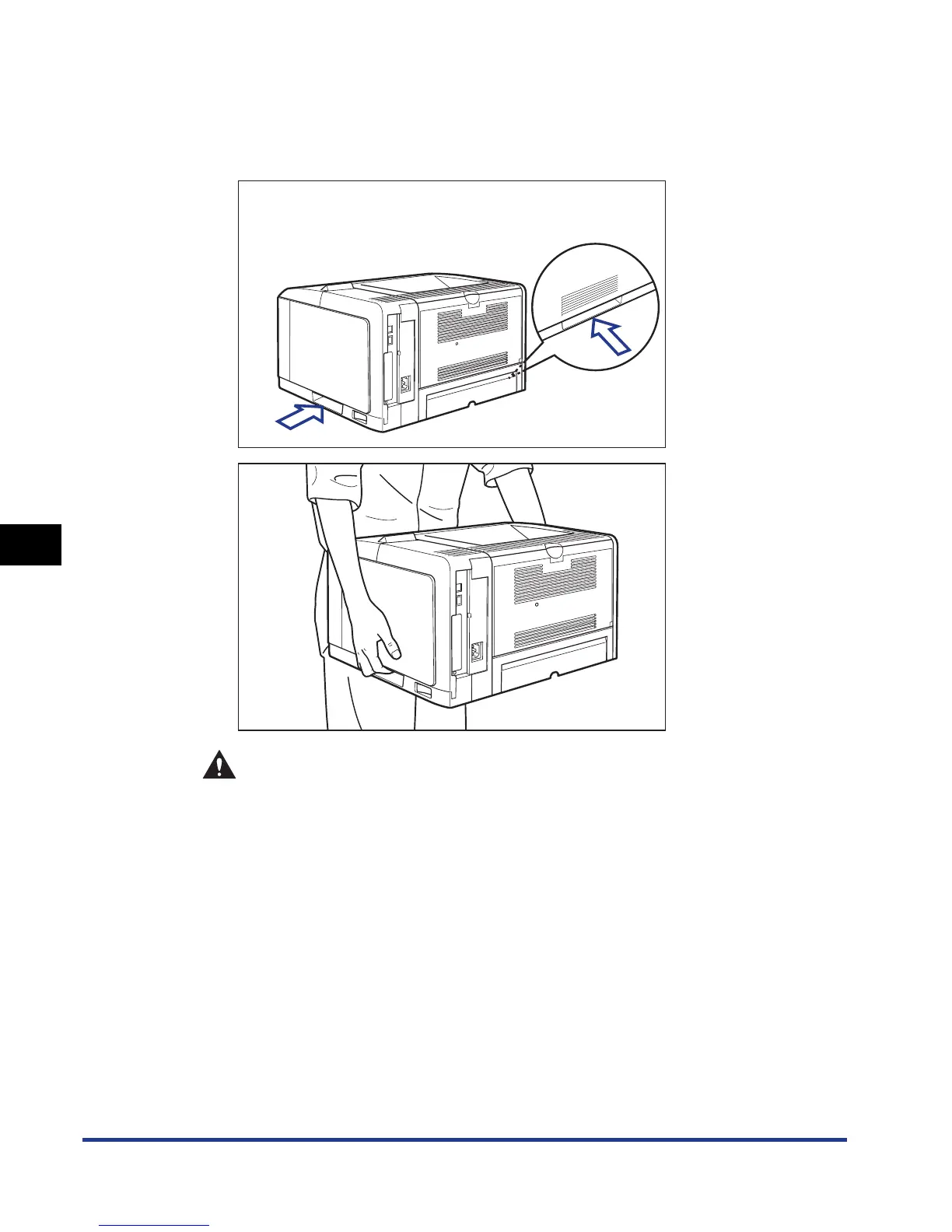
Move the printer unit from the installation site.
From the front side, securely hold the printer by the lift handles located on the
lower portion of the printer with both hands.
CAUTION
• This printer weighs approximately 16.2 kg without the paper cassette
installed. Please be careful not to hurt your back or other portions of your
body when carrying the printer.



 To Next Page