7-10
Troubleshooting
7
Paper Jams
6
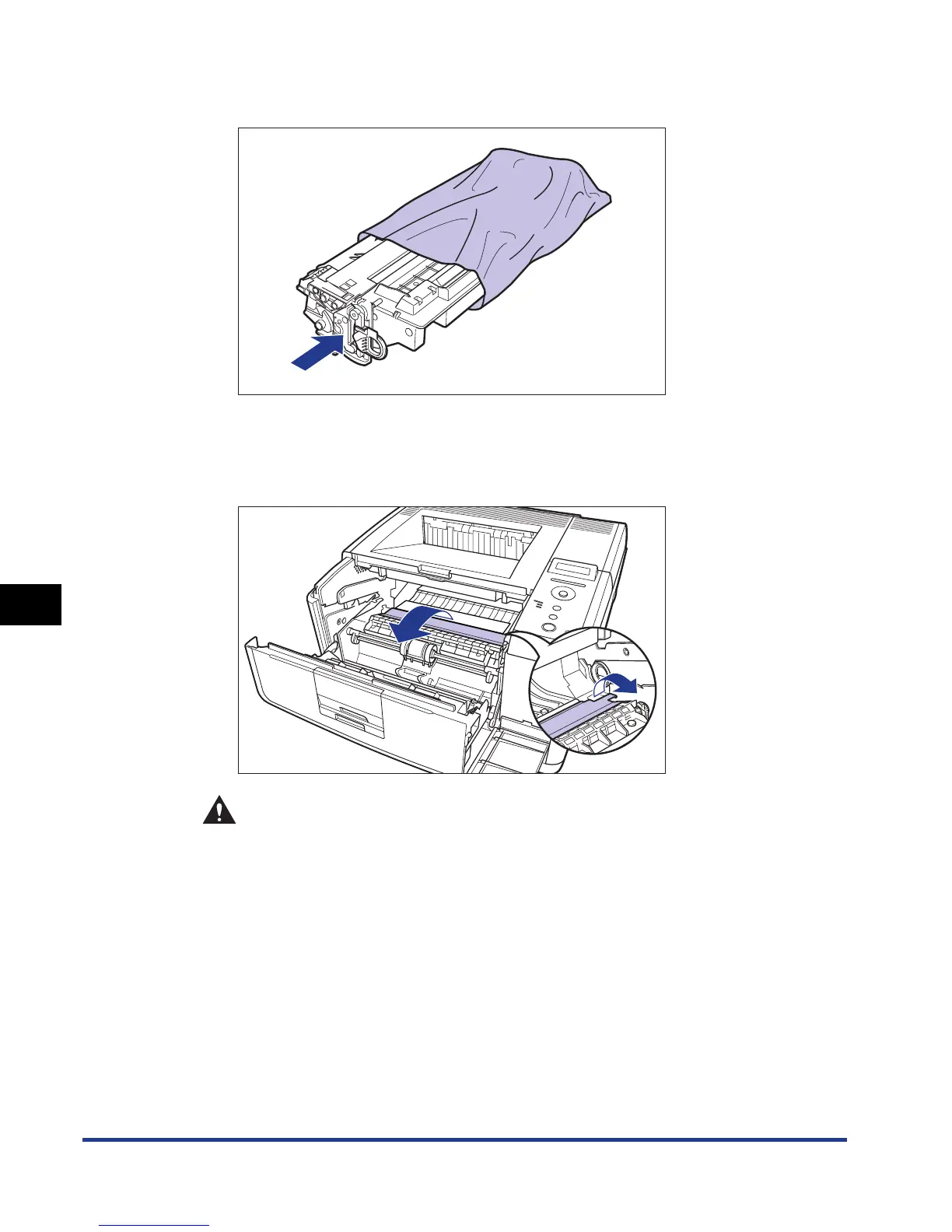
Place the toner cartridge into the protective bag.
7
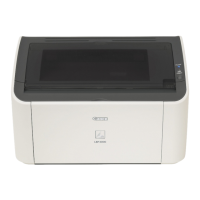
Raise the transport guide, then tilt it toward you.
Holding the green tab, raise the transport guide, then tilt it toward you.
CAUTION
Do not take your hands off the transport guide. The transport guide may
snap back to its original position, and this may result in personal injury.




 To Next Page