7-12
Troubleshooting
7
Paper Jams
10
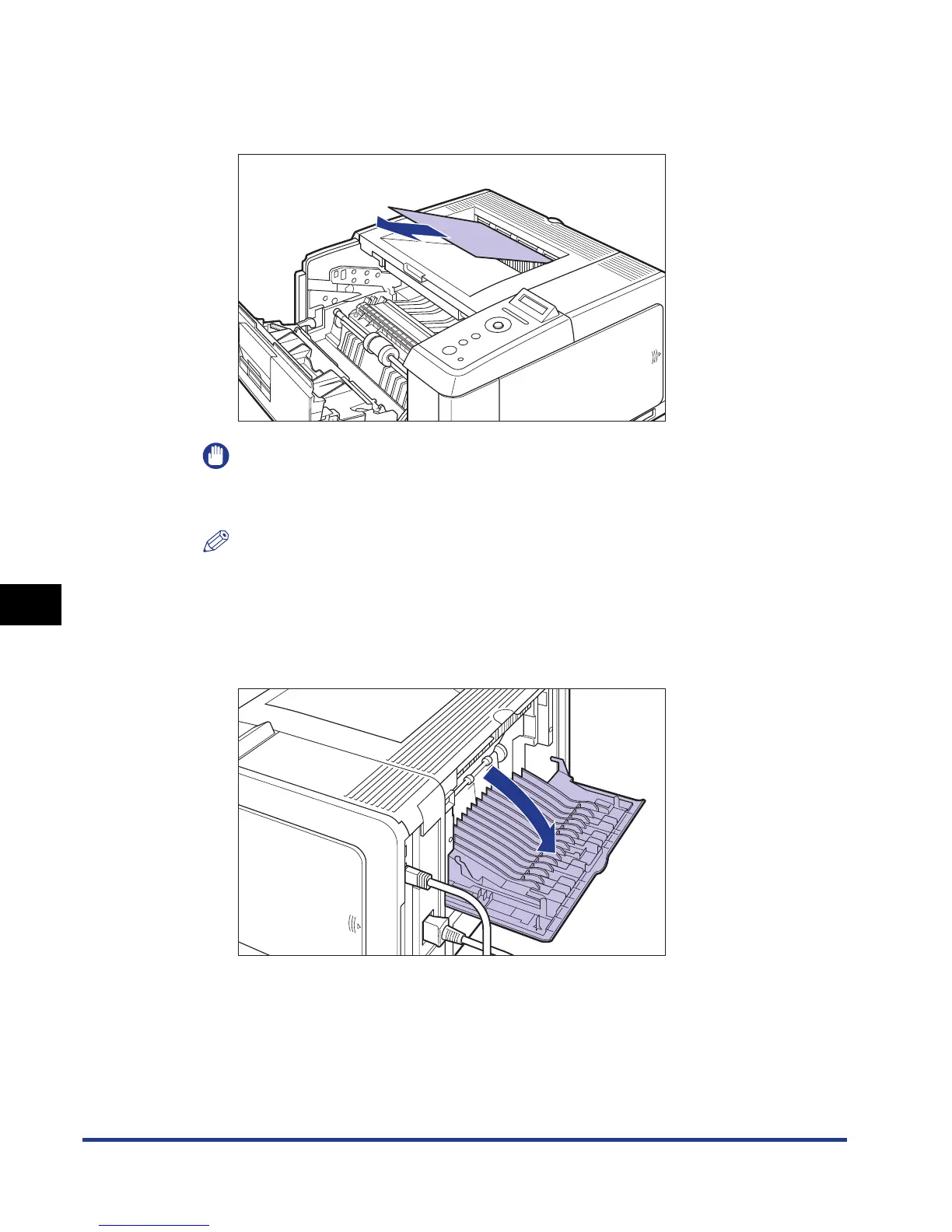
Check the face-down output tray and remove any jammed
paper.
IMPORTANT
If the jammed paper cannot be removed easily, do not try to remove it forcefully but
proceed to the next step.
NOTE
If no toner is on the removed paper, it may adhere to the paper to be printed next.
11
Open the face-up output tray.
Open the face-up output tray completely as shown in the figure.




 To Next Page