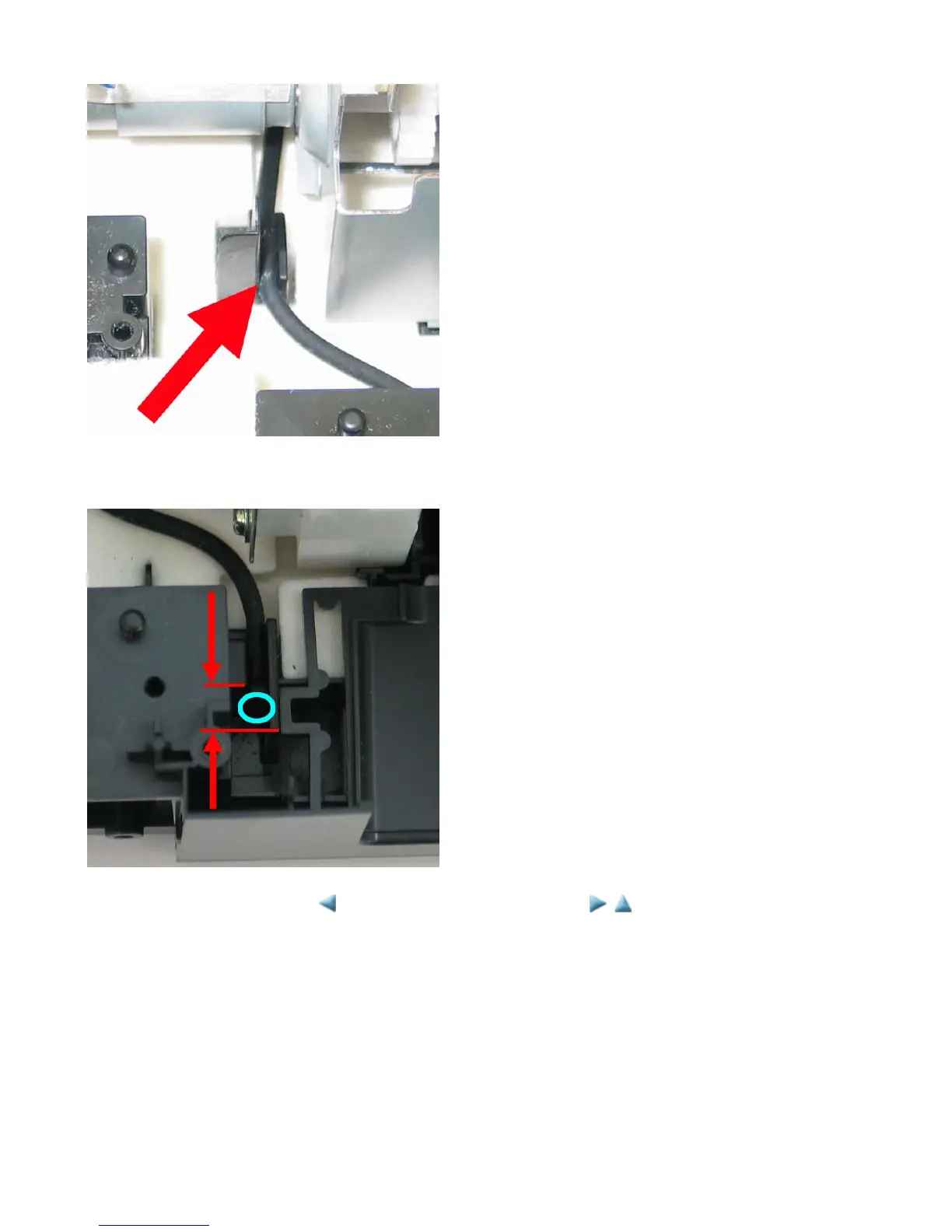
< About Circle 1 in the photo >
Fit the tube between the ribs.
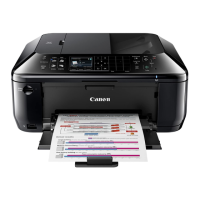
< About Circle 2 in the photo>
Fit the tube between the ribs, and adjust the tube so that the tube end (indicated by the blue circle in the photo) is
between the edges of the right and left ribs (between the red lines in the photo).
<3-2. Special Notes on Repair Servicing>



 To Next Page