<Destination settings>
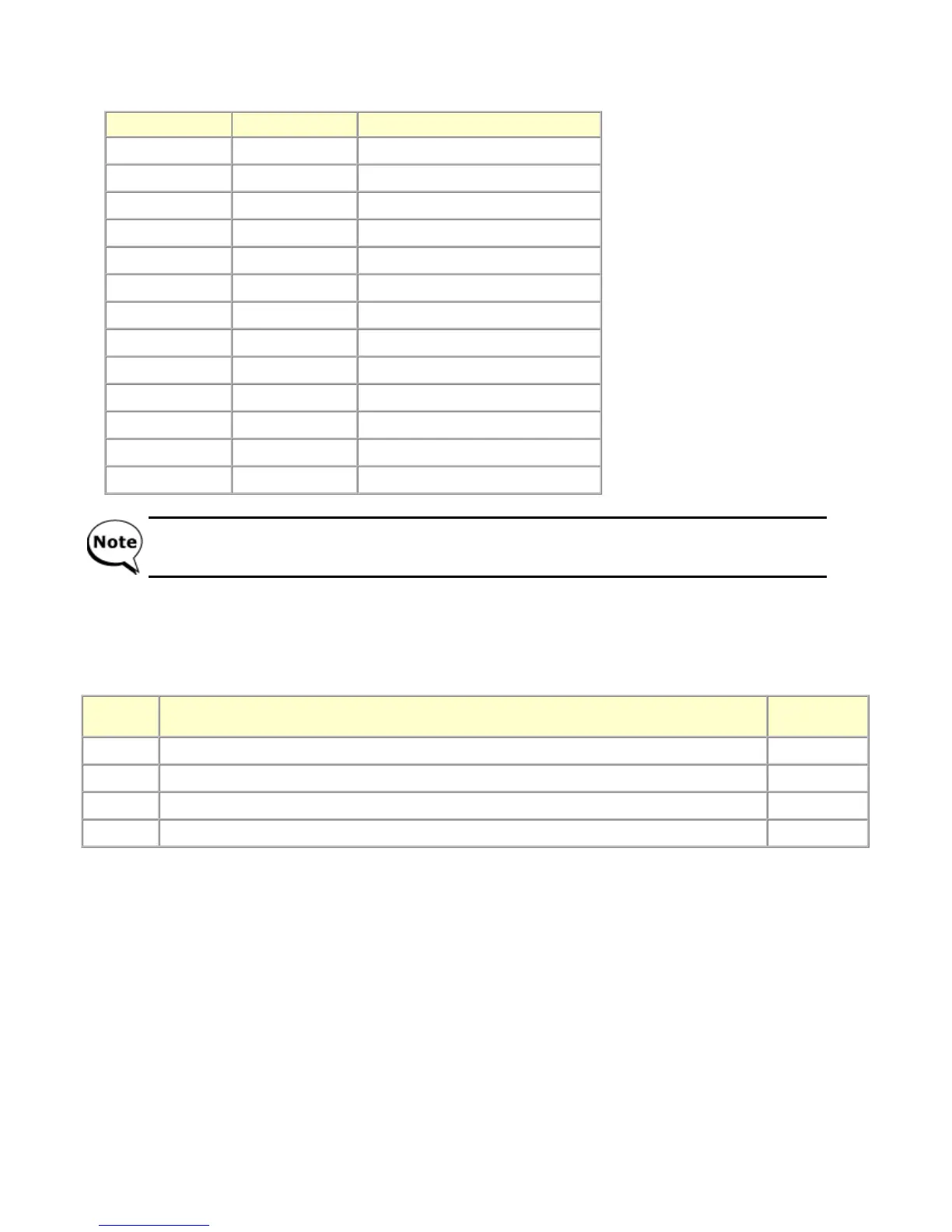
In the destination settings mode, press the Stop/Reset button the specified number of time(s) according to the destination listed in the
table below, and press the ON/OFF button.
<Ink absorber counter resetting>
Reset the ink absorber counter (to 0%) when the ink absorber is replaced
1) In the ink absorber counter resetting mode, press the Stop/Reset button the specified number of time(s) according to the replaced
ink absorber to set its counter to 0%, or 60% (for partial replacement).
2) Press the ON/OFF button to specify the ink absorber counter value.
3) After the ink absorber counter is reset, the counter value is printed automatically.
Time(s) LED indication Destination
0 times Green (Power) No change of the destination
1 time Orange (Alarm) Japan
2 times Green (Power) Korea
3 times Orange (Alarm) US
4 times Green (Power) Europe
5 times Orange (Alarm) Australia
6 times Green (Power) Asia
7 times Orange (Alarm) China
8 times Green (Power) Taiwan
9 times Orange (Alarm) Latin America
10 times Green (Power) Brazil
11 times Orange (Alarm) Canada
12 times or more Green (Power) Return to the destination selection
After setting the destination, confirm the model name and destination in service test print or EEPROM
information print.
Time(s) Replaced ink absorber
Counter
value
0 times Main ink absorber Reset to 0%
1 time Borderless-print ink absorber Reset to 0%
2 times Both the main and borderless-print ink absorbers Reset to 0%
3 times A portion of the main ink absorber (partial replacement) Reset to 60%



 To Next Page