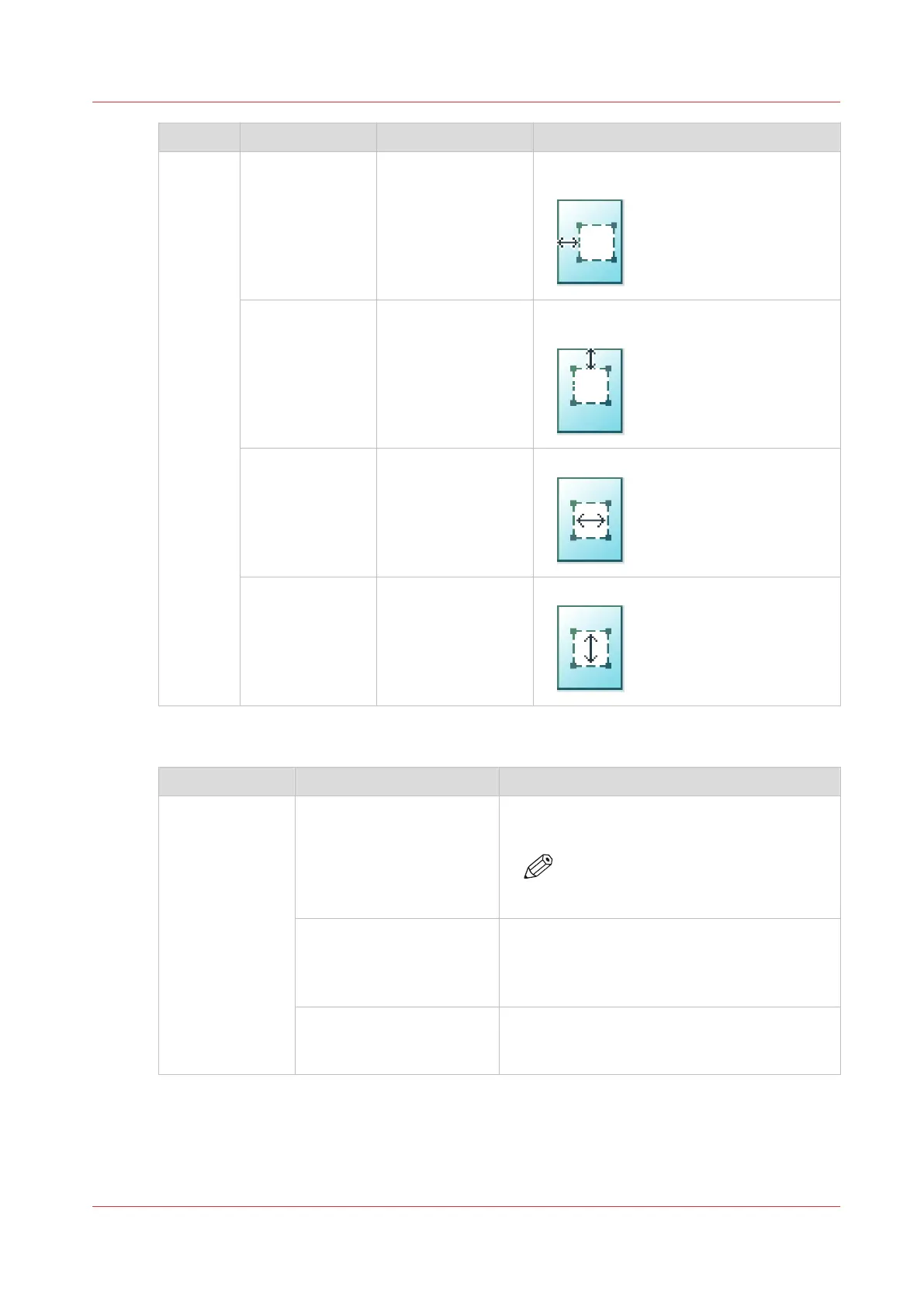
Setting Settings values Settings values Function
[Area to
erase]
[Area to erase: X
origin]
From 0 to 914 mm
or 0 to 36".
[The horizontal offset where the erase
area starts.]
[Area to erase: Y
origin]
From 0 to 6000 mm
or 0 to 250".
[The vertical offset where the erase area
starts.]
[Area to erase:
width]
From 0 to 914 mm
or 0 to 36".
[The width of the area to erase.]
[Area to erase:
length]
From 0 to 6000 mm
or 0 to 250".
[The length of the area to erase.]
Preset category: [Finishing]
Setting Settings values Function
[Delivery] [Top Delivery Tray] Location on top of the printer that deposits the
sheet face-down.
NOTE
Not all media types can be delivered
to the [Top Delivery Tray].
[Back output] or [Fold]. Select the [Back output] to deliver your output
face-up, at the back of the printer.
Select the folding device when it is configured,
and you want to fold your output.
[Fold template] When a folding device is configured, you can
select the preferred fold template, to fold with
predefined settings.
Advanced settings for copy jobs
Chapter 4 - Use the Printing System
181










 To Next Page