2-17
Step 4 Install the Camera
Initial Setting and Installation of Camera
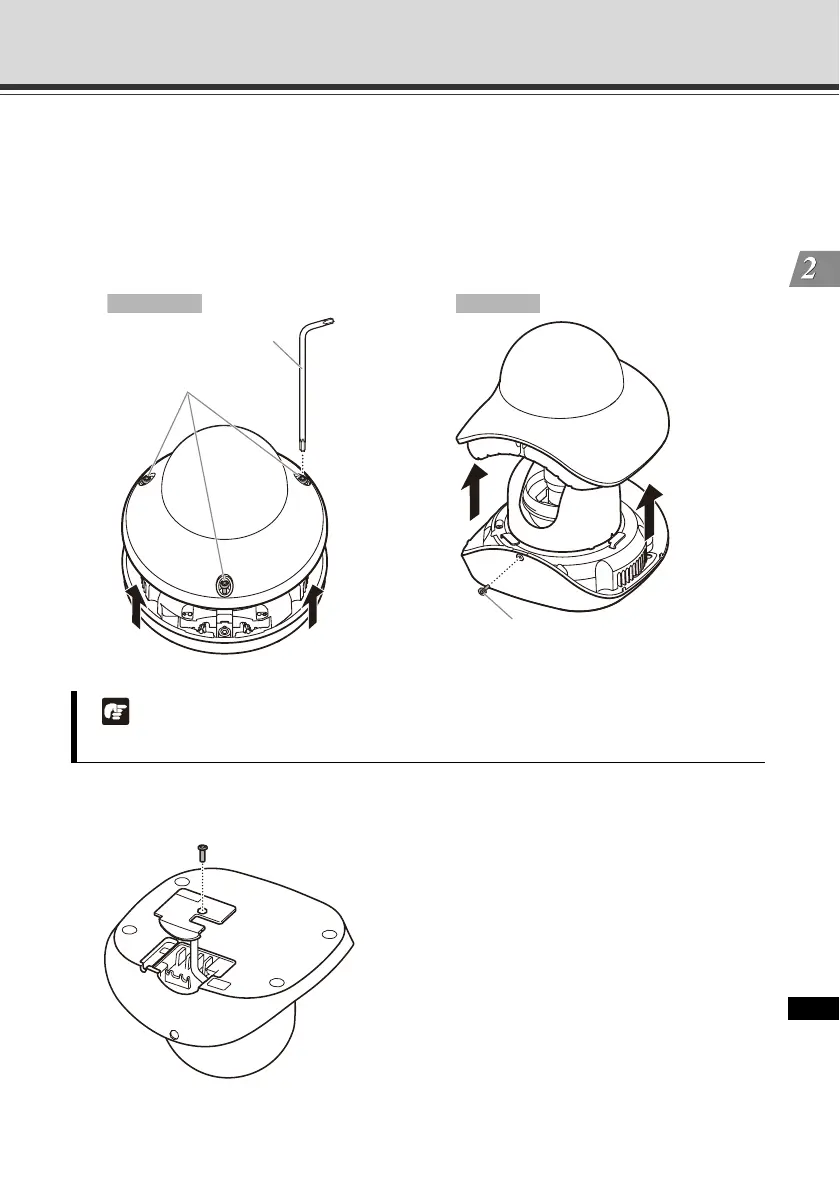
2. Remove the dome case.
VB-C500VD
Loosen the three dome case lock screws using the bundled dome case lock screw wrench.
VB-C500D
Loosen the two dome case lock screws on the side face of the camera. Loosen the screws
until they are sticking out.
3. To connect various interface cables (audio, I/O, power), remove the cable cover at the bottom
of the camera.
* The figure shows VB-C500D.
Note
When removing the dome case, be careful not to scratch or dirty the dome.
Dome case lock screw
VB
-
C500VD
VB
-
C500D
Dome case lock screw
Dome case lock screw wrench



 To Next Page