2-19
Step 4 Install the Camera
Initial Setting and Installation of Camera
VB-C500VD
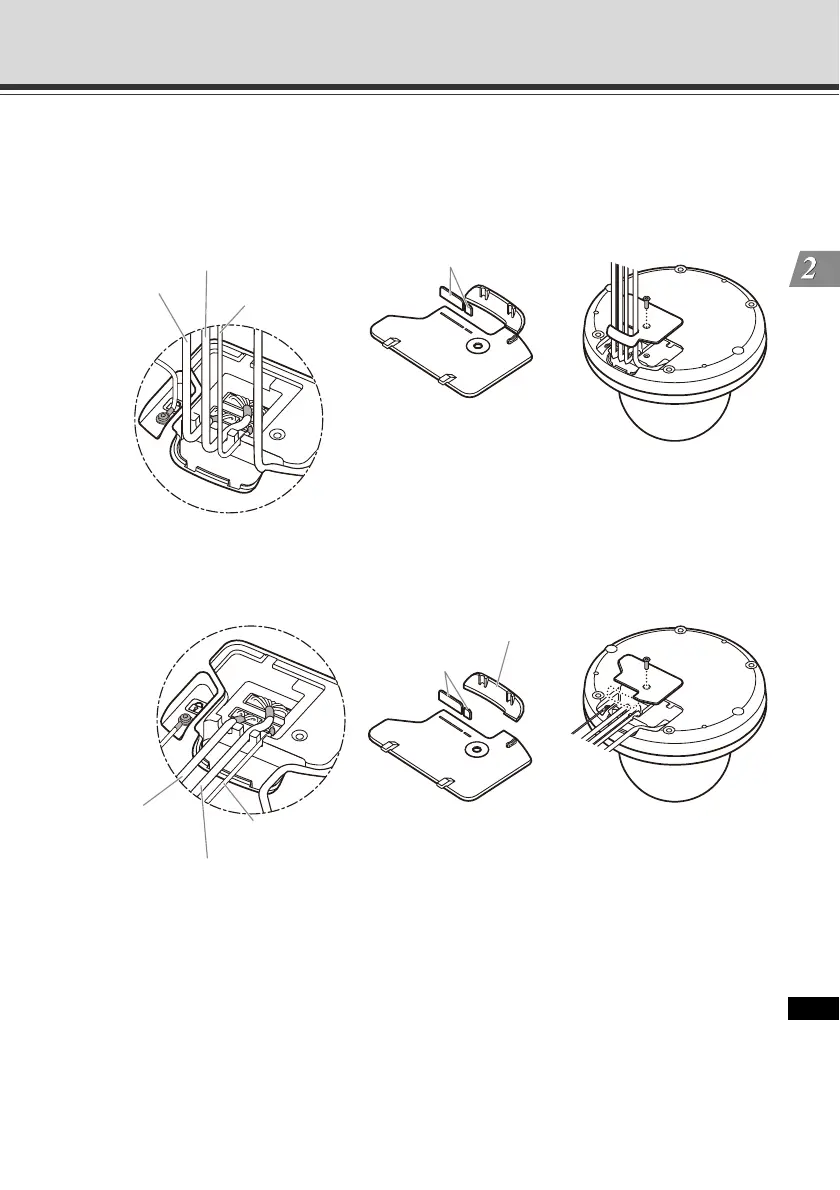
Concealing the Wiring in a Ceiling
Cut out the tabs on the cable cover. Guide the interface cables through as in the figure below,
and affix the cable cover with a screw.
Wiring on a Ceiling
Cut out the tabs and the side face on the cable cover. Guide the interface cables out towards
the side face of the camera as in the figure below, and affix the cable cover with a screw.
Cut out the tabs.
Audio interface
cable
I/O interface cable
Power interface
cable
Audio interface
cable
I/O interface cable
Power interface
cable
Cut out the side face
Cut out the tabs.



 To Next Page