2-21
Step 4 Install the Camera
Initial Setting and Installation of Camera
VB-C500D
Concealing the Wiring in a Ceiling
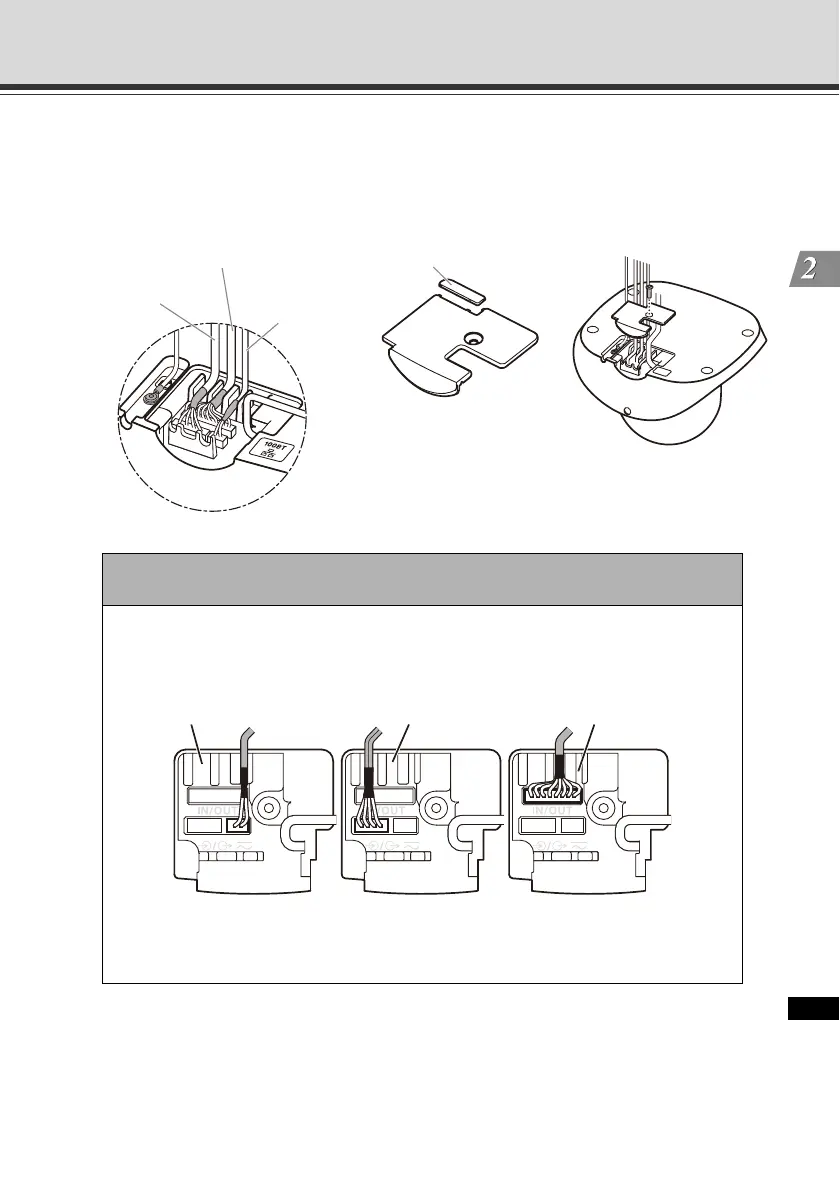
Cut out the tabs. Guide the interface cables through the groove as in the figure below, and
affix the cable cover with a screw.
Note
Affix each interface cable in the specified groove, as shown below.
If the cable is not properly installed, it may come off and cause the camera to
malfunction.
Audio interface
cable
I/O interface cable
Power interface
cable
Cut out the tabs.
Power Audio I/O
Affixing groove for cable Affixing groove for cable Affixing groove for cable
Interface cable fixing method



 To Next Page