2-24
Step 4 Install the Camera
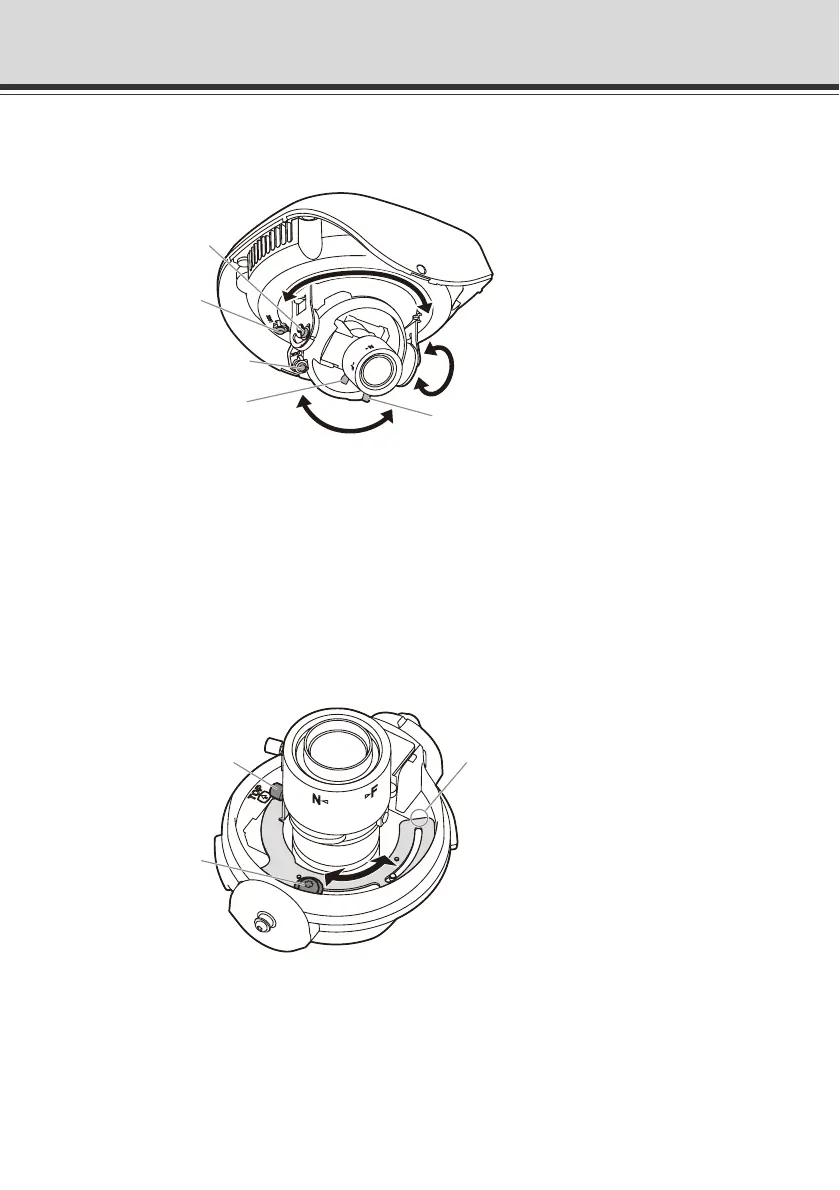
9. Adjust the camera angle.
Push the inner cover in the direction of the arrow, as shown below, to remove the cover.
* The figure shows VB-C500D.
10. Adjust the camera focus.
Loosen the zoom lock screw and focus lock screw, and adjust the viewing angle.
Adjust the zoom by moving the zoom adjustment knob and part A in the figure below at the
same time.
Adjust the focus by moving the focus ring.
When all adjustments are complete, tighten the zoom lock screw and focus lock screw to lock
the focus and viewing angle.
* The zoom lock screw operation applies to VB-C500VD only.
Tilt lock screw
Pan lock screw
Rotation lock screw
Zoom adjustment knob
Focus lock screw
Zoom adjustment knob
A
Zoom lock screw



 To Next Page