3-11
How to Operate VB-C60 Viewer
VB-C60 Viewer
(20)
[Exposure]
You can control the exposure.
(21)
[Camera Control] button
You can control the camera pan, tilt and zoom. You can also change the zoom speeds.
(22)
[External Device Output]
Control the output to an external device.
(23)
[External Device Input
]
The status of input from an external device is shown.
(24)
[White Balance]
You can control the white balance.
(25)
[Motion Detection]
The status of motion detection is shown.
(26)
[Smart Shade Control]
You can operate the Smart Shade Control.
(27)
[Night Mode]
You can switch the Day mode and Night mode.
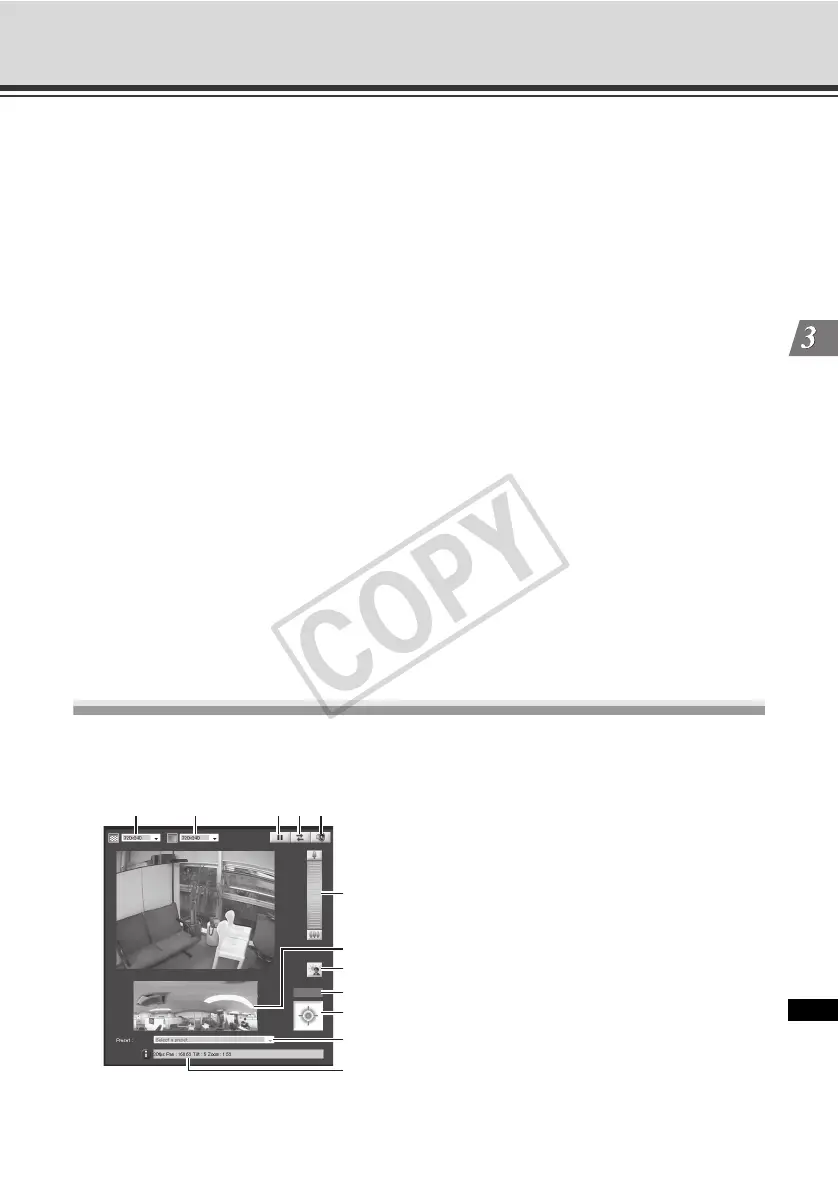
Display Screens of VB Viewer
The following gives an overview of the functions of buttons, boxes and other screen elements
displayed when VB Viewer is launched.
(1) Video Capture Size
Set the size of video received from the camera.
(2) (3)(4)(5)
(6)
(7)
(8)
(9)
(12)
(1)
(11)
(10)



 To Next Page