2-15
View Restriction Setting Tool
VBAdmin Tools
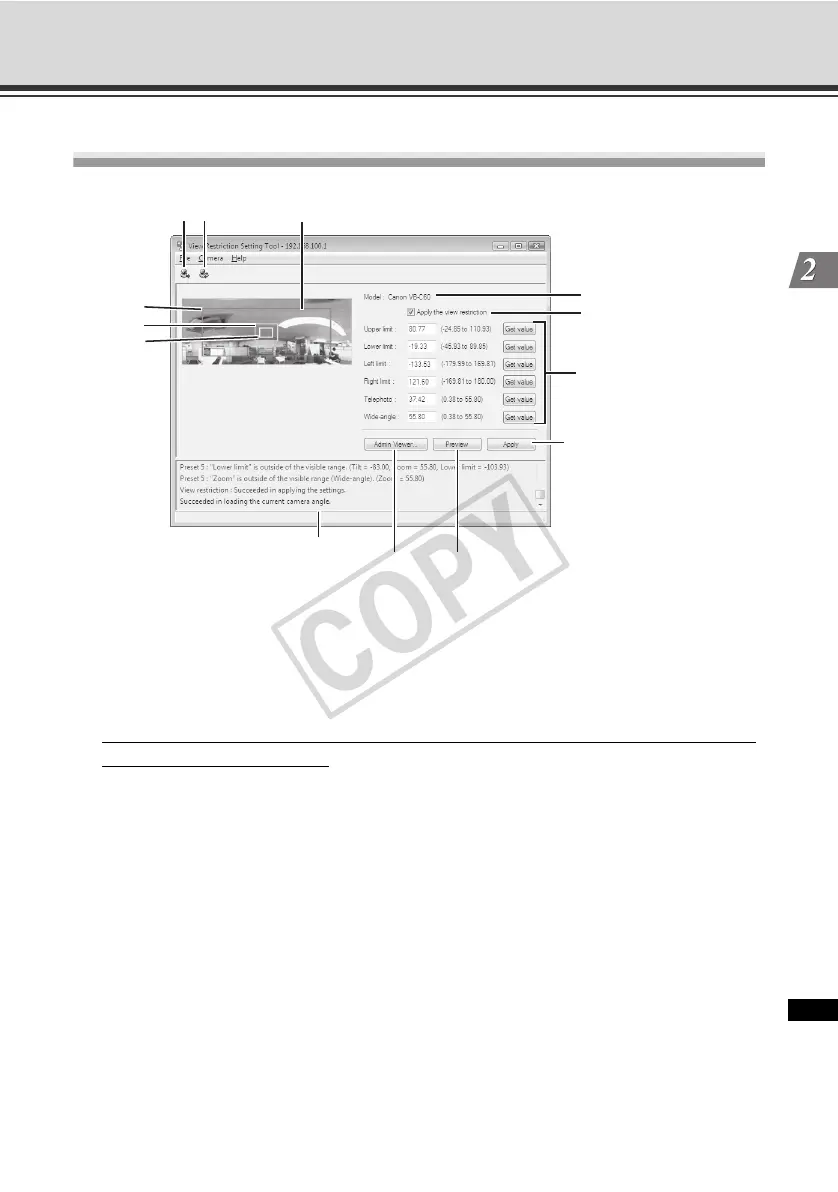
Display Screens of View Restriction Setting Tool
(1) [Load view restriction settings] button
Load the current view restriction settings of the camera.
(2) [Save view restriction settings] button
Save the view restriction settings set/applied using this tool, in the camera.
If view restrictions have been set, be sure to save the settings in the camera using the [
Save
view restriction settings] button.
(3) Panorama Preview
The panorama images registered in the camera. are displayed. Also, a view restriction
preview frame recreating the view restriction settings is displayed, where you can drag the
frame to change its shape and reflect the new frame in the view restriction settings.
● View restriction preview frame
(3)-1 Pan/tilt preview frame (red frame) ......................Range of field of view defined by top/
bottom/left/right edges
(3)-2 Wide-angle preview frame (green frame) ..........Wide-angle restriction setting
(restriction of capture frame)
(3)-3 Telescopic preview frame (yellow frame) ...........Telescopic restriction setting
(restriction of maximum zoom ratio)
(5)
(6)
(7)
(9) (8)
(10)
(3)-1
(2)
(3)-2
(3)-3
(1)
(3)
(4)



 To Next Page