3-26
Performing Operations and Settings as the Administrator
(1) [Pan/Tilt] button
Pan/tilt the camera in the direction of each arrow. Press and hold a button, and the camera
will zoom continuously. Click the center button, and the camera will face the front.
(2) [Zoom] button
You can zoom in to/out of the displayed image. Press and hold a button, and the camera will
zoom continuously.
(3) [Pan/Tilt] speed
Select a desired operation speed from [Fast], [Normal] and [Slow].
(4) [Zoom] speed
Select a desired operation speed from [Fast] and [Slow].
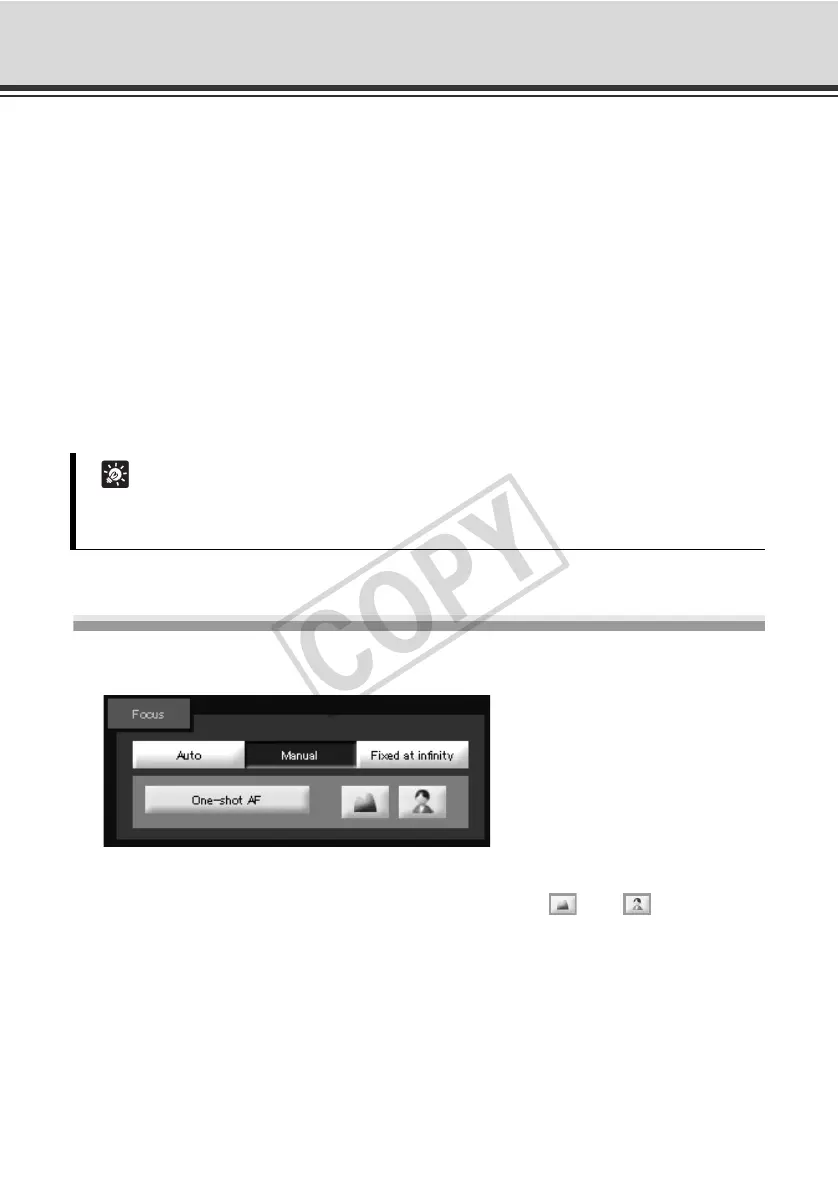
Setting the Focus
Select the focus setting from [Auto], [Manual] and [Fixed at infinity].
[Auto] : The subject is automatically brought into focus.
[Manual] : The focus can be adjusted by pressing the (Far)/ (Near) buttons
continuously.
Clicking the [One Shot AF] button activates auto focus and once the
subject is brought into focus, the focus function stops in the manual mode.
[Fixed at infinity] : The focus can be fixed near infinity.
Tip
Even when the [Pan/Tilt] and [Zoom] speed settings are changed, the speed of pan, tilt and
zoom operations performed using the scroll bars and in the panorama mode will not change.



 To Next Page