4-6
Distributing Video Using VB Viewer
How to provide image using VB Viewer is explained, together with application examples.
How to Create a Web Page Using VB Viewer
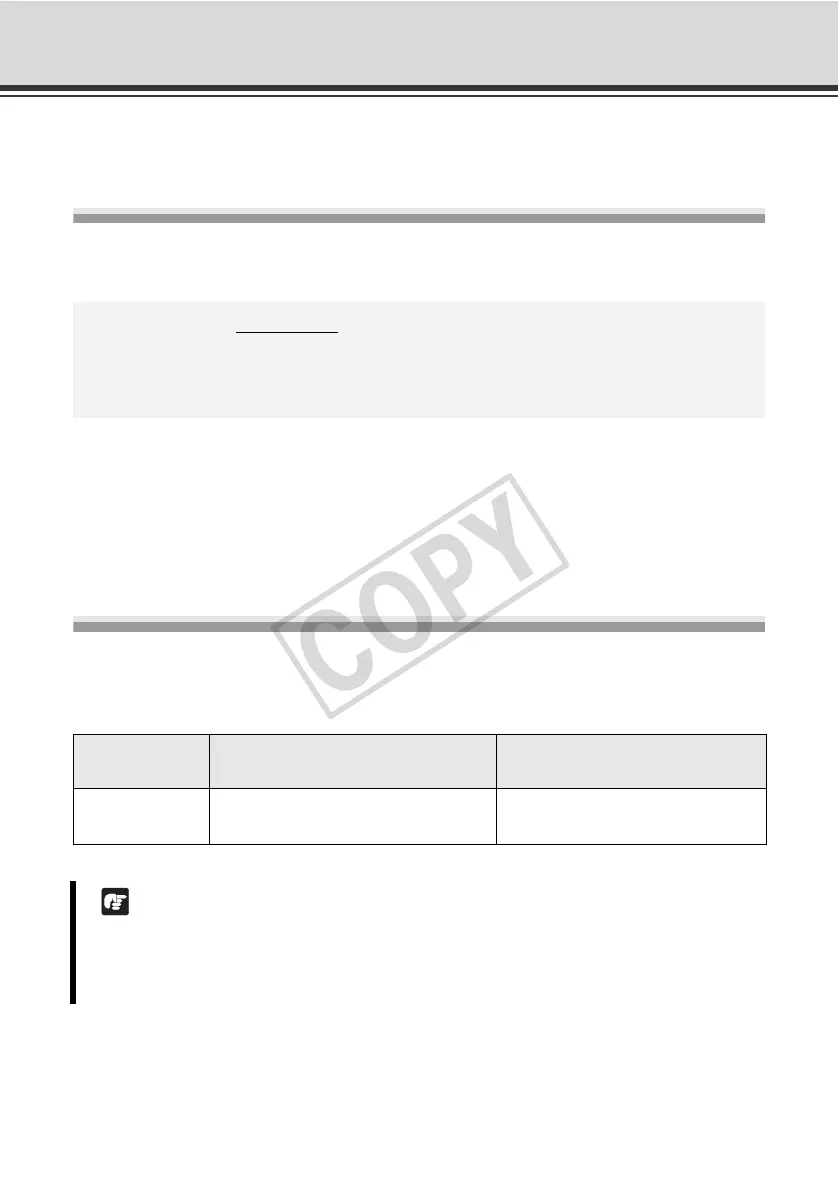
You can display VB Viewer by incorporating it into your Web page.
* The underlined portion is an example of IP address. In reality, the customer must enter the IP
address set for the camera ( P. 1-8).
If you are saving the Web page to the flash memory in the camera, you can also omit the IP
address, as follows:
<iframe src="/viewer/live/en/live.html" …>
Saving Web Page Data
This camera has an internal flash memory where you can save Web page data. To save data,
transfer the files via FTP. Save the data files in the /usr/www/html/local folder.
<iframe src="http://192.168.100.1/viewer/live/en/live.html"
scrolling="no"
width=490 height=500>
</iframe>
Devices
File system
(Accessing from a FTP client)
URI
(Accessing via a Web browser)
Onboard flash
memory
ftp://<IP address>/usr/www/html/local http://<IP address>/local/
Note
z If the available space in the flash memory becomes low, the writing speed may drop. Save
only the minimum required files in the flash memory.
z For the user name and password used for FTP authentication, see P. xiv.



 To Next Page