1-2
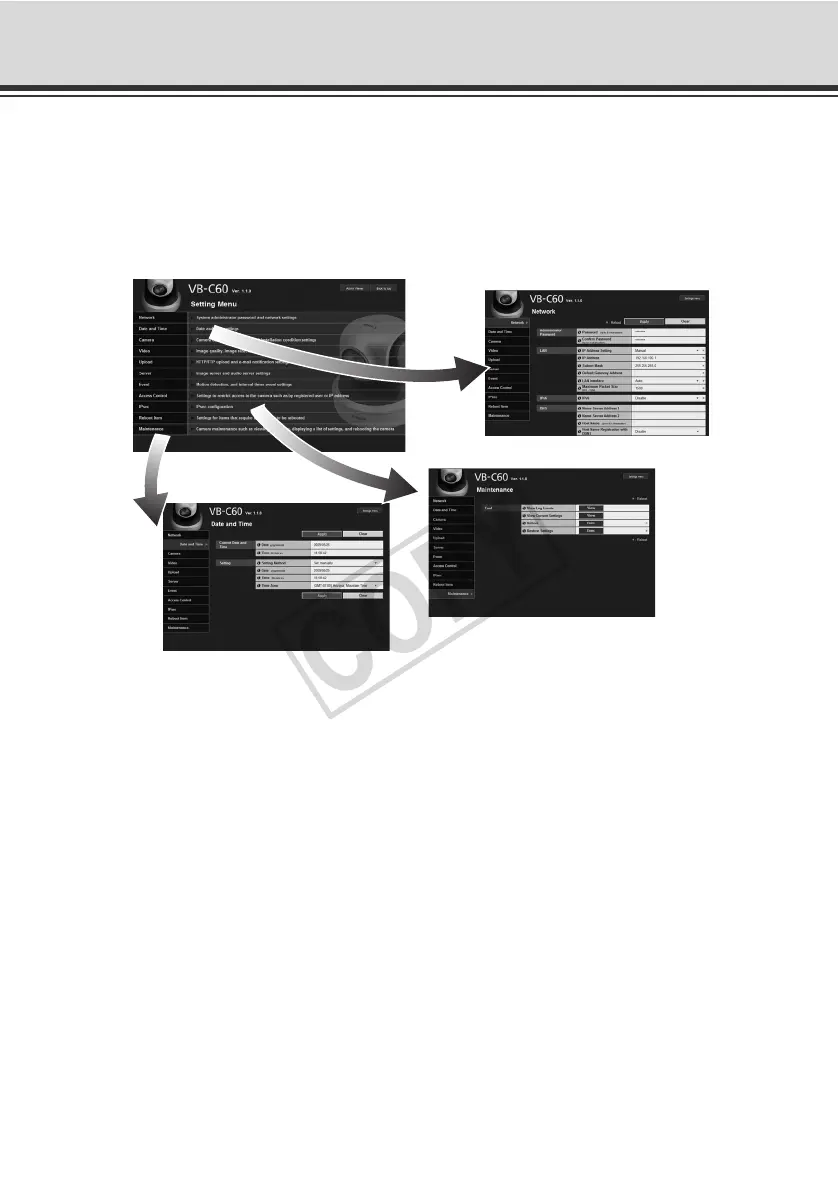
Setting Menu
You can move to each setting page from the Setting Menu to set various items regarding the
camera.
Items that can be set on each setting page are explained below. See each reference page for
details.
z Setting Menu
z Network
Set the Administrator password, LAN, IPv6, DNS and SNMP ( P. 1-7).
z Date and Time
Set the date & time and time zone of the camera ( P. 1-12).
z Camera
Set the camera name, initial camera settings, camera control, day/night, installation conditions,
camera position control, external input device name and external output device name ( P. 1 -
14).
z Video
Set the image quality, image size and frame rate in JPEG and MPEG-4 ( P. 1-22).
z Upload
Set HTTP/FTP upload and e-mail notification ( P. 1-24).
z Server
Set the image server, audio server and HTTP server ( P. 1-30).



 To Next Page