1-20
Setting the Camera Control and External Device Name (Camera)
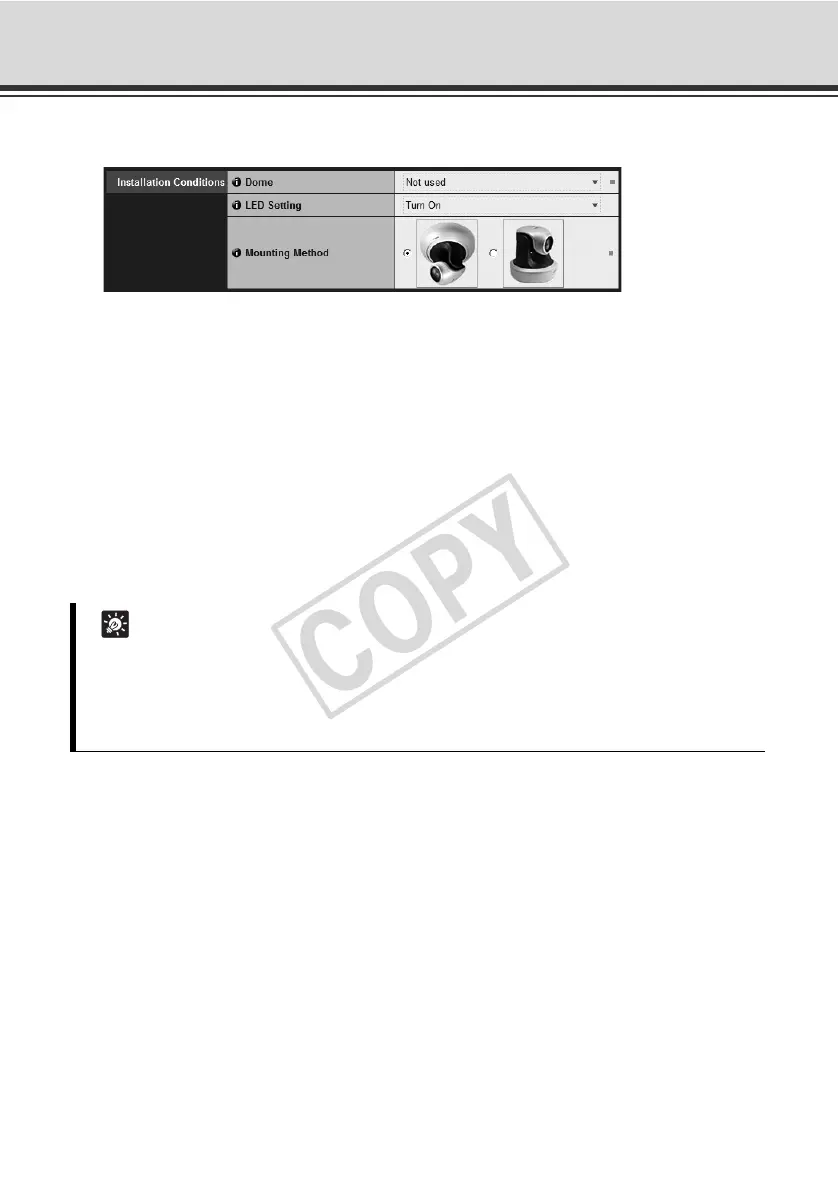
Installation Conditions
(1) [Dome]
Select whether or not a dome is used. To use the camera with a dome housing, select [Used].
(2) [LED Setting]
Select the status of the LEDon the camera's head arm from [Tur n Of f ] or [Tu r n O n ]. If you are
using the optional Indoor Dome Housing (VB-RD51S-C/S) or if image capture is obstructed,
for example by reflected LED light entering the capture area, or you do not want to turn on the
LED, set this to [Tu r n O f f ].
(3) [Mounting Method]
Select an appropriate method according to the orientation in which the camera is mounted.
The factory setting is "On the ceiling."
Tip
z Even when [Tu r n O f f ] is selected under [LED Setting], the LED comes on briefly when the
camera starts.
z The image showing a ceiling-mounted camera under [Mounting Method] shows the camera
with a Ceiling Mount Cover (Ceiling Mount Cover is an option).



 To Next Page