EasyManua.ls Logo

Cardinal 708 - Page 17

Default Icon
28 pages
Print Icon
To Next Page IconTo Next Page
To Previous Page IconTo Previous Page
Loading...
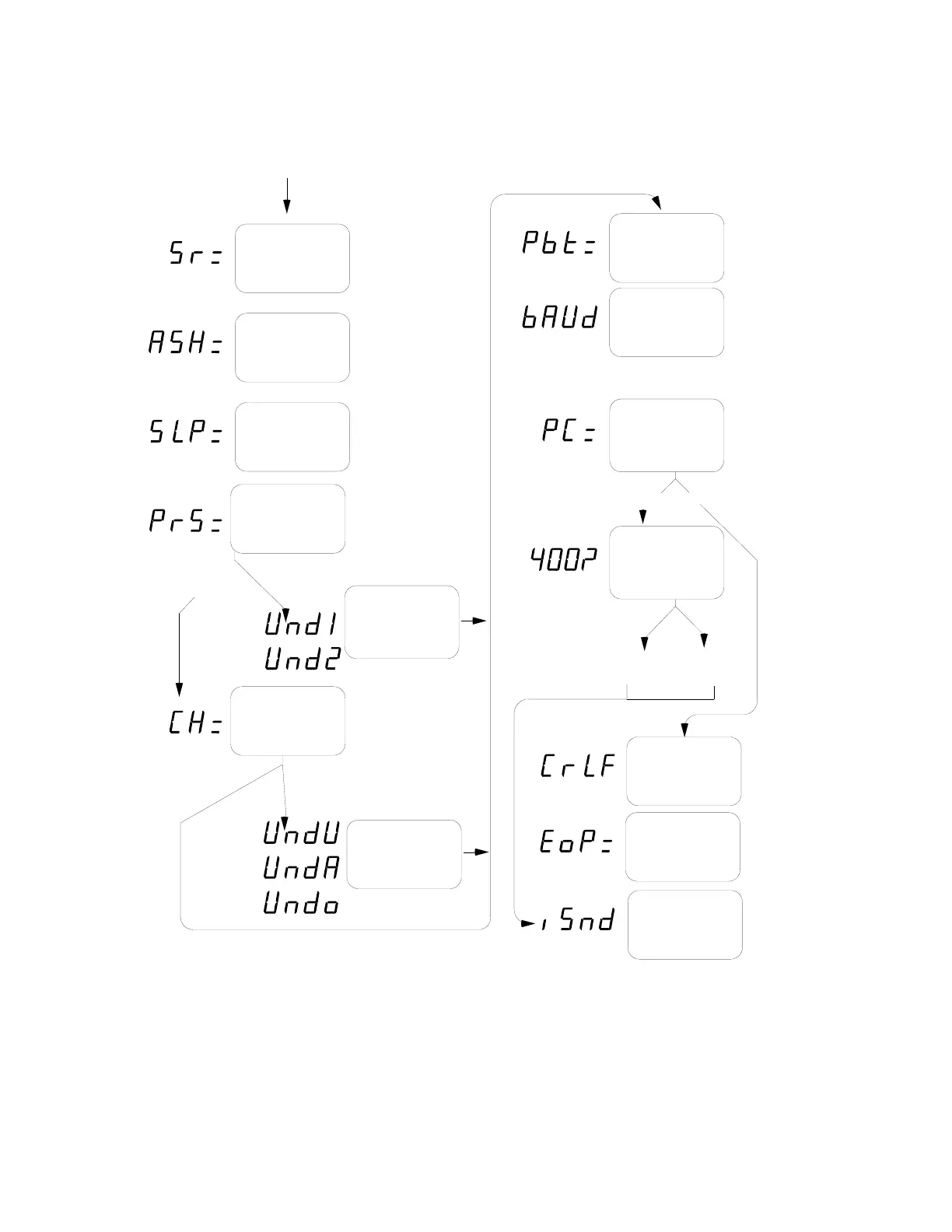
14
Enable
Preset Weight
Comparators?
Preset Active
When Weight
Less Than
Preset?
Checkweigher
Enabled?
Yes/No
Pushbutton
Tare?
Yes/No
Output
Condition
Setup
Printer
Continuous
Output?
Yes/No
Computer/
400 Display
Format?
Yes/No
400 format
computer
200
format
Sample Rate
1 to 12
Auto Shutoff
0=Disable or
1 to 9 minutes
Sleep Mode
0=Disable or
1 to 9 minutes
Line Feed
Required
Yes/No
No. of Line
Feeds at End
of Print 0-66
CALIBRATION COMPLETE
no
yes
no
yes
noyes
no
yes
(skipped if FLT= 1 or 2)
on = yes
off = no
Select Baud
Rate
12=1200
96=9600
24=2400
19=19200
48=4800
Inhibit Serial
Data
Yes/No
Continued from
previous page
The indicator will now reset,
return to the operation mode,
and is ready for use.

Related product manuals