19
Err4
Err1
Err3
Err5
Err2
A program checksum mismatch has been detected.
CORRECTIVE ACTION:contact your scale serviceman.
A write command to the NOVRAM was attempted while
the NOVRAM was in a protected mode (loss of control
by program). CORRECTIVE ACTION: contact your
scale serviceman.
RAM test failure. CORRECTIVE ACTION: contact your
scale serviceman.
NOVRAM failure during startup. CORRECTIVE
ACTION: contact your scale serviceman.
NOVRAM response failure. CORRECTIVE ACTION:
contact your scale serviceman.
MAINTENANCE
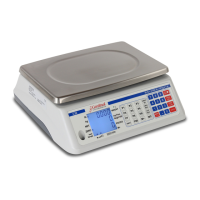
The maintenance on the Model 708 Weight Indicating Instrument should be limited to an occasional
cleaning of the outside of the instrument enclosure. There are no user-serviceable components
within the enclosure. To clean the enclosure and keyboard, use a soft cloth dampened with water. If
you wish to use a detergent, make certain that it is safe and then use it sparingly. Do not wash the
Desktop enclosure. Only the NEMA 4X version of the 708 may be washed down.
PART IDENTIFICATION
The figures on the following pages illustrate the construction of the Desktop and NEMA 4X versions
of the Model 708 weight indicating instrument. Use these figures to identify parts or assemblies and
use the corresponding part number when ordering a replacement.



 To Next Page