15
ON
OFF
ZERO
GROSS
G
T
TARE
KEYPAD FUNCTIONS
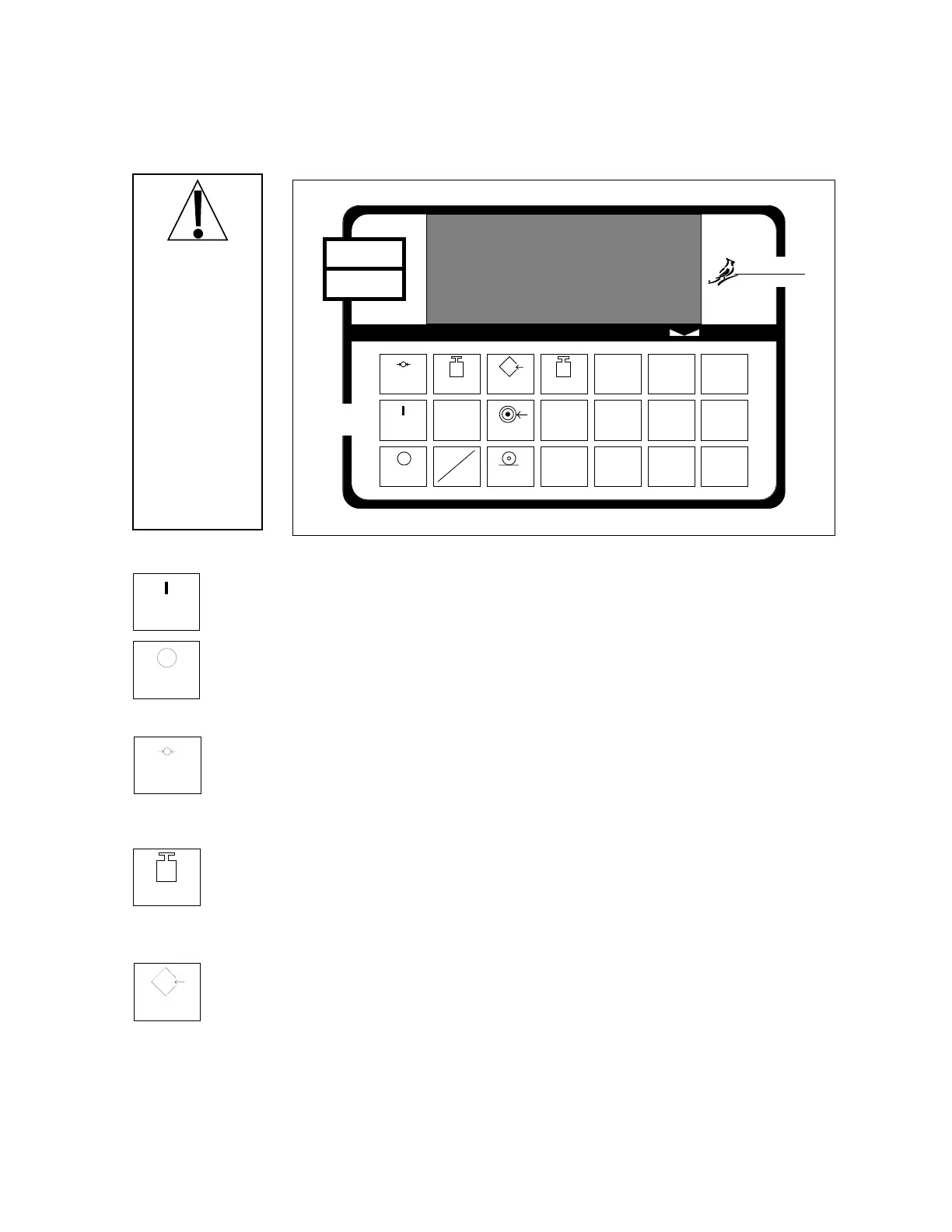
The 708 is equipped with a 21-key keypad. The keypad is used to enter commands and data. This
section describes each key along with the function it performs. It will be helpful to refer either to
Figure No. 12 or to the actual 708 keypad while reading this section.
ON KEY
Pressing this key applies power to the 708 and turns on the display.
OFF KEY
Pressing this key removes power from the 708 and turns the display off.
ZERO KEY
This key is used to reset the gross weight to zero. If the gross weight exceeds the
preset limit for this key an error message will be displayed when the key is pressed. The
zero limit may be set to either 4% or 100% of scale capacity during setup and
calibration of the 708.
GROSS KEY
This key is used to return the weight display to the Gross Weight mode.In the gross
weight mode, the total of all weight placed on the scale since the display was zeroed is
displayed. The GROSS annunciator beneath the display window is turned on to signal
the display of gross weight.
TARE KEY
This key is used to enter a tare weight of up to four (4) digits and can operate in one of
two modes depending on the setup of the 708. If the push button tare feature was
selected during the setup of the instrument, pressing this key will cause the 708 to enter
the current gross weight as the new tare weight value and automatically enter the net
weight mode. The NET annunciator will be turned on to indicate that the 708 is now
displaying a net weight. If the push button tare feature was not selected, pressing the
TARE key will cause the currently stored tare weight to be displayed and the TARE
annunciator will be turned on. The numeric keys may be used to enter a new tare value
and the ENTER key pressed to store the new value. Once the new tare value is entered
the 708 will automatically enter the Net Weight mode indicated by turning on the NET
annunciator.
CAPACITY
Cardinal
Cardinal Scale Manufacturing Co.
OFF
ON
ZERO
GROSS
G
TEST
lb
kg
T
TARE
PRESET
PRINT
NET
N
ENTER
0
789
456
123
GROSS TARE NET ZERO PWC2PWC1
708
The membrane
keyboard is not
to be operated
with pointed
objects
(pencils,pens,
fingernails,
etc.). Damage
to keyboard
resulting from
this practice will
NOT
be
covered under
warranty.
Figure No. 12



 To Next Page