13
SETUP REVIEW
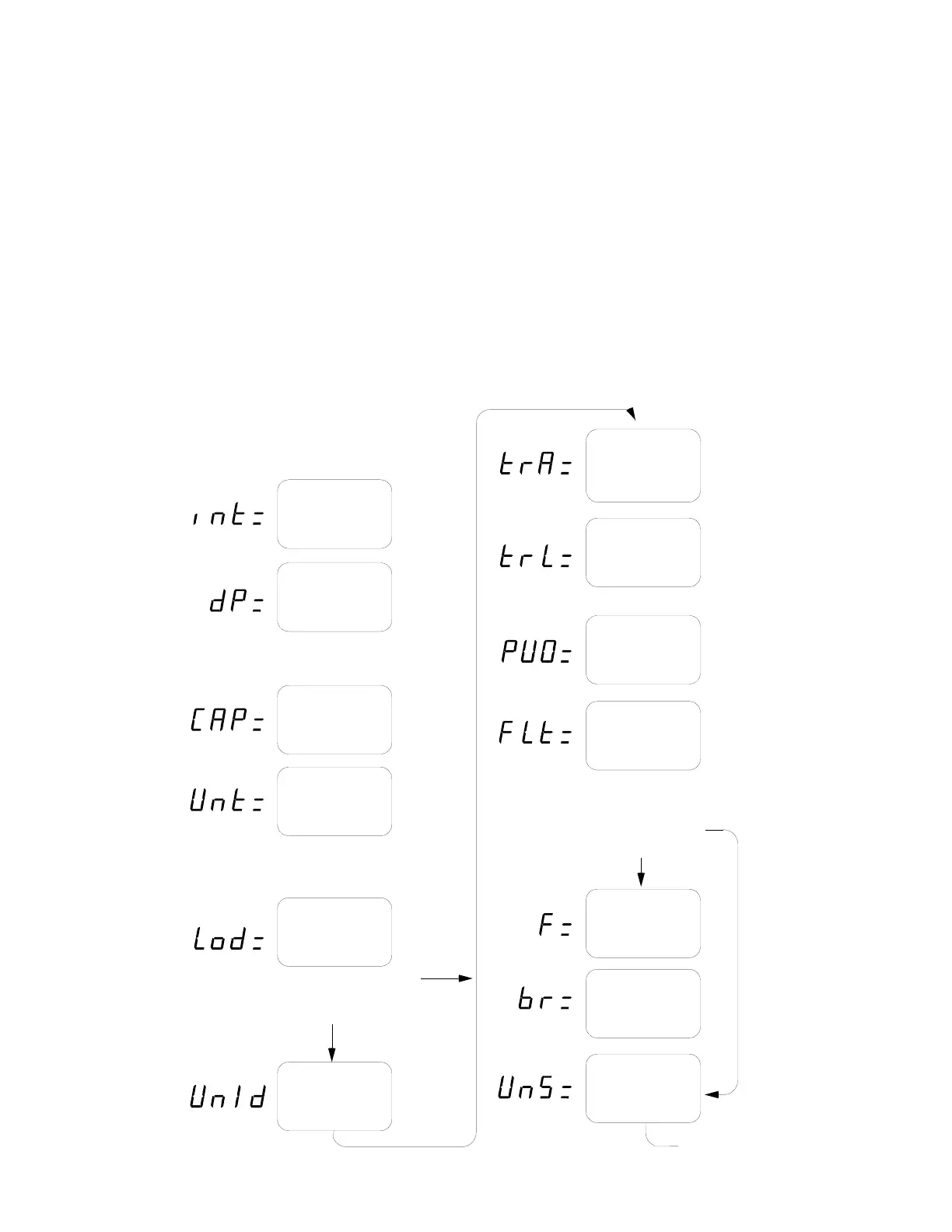
The 708 allows several operational parameters to be reviewed and changed without having to break
the calibration seal to gain access to the calibration switch. These operational parameters are:
• Power Up Zero Enable/Disable • Push Button Tare
• Auto Shutoff • Baud Rate
• Sleep Mode • Continuous Serial Data Output Enable/Disable
• Preset Weight Comparators Enable/Disable • Carriage Return/Line Feed Selection
• Checkweigher Enable/Disable • End-Of-Print Line Feeds
To enter the Setup Review mode, first turn the 708 off by pressing the OFF key. Press and hold any
key (except ON or OFF keys) and press the ON key. Release the key after the display prompts for
the Power Up Zero enable/disable (PU0=). Using the same procedure as described in the Setup and
Calibration section of this manual, make the required changes. A chart illustrating the basic
procedure is included in this manual for a quick reference but refer to the section on Setup and
Calibration for detailed information if in doubt.
Zero Tracking
Range
.5,1,2,3,4,5,
6,7,8 or 9
Interval
1, 2 or 5
Decimal Point
Location
0, 1, 2 or 3
0=XXXXX
1=XXXX.X
Scale
Capacity
up to 99,999
Weighing
Units
1=Pounds Only
2=Kilograms Only
3=Pounds/Kilograms
Calibration
Weight
Press ENTER twice to bypass
or once and enter test weight
value and load scale. Press
ENTER again
2=XXX.XX
3=XX.XXX
1. Press OFF key.
2. Set calibration switch to CAL position.
3. Press ON key.
4. Set calibration switch to OPR position.
Remove
Test Weights
Motion Range
1 through 9
Power Up
Zero
4% Zero
Tracking Limit
Yes/No
Filtering?
0,1,2 or 3
0=No Filtering
1=Minimal Filtering
2=Moderate Filtering
3=Custom Filtering
Filter
Level
1 to 16
Break Range
1 to 64
4=Kilograms/Pounds
5=Ounces only
6=Grams only
If 0, 1 or 2 then
If 3 then
Continued on
next page



 To Next Page