First-Time Setup and Synchronization
CardScan User’s Guide 8-3
4. If the path to the CardScan file in step 3 is not displayed or is incorrect,
type or browse for the path and name of the CardScan file with which to
synchronize.
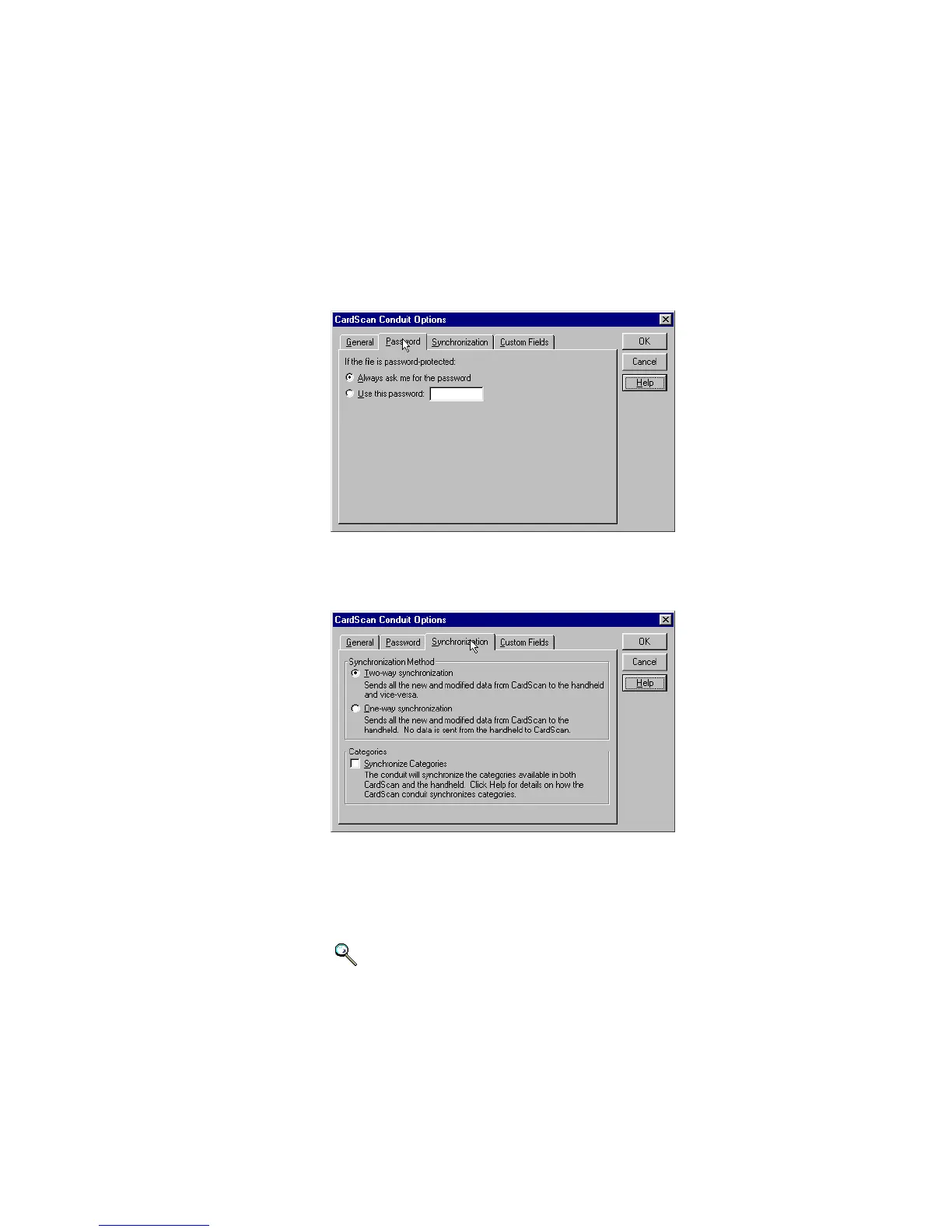
5. Click the P
ASSWORD tab.
If your CardScan file is password-protected, you may enter the
password here so you are not prompted for it during synchronization.
6. Click the SYNCHRONIZATION tab.
7. Choose the synchronization method.
8. (Optional) Choose the C
ATEGORIES option to synchronize categories.
(Optional) Click the C
USTOM FIELDS tab if your CardScan file uses phone
and email labels different from those on the handheld.
Keywords: “conduit”
9. Click OK to save the settings and close the dialog.



 To Next Page