Starting the Imaging Software
4–4 GETTING STARTED
Starting the CS Imaging Software
To start the CS Imaging Software, follow these steps:
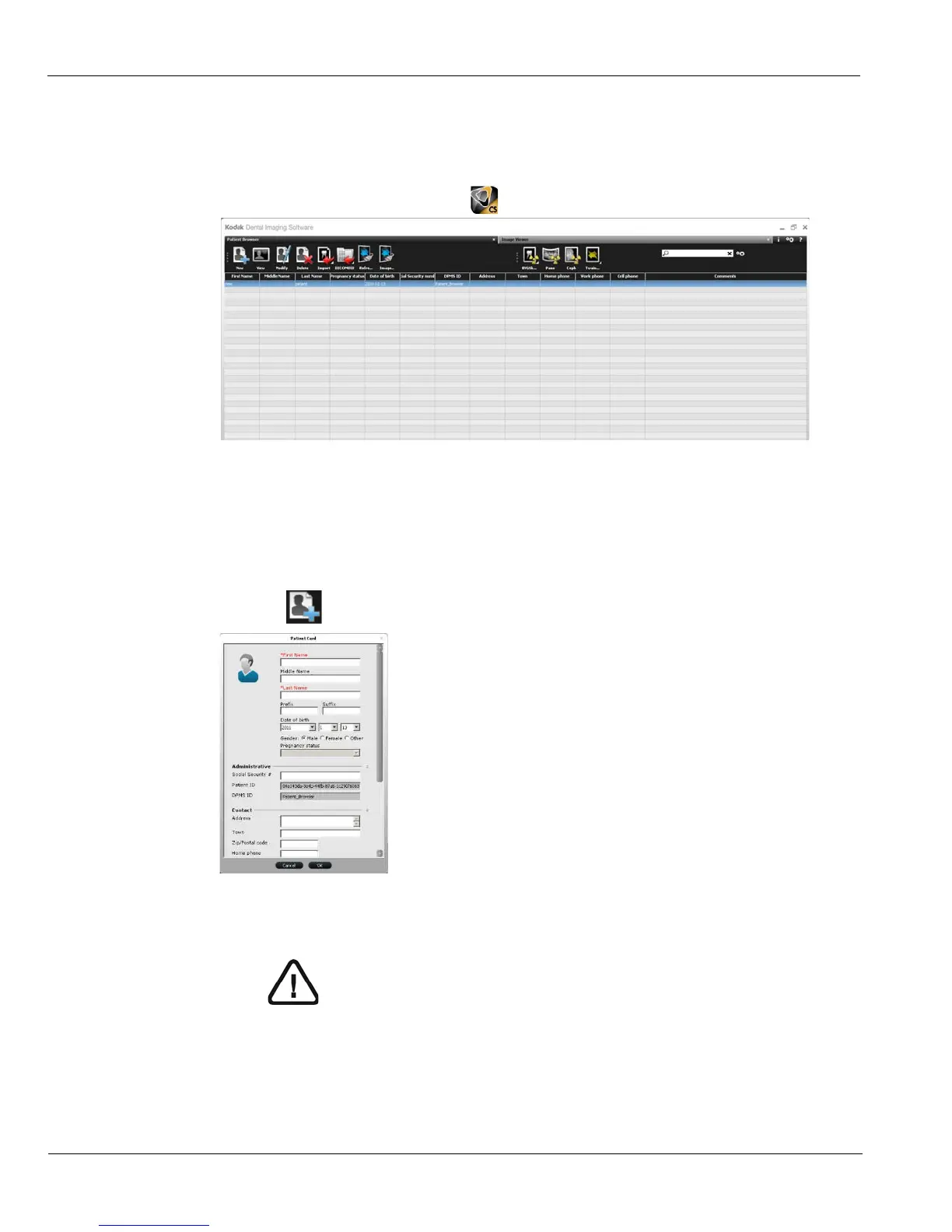
1 On your desktop, double-click . The Patient Browser tab is displayed.
2 You must now create a patient card.
Creating a Patient Card
To create a patient card, follow these steps:
1 Click in the Patient Browser tab. The Patient Card window is displayed.
2 Enter the patient information in the Patient Card window.
3 When you have finished entering data, click OK.
The Patient Card window closes, and the patient now appears in the patient list.
Note: The First Name and Last Name fields are mandatory. All other fields
are optional. Shaded fields are filled automatically and are not editable.











 To Next Page