SyStem Operating infOrmatiOnSyStem Operating infOrmatiOn
4327 • X5 04/2015 73
DOCKSIDE DISCHARGE
Using the dockside discharge method ushes waste from the heads to the waste tanks and stores the waste until it is
transferred to a dockside pumpout station.
NOTICE: Discharging waste overboard is illegal in many areas of the United States.
It is everyone’s responsibility to comply with all applicable federal, state, and local laws when using the
overboard discharge system. Discharging waste overboard in restricted areas will result in signicant penalties.
It is important to follow international regulations against marine pollution (MARPOL) and respect it as much as
possible.
Use a harbor or marina pumpout facility to empty the holding tank before leaving harbor.
1. Locate a dockside pumpout station.
2. If a gray water tank is installed, make sure the Y-valve, which is located in the engine room, is set to the correct
position. The Y-valve allocates the WASTE tank or GRAY WATER tank to be emptied.
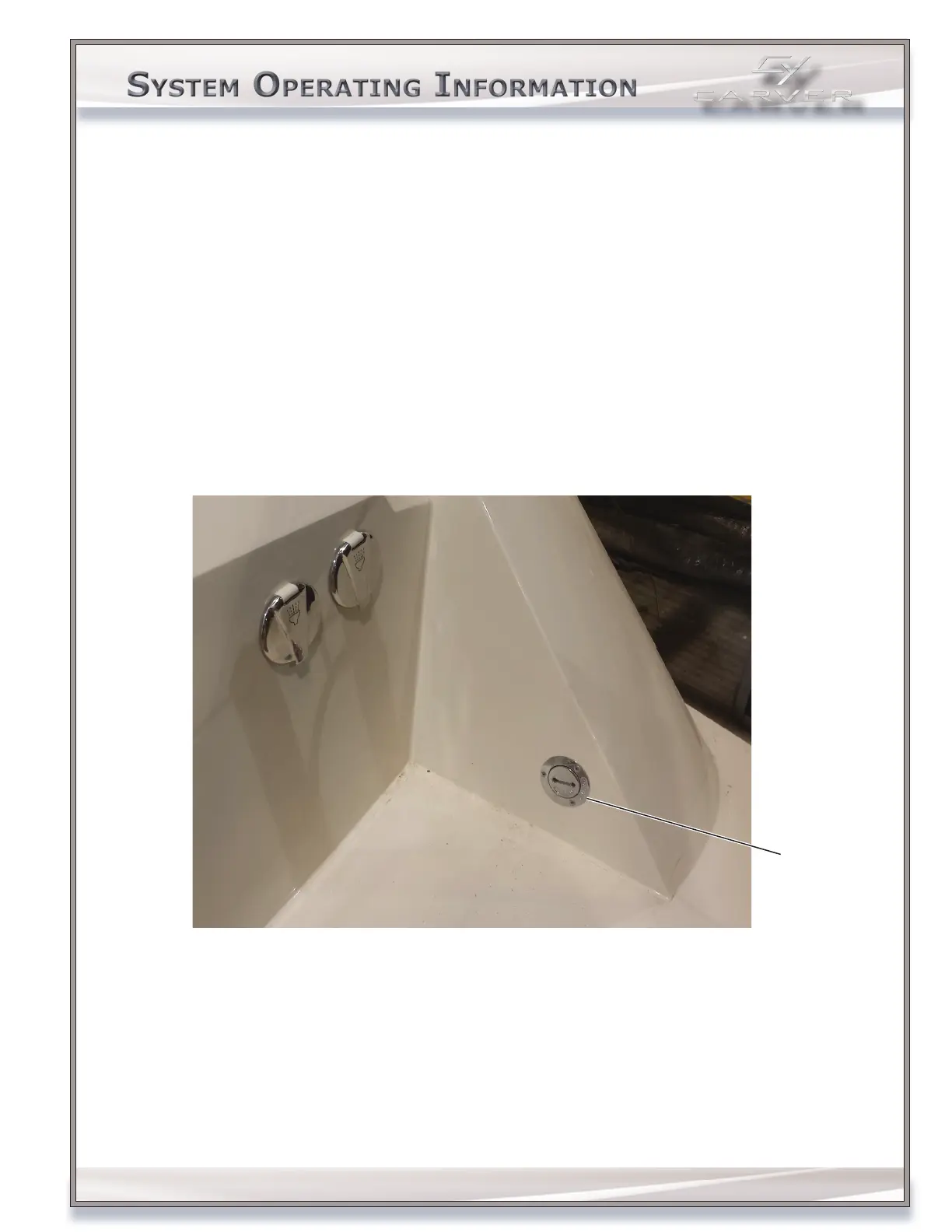
3. Remove the deck plate, labeled WASTE, using the waste tank deck key supplied. The waste deck plate is located on
transom, STARBOARD side.
Waste
Deck
Plate
4. Attach the pumpout vacuum hose to the WASTE deck tting. Make sure to have a secure connection between the
transfer hose and the deck tting.
5. Activate the pumpout vacuum. The pumpout vacuum transfers onboard waste to the dockside holding station.
6. Flush the waste tank, after all waste is removed:
a. Pour at least 3 gal (11 L) of freshwater through the WASTE deck tting.
b. Reattach the vacuum hose to the deck tting, and activate the pumpout vacuum to remove the freshwater and
any remaining waste.



 To Next Page