E-118
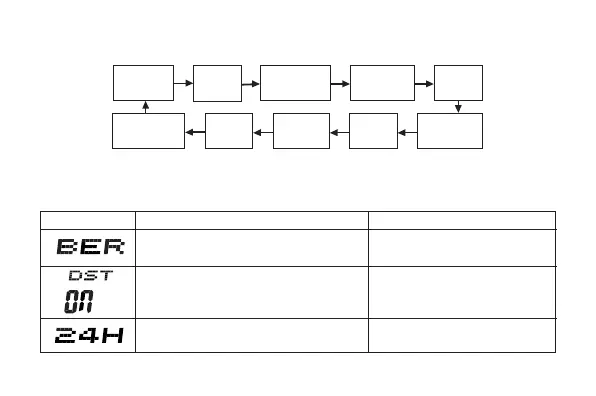
3. Press D to move the flashing in the sequence shown below to select the
other settings.
Seconds
Hour
Day
Month
12/24-Hour
Format
Minutes
Year
Power
Saving
City Code
DST
Do this:
Use A (east) and
C(west).
Press A.
Press A.
To do this:
Change the city code
Cycle between Auto DST (AT),
Daylight Saving Time (ON) and
Standard Time (OFF).
Toggle between 12-hour (
12H
)
and 24-hour (
24H
) timekeeping.
Screen
• The following steps explain how to configure timekeeping settings only.
4. When the timekeeping setting you want to change is flashing, use A and/
or C to change it as described below.



 To Next Page