EasyManua.ls Logo

Casio Exilim EX-Z700 - User Manual

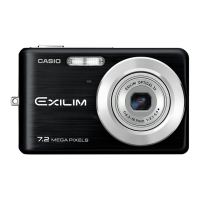
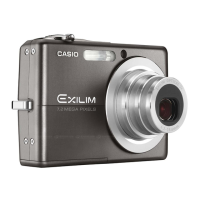
Casio Exilim EX-Z700
247 pages
Print Icon
To Next Page IconTo Next Page
Loading...
E
Digital Camera
EX-Z700
User’s Guide
K810FCM1DMX
Thank you for purchasing this CASIO
product.
Before using it, be sure to read the
precautions contained in this User’s Guide.
Keep the User’s Guide in a safe place for
future reference.
For the most up-to-date information about
this product, visit the official EXILIM
Website at http://www.exilim.com/.

Table of Contents

Questions and Answers

  • T
    Tammy ReynoldsSep 23, 2025
    What to do if my Casio Exilim EX-Z700 cannot find a image specified by the slideshow “Images” setting?
    • D
      David RobinsonSep 23, 2025
      If your Casio Digital Camera cannot find an image specified by the slideshow “Images” setting, specify another image.
  • D
    dunnjenniferAug 25, 2025
    What to do if my Casio Digital Camera does not turn on?
    • J
      Jonathan SmithAug 25, 2025
      If your Casio Digital Camera doesn't turn on, it could be due to the battery not being oriented correctly or the battery being dead. Make sure the battery is oriented correctly. If that doesn't work, charge the battery. If the battery dies quickly after being charged, it may need to be replaced.
  • V
    victoria46Aug 25, 2025
    Why does my Casio Digital Camera suddenly power down?
    • R
      Reginald MartinAug 26, 2025
      Your Casio Digital Camera might be suddenly powering down due to: 1. Auto Power Off being activated. Simply turn the power back on. 2. The battery being dead. Charge the battery to resolve this.
  • T
    Timothy BuchananAug 26, 2025
    How to fix Casio Exilim EX-Z700 Digital Camera auto focus?
    • R
      Roberto KennedyAug 27, 2025
      If the auto focus on your Casio Digital Camera isn't working correctly, consider the following: 1. The lens might be dirty. Clean the lens. 2. The subject may not be centered in the focus frame. Ensure the subject is centered when composing the image. 3. The subject might not be compatible with Auto Focus. Use manual focus. 4. You might be moving the camera. Turn on Anti Shake or use a tripod.
  • J
    Joshua DodsonSep 23, 2025
    What does it mean when the LOCK switch of the SD memory card or SDHC memory card of my Casio Digital Camera is locked?
    • C
      Chelsea AndrewsSep 23, 2025
      You cannot store images to or delete images from a memory card that is locked on your Casio Digital Camera.
  • W
    William ColemanSep 13, 2025
    Why does the language setting screen appear every time I turn on my Casio Exilim EX-Z700 Digital Camera?
    • J
      Justin GonzalezSep 13, 2025
      If the display language setting screen appears every time you turn on your Casio Digital Camera, it could be due to: 1. The camera’s display language, Home city, date style, date and time, and other settings have not been configured. Check the settings. 2. A problem with the camera’s built-in memory management area. Perform the reset operation to initialize the camera’s setup, and then configure each setting. If the language selection screen does not reappear, the memory management area has been restored.
  • C
    Cathy ScottSep 12, 2025
    Why are subjects too dark on my Casio Exilim EX-Z700 when shooting at the beach or ski area?
    • M
      Melanie RosarioSep 12, 2025
      If subjects appear too dark when recording images on a seashore or at a ski area with your Casio Digital Camera, it's likely due to sunlight reflected by water, sand, or snow causing underexposure. To fix this: * Change the flash mode setting to flash on for daylight synchro flash. * Increase the EV shift value.
  • T
    taylorjenniferSep 12, 2025
    Why does the playback image color differ from the recording screen on my Casio Digital Camera?
    • I
      irandallSep 12, 2025
      If the color of the playback image differs from what you saw on the monitor screen during recording with your Casio Digital Camera, it's probably because sunlight or another light source was shining directly into the lens during recording. Try to position the camera so that direct sunlight is avoided.
  • L
    Lori JohnsonSep 4, 2025
    What to do if the Casio Exilim EX-Z700 Digital Camera doesn't record images when pressing the shutter button?
    • A
      Andrew SmithSep 4, 2025
      If your Casio Digital Camera isn't recording images when you press the shutter button, it could be due to these reasons: * The camera might be in PLAY mode. If so, press the REC button to switch to REC mode. * The flash unit might be charging. Wait for it to finish. * The memory might be full. Transfer files to your computer and delete them from the memory card, or use a different memory card.
  • G
    Gabriel KingSep 2, 2025
    Why is my Casio Digital Camera monitor screen image out of focus?
    • T
      Timothy HarrisonSep 2, 2025
      If the monitor screen image on your Casio Digital Camera is out of focus, it could be due to several reasons: * You might be in Manual Focus mode without focusing the image. If so, focus the image. * You may be using Macro mode for scenery or portrait shots. Use Auto Focus instead. * You might be using Auto Focus or Infinity mode for close-up shots. Switch to Macro mode.

Summary

Quick Start Guide

First, Charge the Battery!

Provides instructions on how to charge the camera's battery.

Basic Image Recording

Recording an Image

Guides the user through the fundamental process of capturing photographs.

Other Recording Functions

Playback

Deleting Files

Using a Memory Card

Viewing Images on a Computer

Using the Camera with a Windows Computer

Guides users on connecting the camera to a Windows PC for image transfer.

Using the Camera with a Macintosh Computer

Guides users on connecting the camera to a Macintosh for image transfer.

Using the Camera with a Computer

Appendix

Troubleshooting Guide

Offers solutions for common camera operational problems and their causes.

Casio Exilim EX-Z700 Specifications

General IconGeneral
Image Sensor1/2.5-inch CCD
Effective Pixels7.2 Megapixels
Optical Zoom3x
Digital Zoom4x
Focal Length6.3 - 18.9 mm
LCD Resolution115, 200 pixels
Image ProcessorEXILIM Engine
LCD Screen2.7 inches
ISO Sensitivity50, 100, 200, 400
Shutter Speed1/2000 - 4 seconds
Video Recording640 x 480 pixels at 30 fps
Storage MediaSD, SDHC
BatteryNP-40 rechargeable lithium-ion

Related product manuals