© CCV GmbH - It is not allowed to duplicate or distribute this document without our agreement.
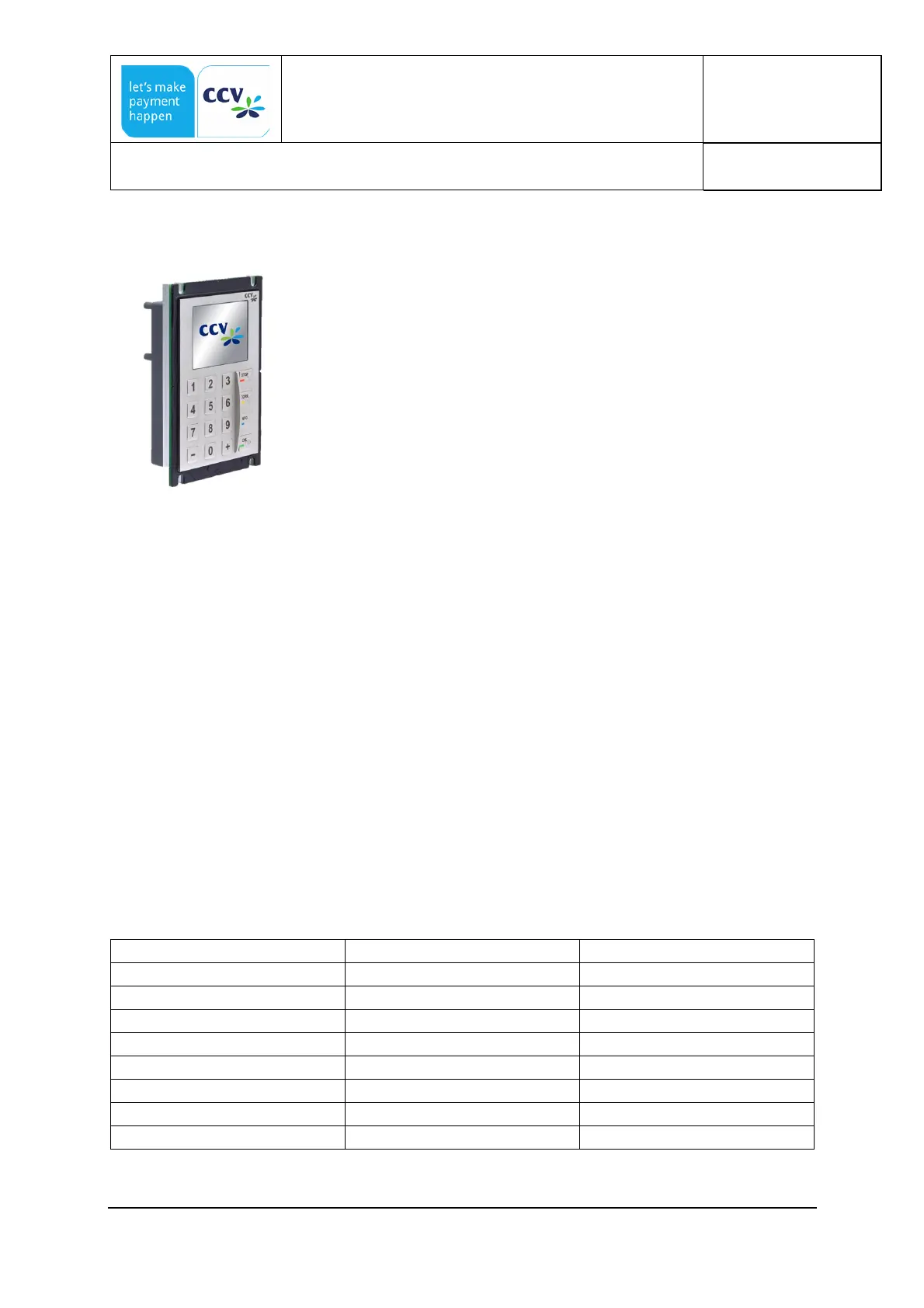
5.7.3 Keyboard OPP-C60c
The PIN-Pad of the OPP-C60c is equipped with a vandal proof,
high-quality stainless steel keyboard with 16 keys. The keys are
equipped with tactile and audible feedback by sound and
embossing according to the specification „EBS100V3 – October
2004“ of ECBS .
5.7.4 Display
320*240 pixels, full graphics display with adjustable, high contrast and wide viewing angle. No
slowdown of the display at low temperatures.
OPP-C60s/m: 3,5“ TFT Color display, Active Size 72,7*54,3mm
OPP-C60c: 2,7“ TFT Color display, Active Size 58,3*43,9mm
5.7.5 Receipt Printer
The receipt will be printed by the machines printer (e.g. vending machine). It is controlled via
the machine control system.
The machine (e.g. vending machine) is getting all information from the OPP-C60 / OPM-C60
that is needed to print the receipt either as a complete receipt or as a data message containing
all relevant data to generate the receipt.
5.7.6 IP/IK-Codes
In the table below there are the IP and IK Codes for the OPP, OPM and the card readers. The
IP-Codes are separated in the front side and Rear side of the device. The IK-Codes for the
display is different to the keyboard. There for there are two different IK-Codes mentioned in
the table. The first is for the keyboard and the second is for the display.



 To Next Page