page 13www.CentSys.com
ELECTRICAL SETUP SECTION 3
3.3. Setting the Limits
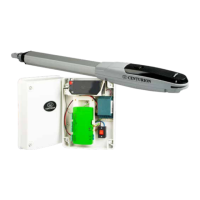
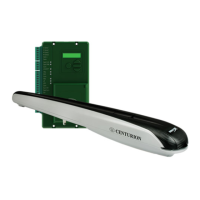
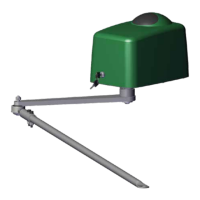
Ensure that the mechanical setup procedure for your operator (VANTAGE, VERT-X
or VECTOR2) is completed before proceeding with the electronic limit setup. See the
Mechanical Installation Manuals.
3.3.1. For an Inward Opening Swing Gate:
Disengage the operator(s) and manually push the gate(s) to the desired closed position.
Engage the operator(s).
3.3.2. For an Outward Opening Swing Gate:
Disengage the operator(s) and manually push the gate(s) to the desired fully open
position.
3.3.3. Activate Automatic Limit Setup Procedure:
Engage the operator(s).
Closed lock indicates an operator is in the engaged state.
• Select the ‘Limits’ menu by pressing the enter button ( )
• Followtheon-screeninstructionstocompletethesetupprocedure
• When prompted to select the operator, always ensure that the correct operator
‘VANTAGE/VERT-X/VECTOR2’ is selected
Ifpoweringupthesystemex-factory,itwillrequestfortheOperatingProle(Operating
Standard)tobeset;selectfromthelisttheProlethatwillsuitthespecicregion.
With this set, the system will automatically proceed to the Limit Setup Menu; follow the
on-screeninstructionstocompletetheSetupProcedure.
IfpoweringupwiththeProlesetbutnolimitsset,thesystemwillautomatically
proceedtotheLimitSetupMenu;followtheon-screeninstructionstocompletethesetup
procedure.
If powering up at any stage after that, push and hold the Setup button ( ) for three
seconds.



 To Next Page