31
Programming (continued)
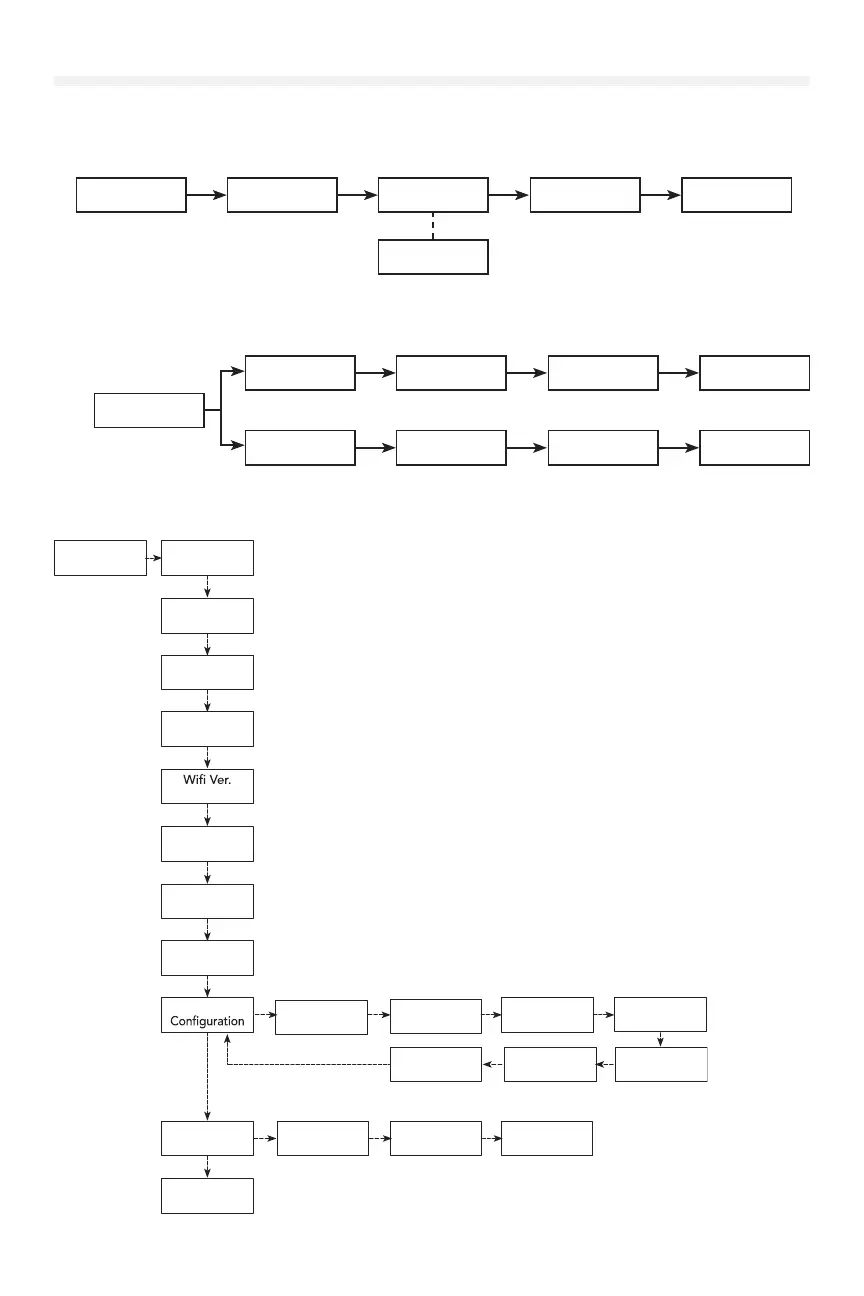
OPERATION MODE (RECOMMENDED)
To change the operating mode from the defaults B2 or C2, navigate to the SYSTEM SETTINGS > OPERATION MODE
submenu.
CONNECTIVITY (RECOMMENDED)
To connect the operator to a network, navigate to SYSTEM SETTINGS > CONNECTIVITY > LEARN > LEARN WIFI
submenu. See the "myQ® Smart Facility Access" on page 43 to connect your devices to myQ® Business Facility.
Hold ENTER and DOWN for three seconds to open the System Information Menu.
NOTE: This menu tree is only for informational purposes. These settings cannot be changed by the user.
Operation
Mode
Oper. Mode
B2:T/TS/NO
Oper. Mode
B2:Timer to
Oper. Mode
D2:CNST PRES
Oper. Mode
C2:CNST PRES
Oper. Mode
E2:CNST PRES
Connectivity
Learn
Remotes
Learn
myQ® Devices
Connectivity
C2:CNST PRES
Learn
Remotes
Unlearn
Remotes
Unlearn
myQ® Devices
Connectivity
C2:CNST PRES
Unlearn
Remotes
1. SYSTEM
INFORMATION
Operator
HPH1
Leave
SYSTEM INFO.
Controller Ver.
VXX.XXX.
Display Ver.
VXX.XXX.
Inverter Ver.
VXX.XX
VXX.XX
ESARM Ver.
VXX.XX
Absolute Cycles
XXXXX
Door Maint.
XXXXX Cycles
System
Cable Drum
Eye/Edge 1
Door Hanging
Eye/Edge 2
Door Height
Eye/Edge 3
Oper. Mode
Timer To ClosePosition TypeMid Stop
Monitored
Eyes/Edges











 To Next Page