40
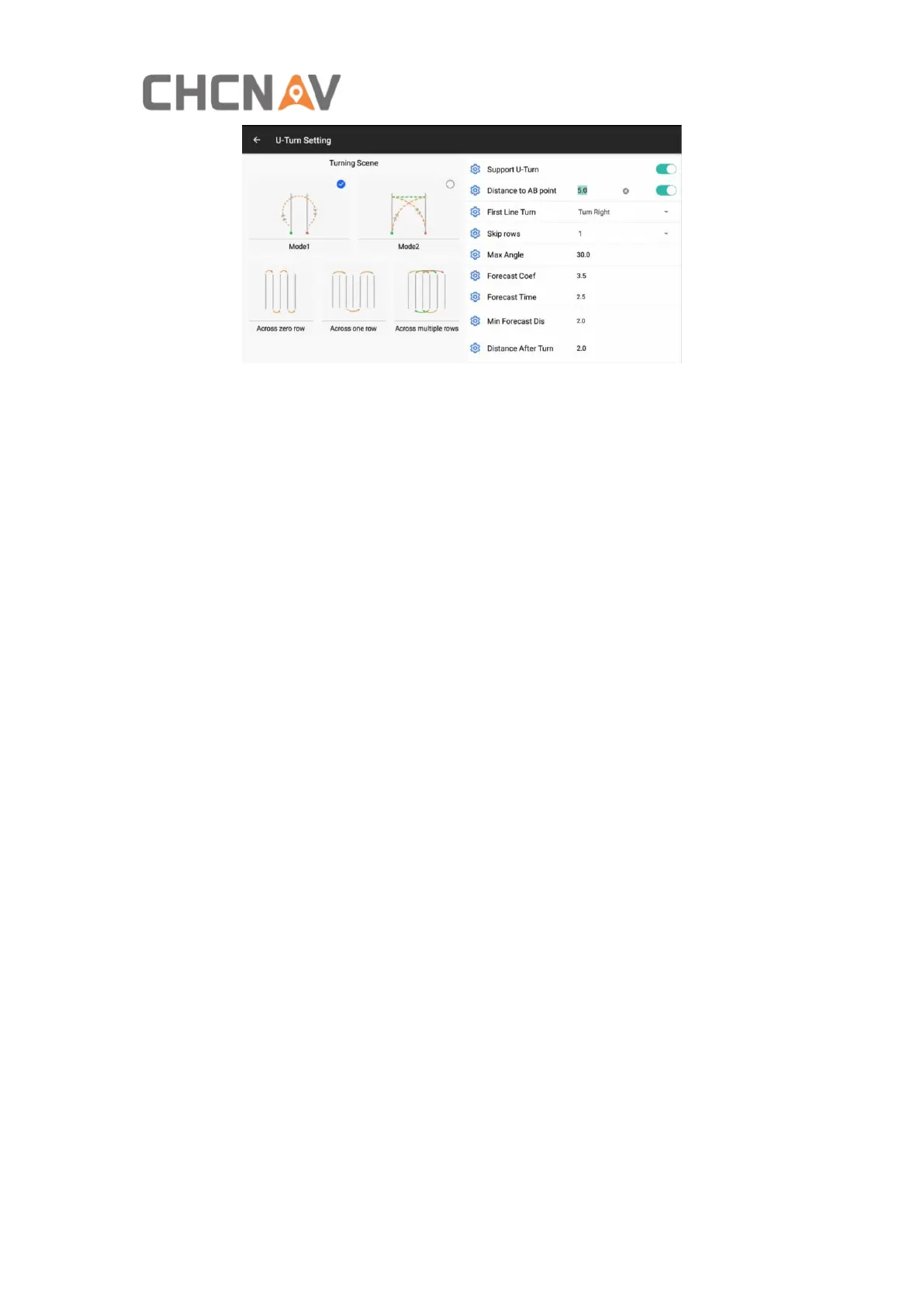
With Mode 1 “Bulb” U-Turn, it can support to do rows skip. Also it can be configured
with some parameters as below;
Support U turn: The option to enable/disable the U-turn feature;
Distance to AB point: The option to enable/disable Auto U-turn which is triggered
based on the distance to AB point;
First line Turn: The option to set the turning direction of the first guideline;
Skip rows: The option to select how much rows skipping, currently 0-9 rows can be
supported.
Max Angle: The maximum angle vehicle can turn. The range is around 30° to 50°, the
default value is 30°.
Forecast Coef: Decrease the value if the vehicle enters the next guideline slowly after
U-turn. The range is from 2.5 to 3.0 and the adjustment interval is 0.5.
Forecast Time: Increase the value if the vehicle deviation distance is large during
U-turn. The range is from 2.5 to 4.0 and the adjustment interval is 0.5.
Min Forecast Dis: Predict the turnaround path by the vehicle's current position to
give sufficient time for U-turn. The smaller the value, the later the vehicle turns
around. The range for transplanter is 1.7-2.5, for tractor is 2.0-4.0 and the
adjustment interval is 0.1.
Distance After Turn: Distance required for vehicle to fully enter the guideline after
U-turn.
If the selected skipping row is 0 or 1, it will have Left/Right icon for manual setup.



 To Next Page