57
4.2.5.5 Advanced Settings
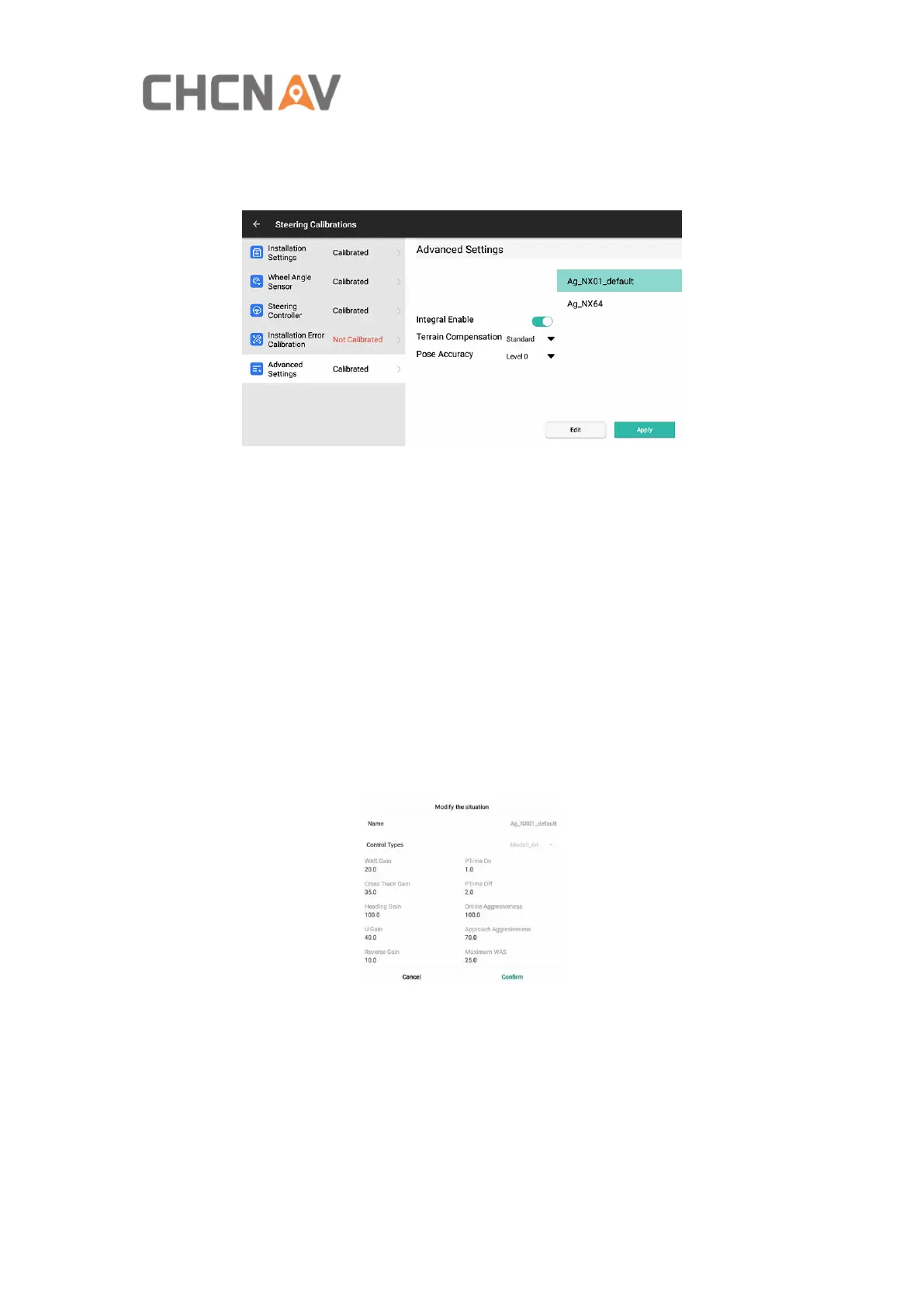
In this interface, it can modify the advanced parameters, click Edit, enter the
password 012 to edit.
Integral Enable: It can optimize the fixed lateral deviation issue after turn off for front
steer vehicle and see the performance. It is unnecessary to turn off for other vehicles.
The default is on.
Terrain Compensation: It includes Slope and Standard two types. It is only useful for
tracked vehicle. When switch to algorithm mode NX01, please use the standard;
When switch to algorithm mode NX64, please use the slope.
Pose Accuracy: When the vehicle is standstill, the software displays a speed of
0.2/0.3/0.4 km/h, it can switch to level 1 which can eliminate the speed display. The
default is level0.
Ag_NX01_default, Ag_NX64: Two sets of control methods. NX01 is suitable for most
job scenarios
NX64 is suitable for the vehicle with medium/low speed and heavy load, or soft soil,
such as potato operations.
WAS Gain: The default is 20, which is only valid in the without-angle mode. The
smaller the steering sensitivity, the more sensitive the front wheel turns. When the
vehicle steering clearance is large or the working soil is soft and sloping, the value
needs to be reduced and set to 10.
Cross Track Gain, Heading Gain: No need to adjust, use online aggressiveness to
adjust sensitivity.



 To Next Page