95
4.2.14.2 Register
There are two methods to register software common feature.
a) File/code registration.
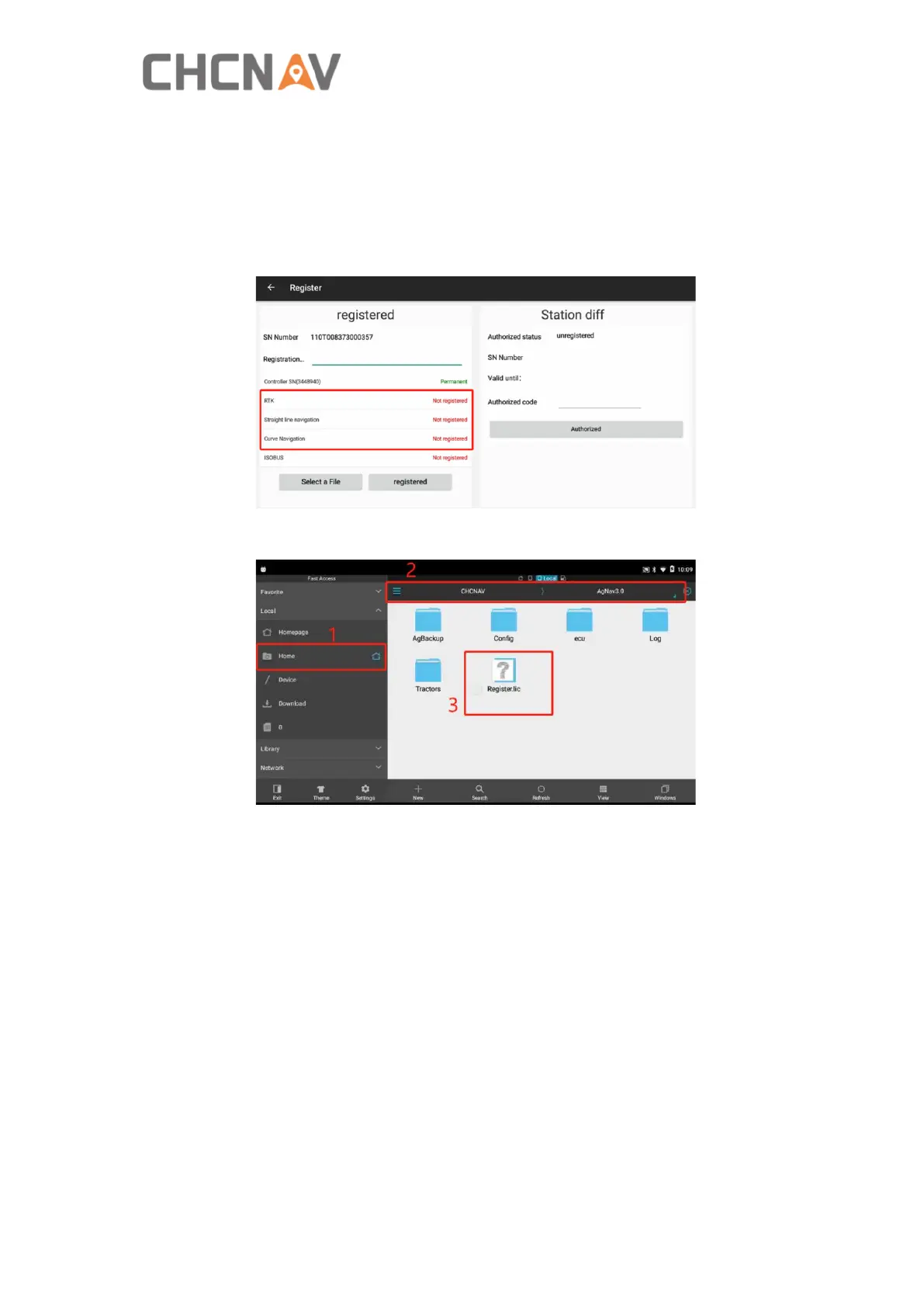
1) Get into [Settings]-[About]-[Register]
2) Provide the SN Number of the tablet to CHCNAV technicians and will provide you
the registration file/code.
3) Copy the registration file to specific directory: Home/CHCNAV/AgNav3.0
4) Restart the software which will register by itself, then go to [Settings] - [About] -
[Register] again to check the registration status and expiration date.
b) Online registration.
Connect tablet to internet, and provide tablet SN to CHCNAV technicians, finally
restart the software to activate the new registration after informed by CHCNAV
technicians.



 To Next Page