56
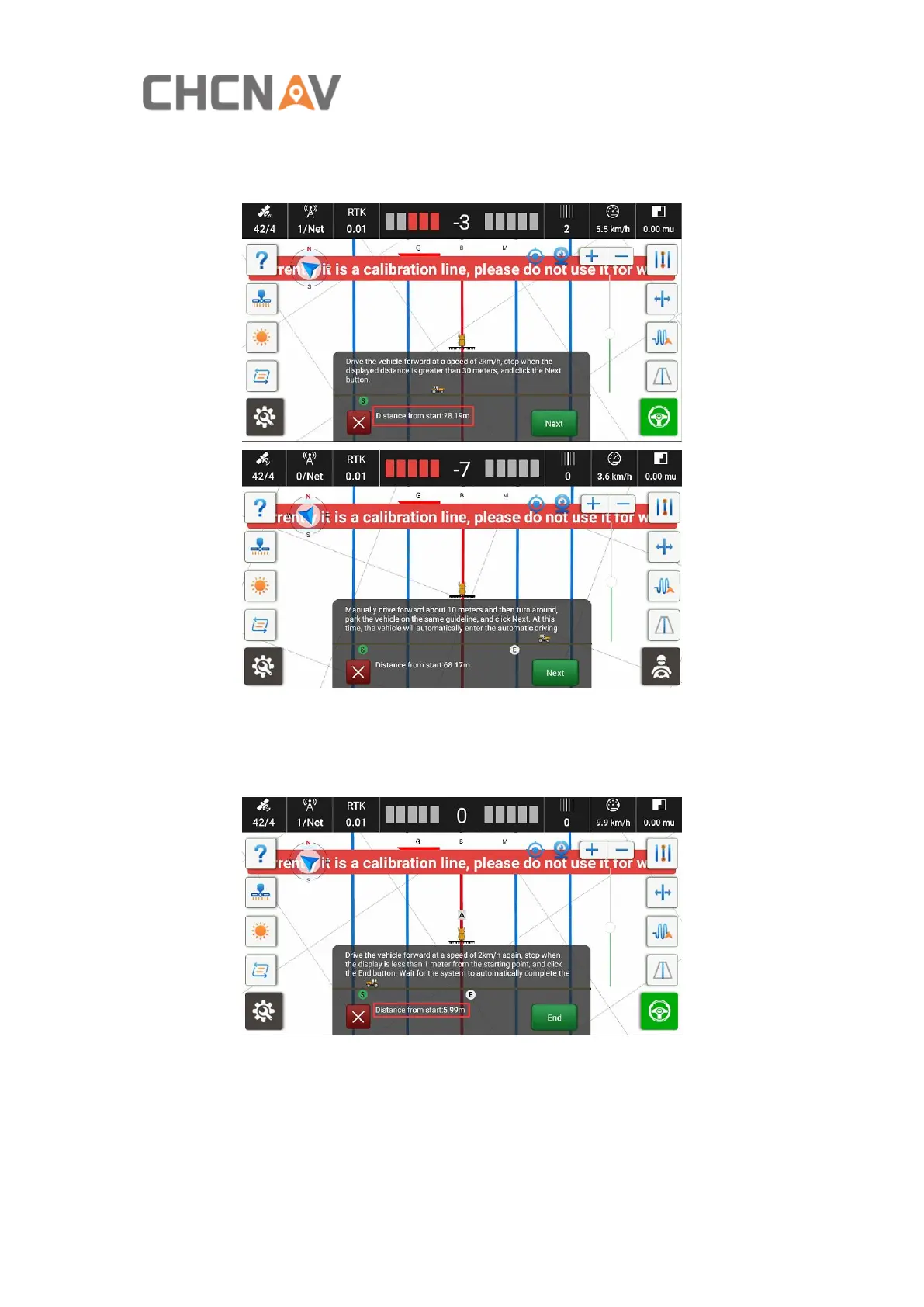
Then click Start and it will set a guideline automatically. The vehicle will get into the
auto mode. When the distance from start is over 30m, stop the vehicle, click Next.
Then it will record the END point and switch to manually mode.
Turn around and back to the same guideline. After enter the line, click Next and the
it will switch to Auto mode. Then drive forward automatically and keep the speed
between 2-3km/h. Stop the vehicle when the distance from start point is below 1m.
Click End, the system will calculate automatically.
Finally click Complete to finish the calibration.



 To Next Page