54
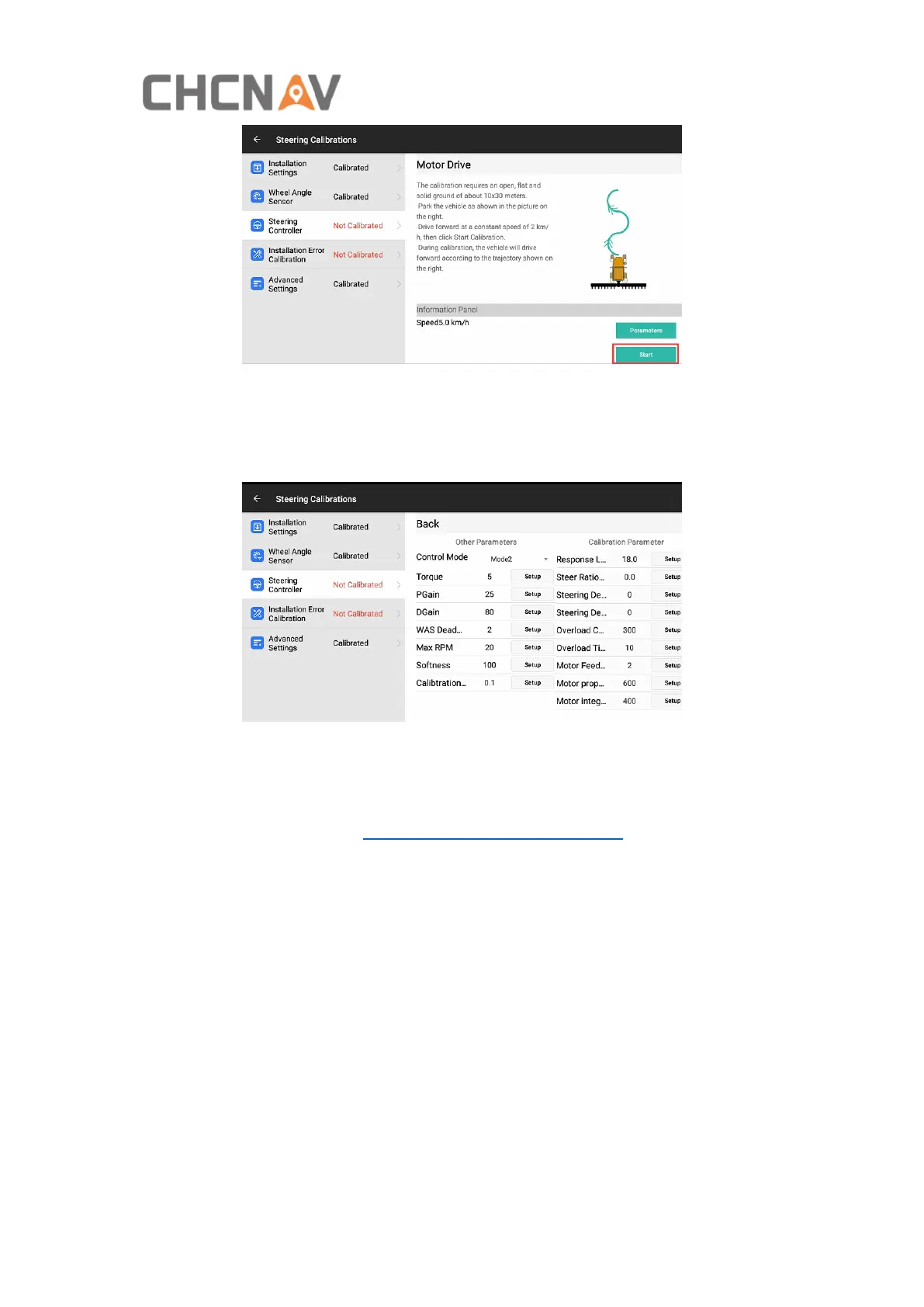
The vehicle will drive forward automatically with an “S” line. When Steering
Controller calibration is completed, it will enter the Installation Error Calibration
automatically.
Click Parameters, it can modify some necessary parameters here.
Torque: The strength of manually turning the steering wheel to stop the automatic
driving, the minimum is 3, the maximum is 15.
WAS Dead Zone: 2 (no adjustment required).
PGain/DGain: Please refer to Main interface - 19 Quickly adjust for details.
MAX RPM: After the automatic steering of the vehicle goes online, the maximum
motion speed of the motor, the default for front-wheel steering and rear-wheel
steering vehicles is 20. The default for tracked and articulated vehicles is 10.
Softness: The default is 100 (no adjustment required).
Calibration Threshold: 0.1. Usually when do steering wheel calibration, there are
three rounds of right and left turn calibration, there is the value difference between
left steering ratio and right steering ratio in one round, formula is like below, V1 = VL
– VR, and there is another value difference between two rounds and it is able to use
calibration threshold to judge it, formula is like below, X = V2 -V1. When the vehicle is
calibrated, if the vehicle condition is poor or the ground condition is poor, the
calibration cannot be successful, increase the value to improve the pass rate, and can
be set to 0.3.



 To Next Page