61
Steps
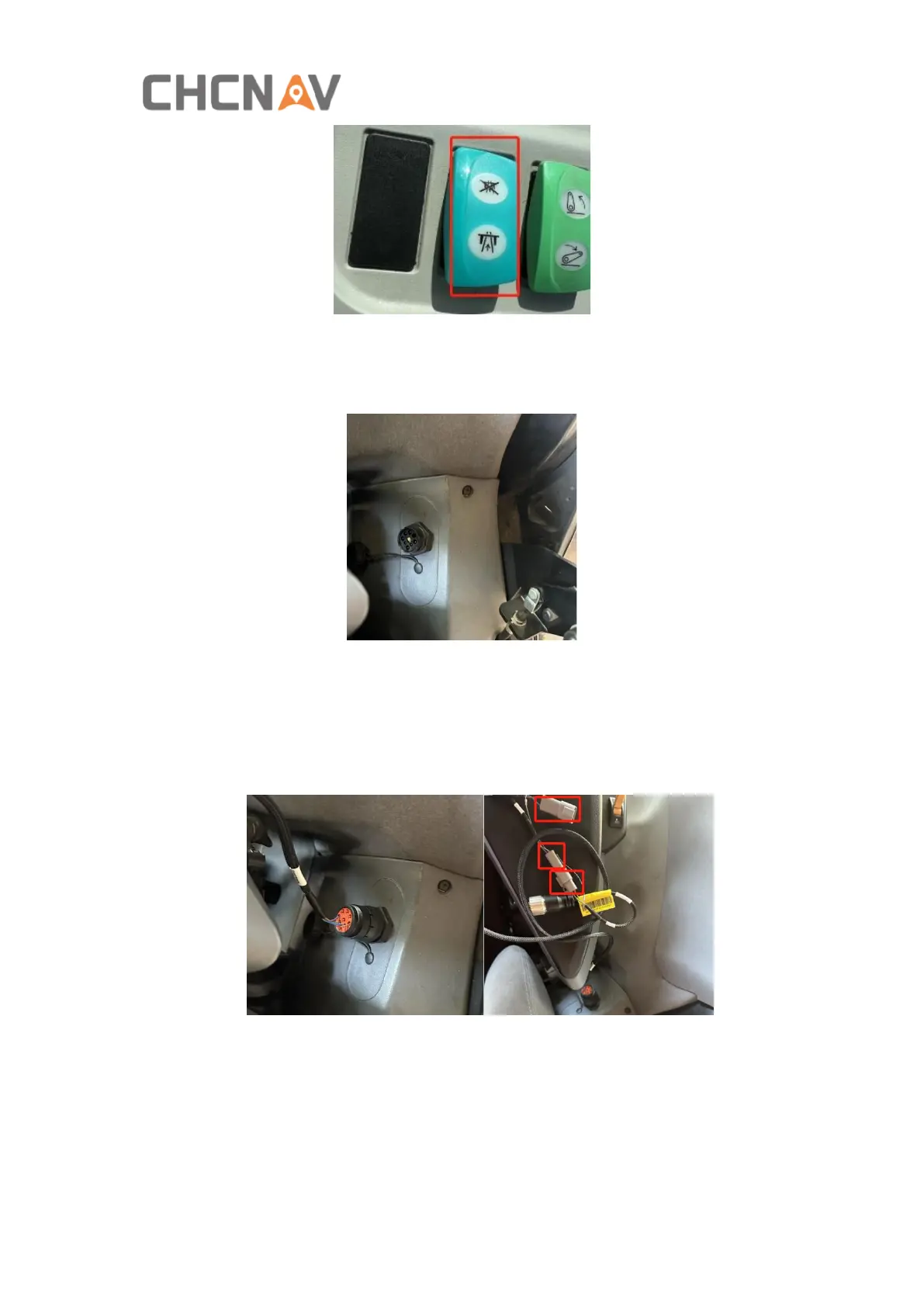
1. Find CANBUS interface in the Hydraulic tractor cab correctly, here take Steyr
6300 tractor as an example,
2. Try to find the correct CAN L and CAN H pinouts ( H/J, or C/D)in this interface
with tractor documentation or some can tool.
3. Connect to this interface with CHC CANBUS cable or customized cable depending
on H/J or C/D pinouts, also in the middle side of the CANBUS cable, there are
three connectors, one is male and another two are female, pls connect one of
them as well depending on H/J or C/D pinouts.
4. Connect to CHC PLC controller COM2 with another end of CANBUS cable1
(4103020173), also connect to PLC controller COM1 with another CANBUS
cable2 (4103020172) connecting to motor interface of NX510 main cable for
supplying power and data communication.



 To Next Page