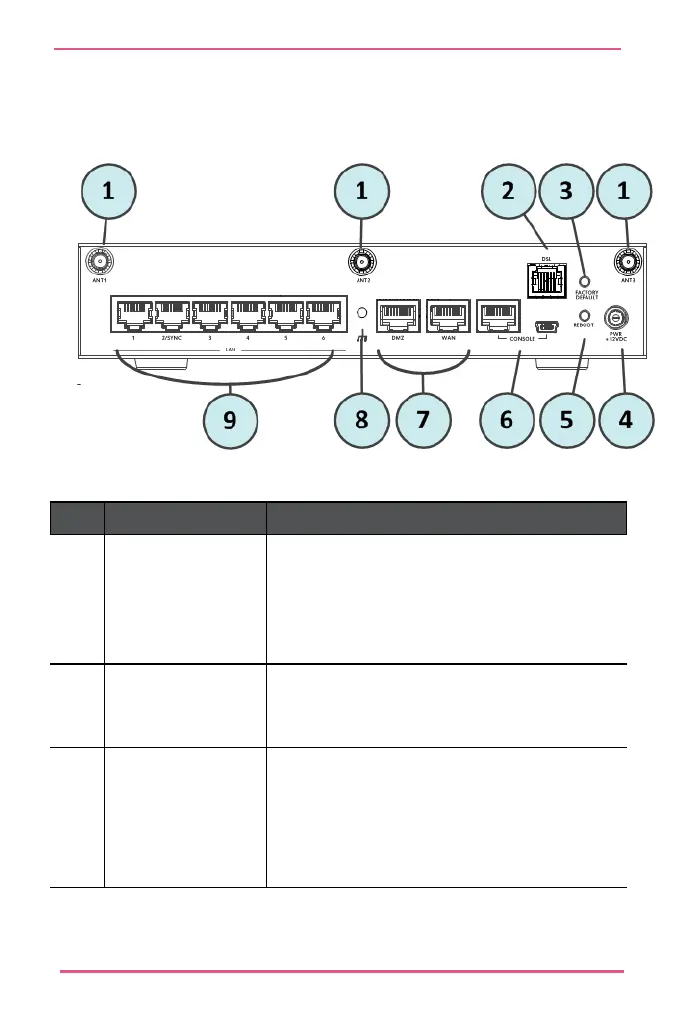
Back Panel
Key
Item Description
1
ANT1, ANT2 and
ANT3
(WiFi and WiFi +
DSL models only)
Ports for attaching wireless network
antennas.
2
DSL
(DSL models only)
Port for attaching telephone cable.
3
Factory Default
button
Lets you restore the appliance to its factory
defaults. The button is recessed into the
appliance chassis to prevent accidental
restoring of factory default settings. See
Restoring Factory Defaults.










 To Next Page