Edge/Edge Blanket Installation
2-17
To test the interconnected stop circuit,
start another machine in the line and
press a red safety STOP button on that
machine.
Restart the unit and open one endframe
door. Make sure that all moving elements
stop, compressed air pressure is released,
and an error message displays in the CHI
Panel.
Close and secure the endframe door. Re
-
start the unit and repeat this test with the
other endframe door.
Press the green station START button.
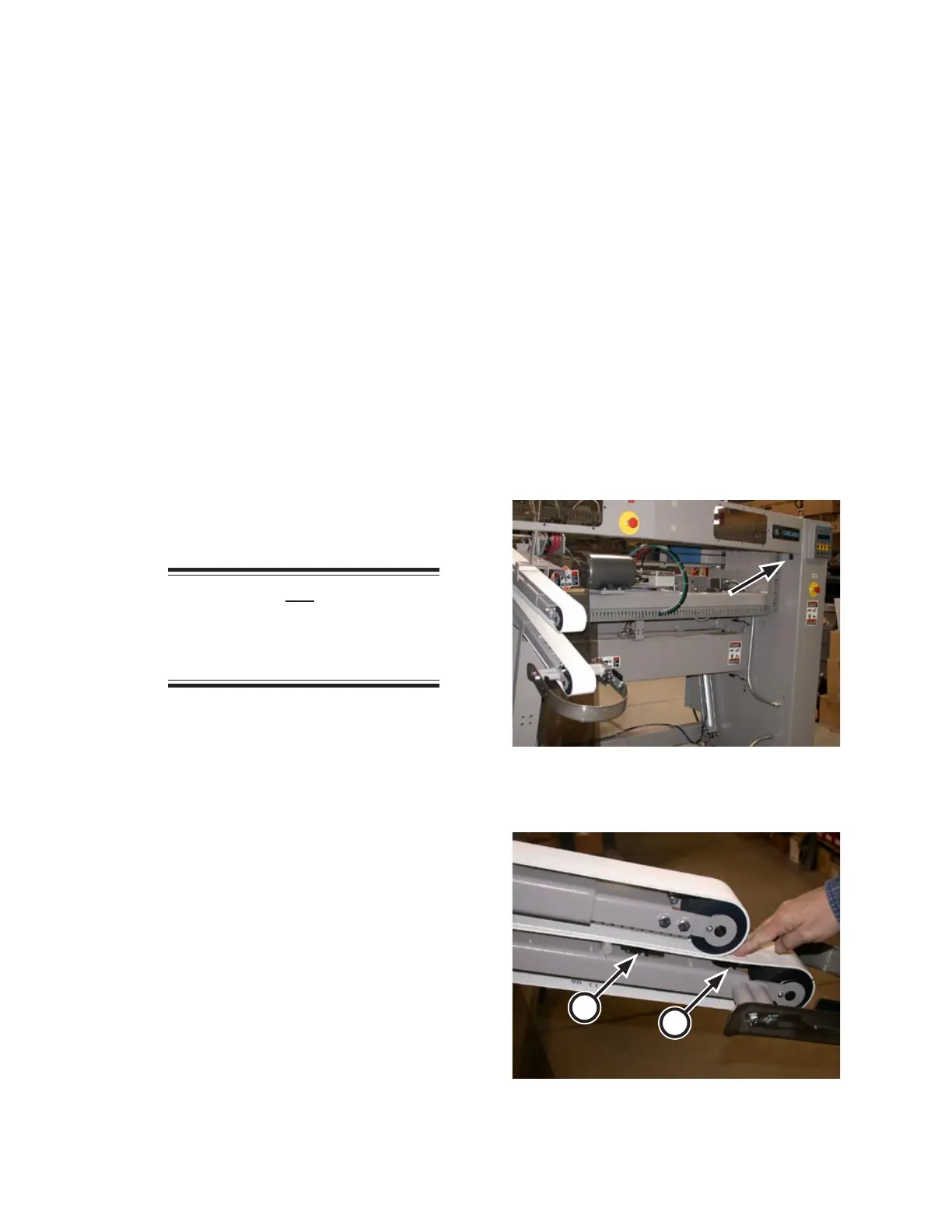
Test the crossbeam (Figure 2-29) sensor by
momentarily blocking the beam. All mov
-
ing parts should stop and an error message
should display in the CHI Panel.
Press the green START button.
NOTE: Do not press a red
safety STOP button. This will
cause the compressed air system
to depressurize.
Wait two seconds and press the square red
station Stop button.
Test the two mass sensors one at a time:
Press down on the lower inlet belt just
above a mass sensor (Figure 2-30, A).
The upper arm should raise, all moving
parts should stop and an error message
should display in the CHI Panel.
Restart the unit and repeat the test with
the second mass sensor (B).
•
5.
6.
7.
8.
9.
10.
11.
•
•
•
CHI Panel Function Check
On the CHI panel, press a STATION but
-
ton. Its indicator should light. Repeat for
each STATION button in turn.
Press the SPEED ▲ button. Check that the
ribbons and belts change speed together.
The CHI panel display should show the
increase in speed.
Press the SPEED ▼ button. Check that the
ribbons and belts change speed together.
The CHI panel display should show the
decrease in speed.
Press a STATION button to select a pro
-
gram.
1.
2.
3.
4.
Figure 2-29: The crossbeam sensors are located just
under the front guard.
Figure 2-30: Two mass sensors are located under
the lower inlet belt.
B
A


 To Next Page