ECO 6 Digital Color Doppler Ultrasound System
111
7.9 System
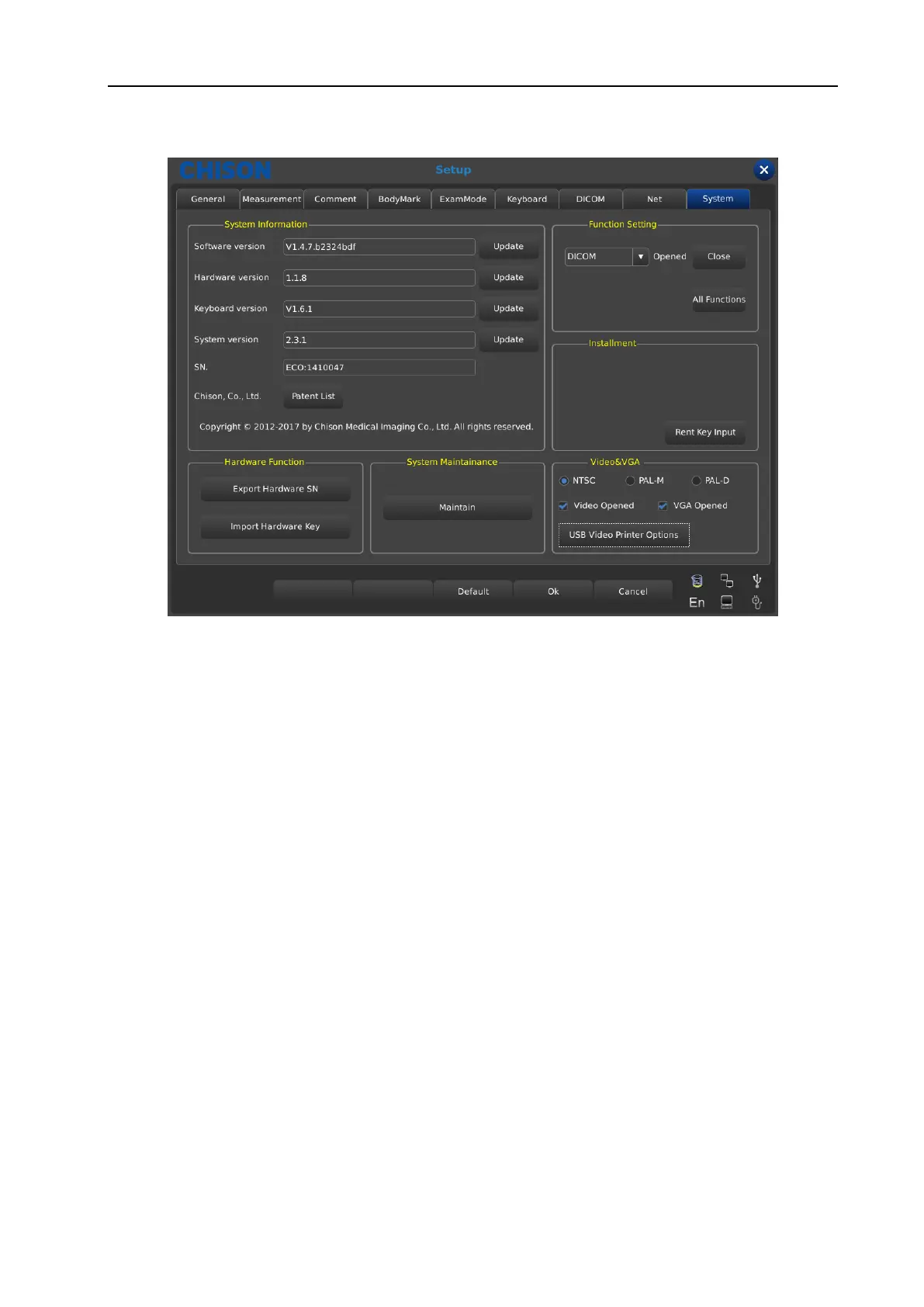
Fig. 47 System Setup Interface
7.9.1 System information
Display the software version, hardware version, system version, etc.
7.9.2 Update
Software and Hardware can be updated by USB flash drives.
Software update File Path: X:\update\XXX or X:\update_SN\XXX.
Hardware update File Path: “X:\fpga_update\XXX”
Keyboard update File Path: “X:\ keyboard_update \XXX”.
X means USB flash drives.
XXX means update content. It should restart manually after hardware update, and after software update,
machine can be restarted automatically.
7.9.3 Function Setting
Show the status of current functions, and click the related button to turn on/off this function (need the key
provided by CHISON).
7.9.4 Installment setting
Input relevant key to open trial function and the detail please contact CHISON Company.
WWW.CFS.IT - CFS PRODOTTI MEDICALI SRL



 To Next Page