ECO 6 Digital Color Doppler Ultrasound System
33
before saving measurement or image; otherwise, it will be stored in the wrong patient records. After checking
the patient, press the [END] key to save the patient’s information in the system.
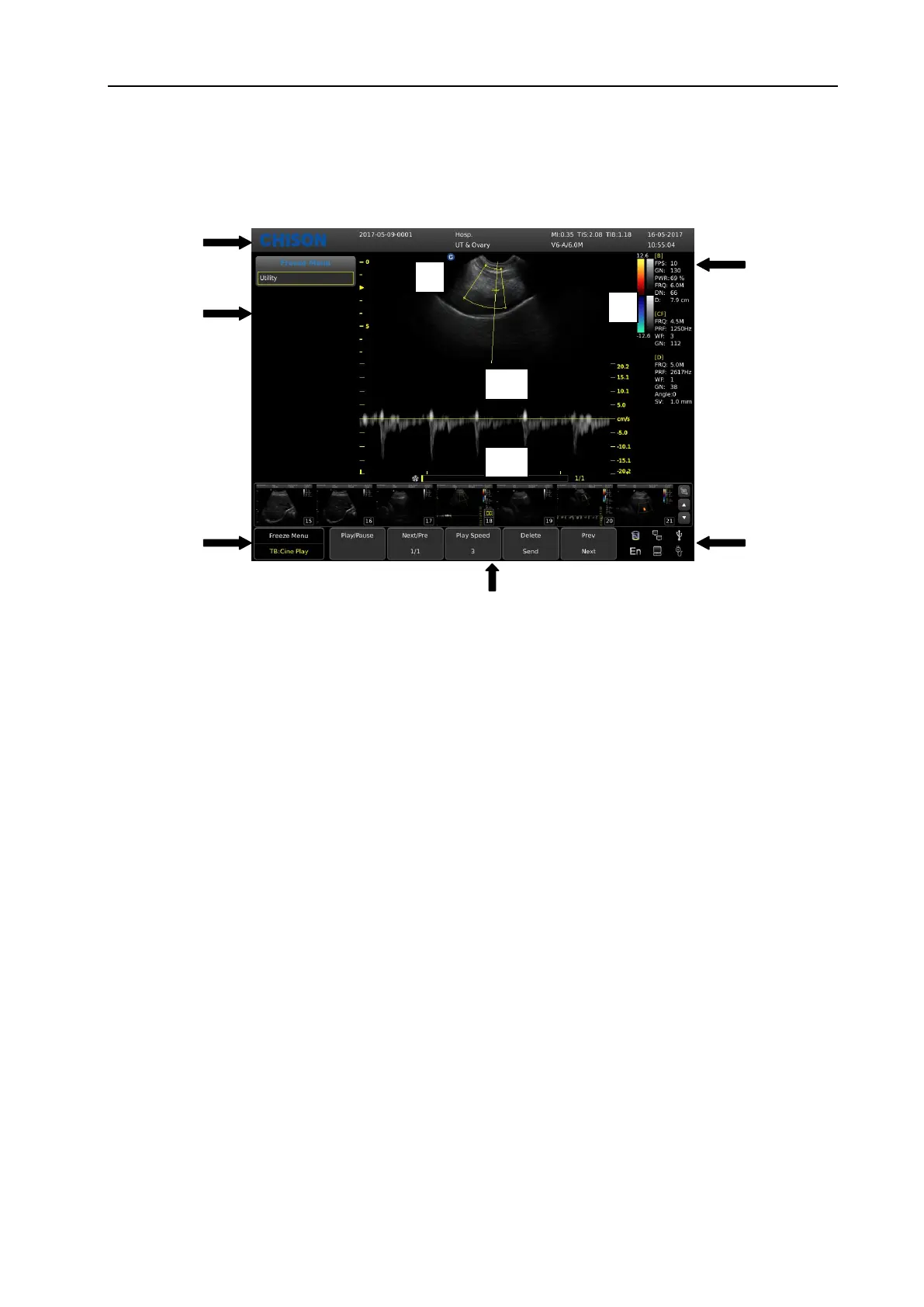
5.4 Image Interface Display
Fig. 10 Image Interface
1, Logo 2, Control menu 3, Image status prompt 4, Image parameter area 5, System state prompt
6, Image parameter area 7, Gray-scale strip 8, Start point of scanning 9, Image Region 10, Cine loop
5.5 Display Mode
Display mode: B, 2B, 4B, B/M, M,CFM,PW,CW display mode (option), Trapezoidal Mode, B/BC Mode
(option), Triplex Mode (option), TDI (option), CPA(PD) Mode (option),etc.
5.5.1 B Mode
Press [B] Mode key, and display the single B Mode image, B Mode is the basic mode for two-dimensional
scanning and diagnosis.
5.5.2 B/B Mode
At B Mode status press parameter key on [2B] to display double B mode images side by side. One image is in
real-time status; the other is in frozen status. The real-time image has start scan marker and ruler marker .Press
parameter button on [2B] in B/B mode, the original active image is frozen while the original frozen image is
activated.
5.5.3 4B Mode
Press [B] button to enter into B mode, then press [MENU] knob the screen will display B menu. Move the
cursor to select 4B option, press [MENU] for 4 times to display 4B Mode images. But only one image is in
WWW.CFS.IT - CFS PRODOTTI MEDICALI SRL



 To Next Page