ECO 6 Digital Color Doppler Ultrasound System
26
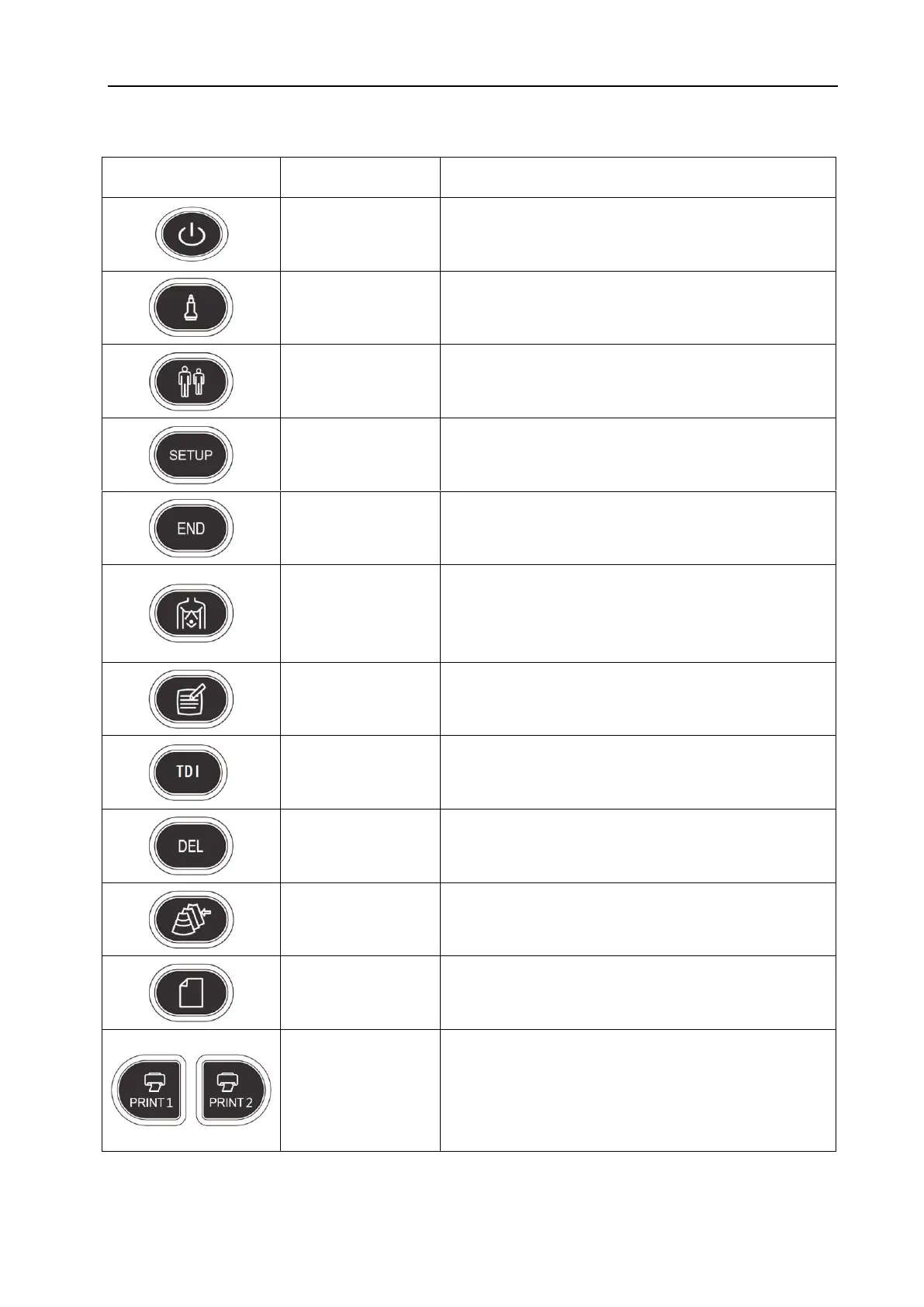
4.3 Function Keys/Knob
Turn on or off the device.
Press this key for selecting probe. It can only select the
connected probe.
Set up a new patient data, input name and other
information.
Press this key to get in or out the system setting page.
Press END key to finish the exam.
Press this key to enter into body mark working status,
select the body mark and confirm the probe scanning
position on the screen. It is only available in frozen
status.
Press this key to enter into comment status, and add
comments in the image area on the screen.
Press this key to enter into TDI mode.
Press this key to clear the measurement lines, body mark,
and comments.
File management of system, you can view and edit the
patient data.
Produce/ Save/ Recall an examination report.
PRINT1: Print the screen image by video printer
connected to the system.
PRINT2: Print the report by printer connected to the
system (Only report page works). Or print the image in
the scanning page; Or print the image in the review page.
WWW.CFS.IT - CFS PRODOTTI MEDICALI SRL



 To Next Page