ECO 6 Digital Color Doppler Ultrasound System
53
5.15 Image Browse
Press to enter image information browsing interface. Press [ENTER] to any function in the image.
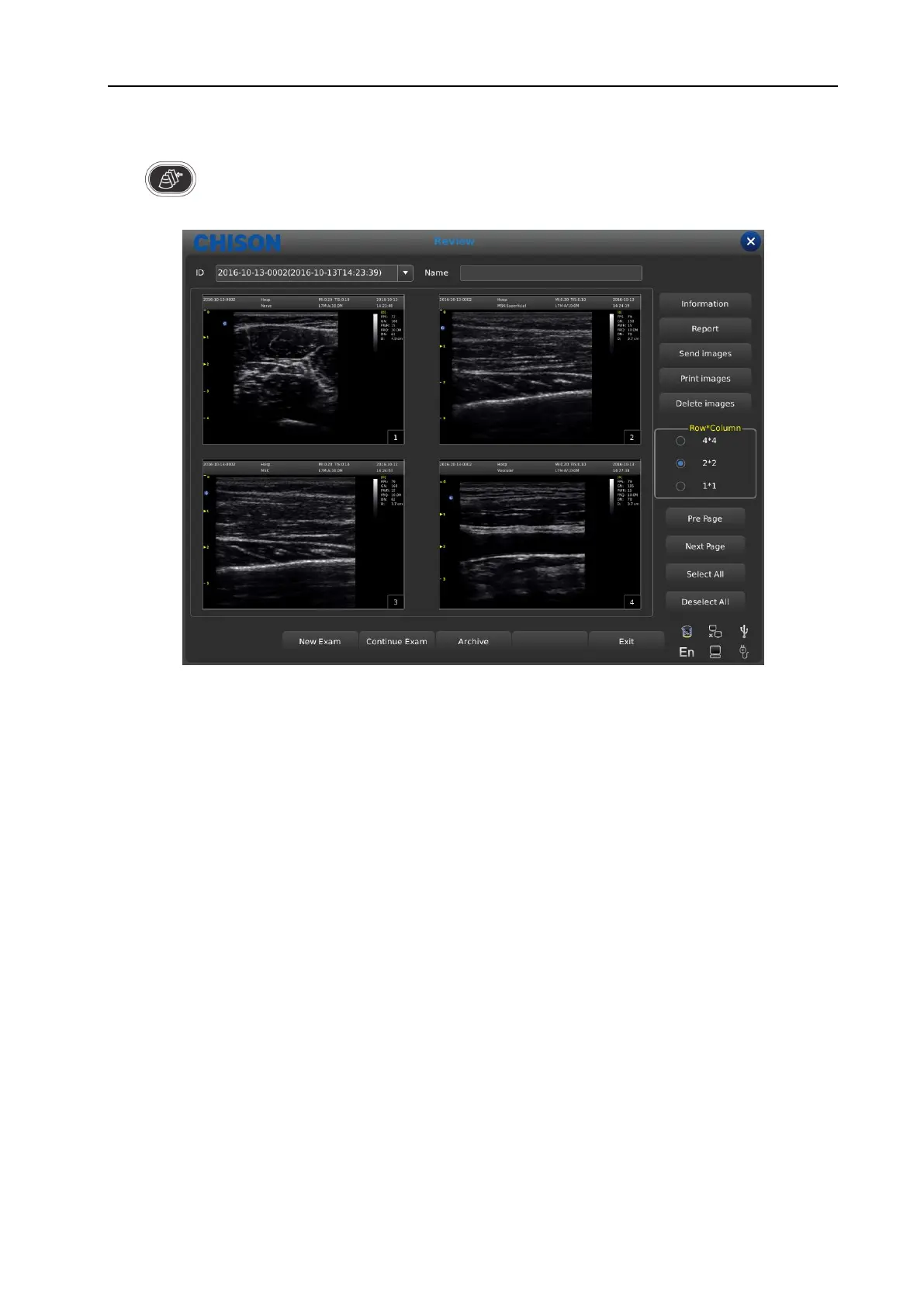
Fig. 21 Review interface
ID: ID of Current patient.
Name: Current patient’s name.
Information: Enter into current patient’s information interface.
Report: Enter into current patient’s report interface;
Send images: Send image to USB hard disk , DICOM storage and print;
Print the image: print the image which be chosen, it will be printed as the arrangement set;
Delete images: Delete selected image;
Row*Column: Select image’s format;
Pre page: Page up;
Next page: Page back;
Select All: Select all images;
Deselect All: Cancel select all images;
New Exam: Exit current examination and open a new dialog box.
Continue Exam: Exit image browsing interface and go on checking current patient;
Archive: Open up archive management interface;
Cancel: Turn off image browsing interface;
5.16 Archive Management
Archive management can search for patient’s information which has been stored in system. Press [Archive] to
archive management interface, all process can be opened up by moving cursor.
WWW.CFS.IT - CFS PRODOTTI MEDICALI SRL



 To Next Page