ECO 6 Digital Color Doppler Ultrasound System
188
Set up in ECO
IP set up
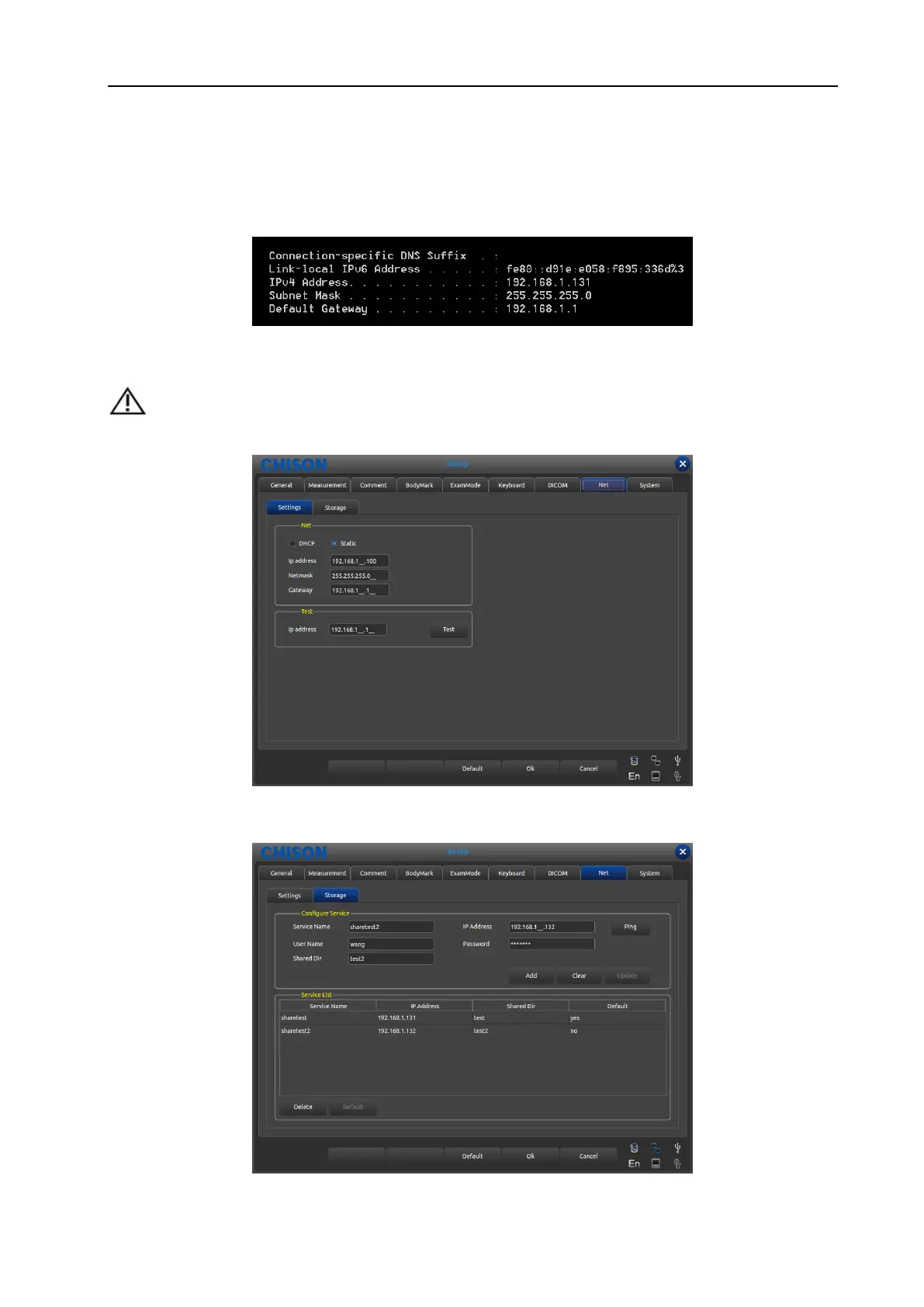
1. First, confirm the service address of shared files, you can get the IP address in windows interface.
In windows “start”-“run” type in “cmd” and enter, then type in “ ipconfig” and enter, you can see the IP
address of local service.
2. Enter into ECO set up interface, choose net. Choose “DHCP”(automatically get the IP address)or
“static”(type in IP address manually);
TIP: if you want to type in IP address manually, make sure the IP address is in the same internet section
with the service, and won’t confused with other IP in the LAN.
3. Choose net “storage” interface, type in service name, IP address, user name, password and the name of
shared files, click “add” to add a network storage, you can choose the export route. As shown in the picture.
WWW.CFS.IT - CFS PRODOTTI MEDICALI SRL



 To Next Page