Panel Description
4-1
4. Panel Description
4.1 Front Panel
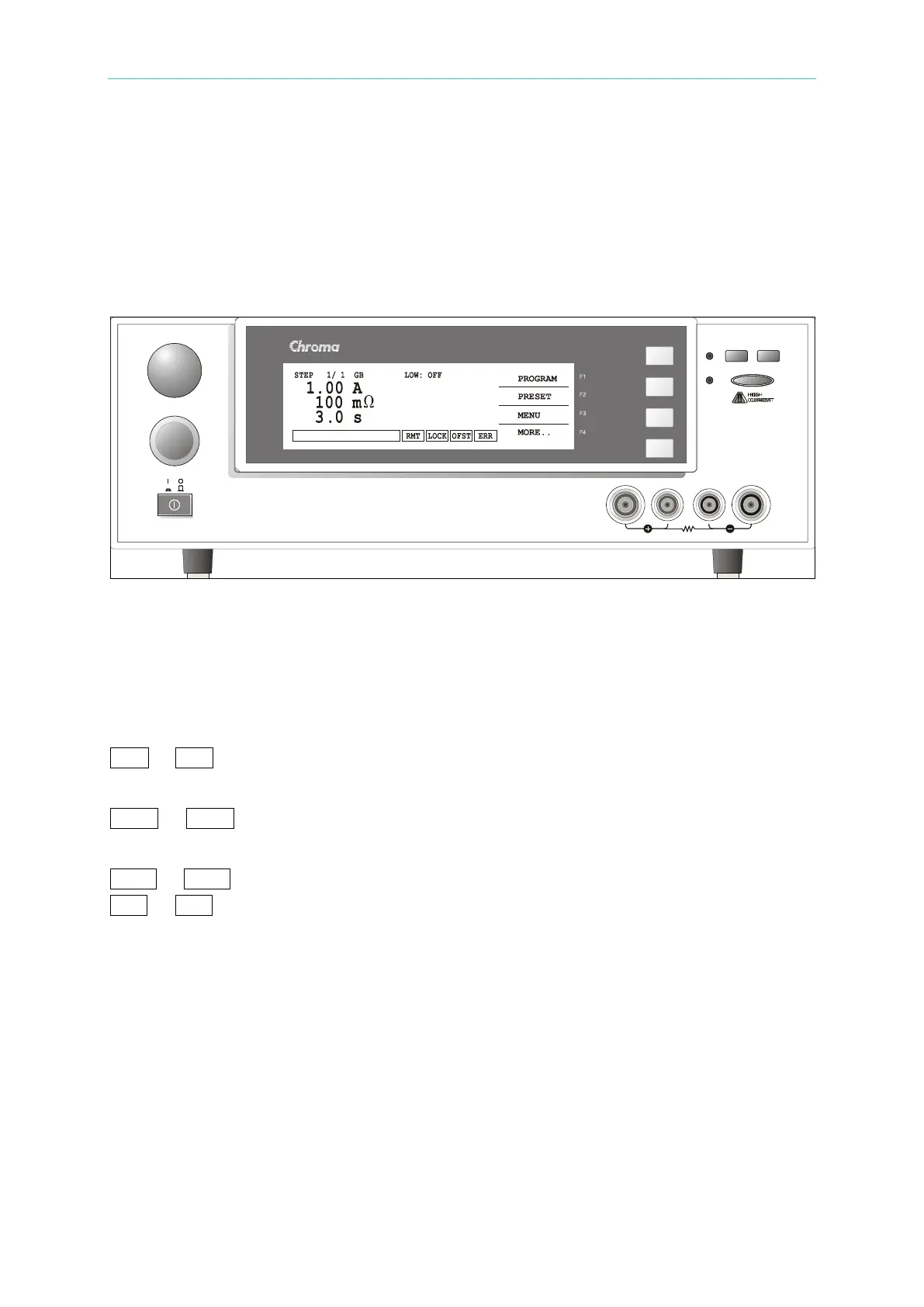
Front panel includes several function areas easy to use. This chapter will introduce each
control and information on screen to you.
Display Area
Function Key: There are different function descriptions under different screens. The
corresponding function keys (F1-F4) are on the right side of display. If the description part is
blank, it means the corresponding function key is invalid.
Status List: It indicates setting method, setting value range, test result fail status.
RMT : If RMT is highlighted, it means the main machine under Remote state. The main
machine is controlled by PC through GPIB/RS232 connection line. All of keys are
loss function except for [STOP], [Local] and [MORE..].
LOCK : If LOCK is highlighted, it means the main machine under setting parameter
protection state. All of modes can’t enter except for three modes – “MEMORY”,
“TEST” and “KEY LOCK”.
OFST : If OFST is highlighted, it means the tester zeroed the resistance of test lead.
ERR : If ERR is highlighted, it means there are unclear errors in error queue.
DANGER LED: The test status indicator. When LED is light, it means the tester is under
testing status. Don’t touch the test terminal when there is high voltage or
mass current output.
PASS LED: Pass indicator. DUT judged as pass when the LED is light.
FAIL LED: Fail indicator. DUT judged as fail when the LED is light. Cut off the output of
main machine when DUT judged as fail. The LED is still lighting until press
[STOP].
Keypad Area
Power Switch : The power switch provides AC source the tester needed.
STOP Key: Reset key, after pressing this key the main machine return to standby test status
immediately. That is cut off output and clears all of judgments simultaneously.
START Key: After pressing this key, the main machine is under test. The test terminal has
C
A
L
U
P
D
A
T
E
STOP
START
FAIL
PASS
DANGER
F2
F3
F4
F1
GROUND BOND TESTER 19572
MODEL
SENSE RTN / LOWSENSEDRIVE
C
A
L
U
P
D
A
T
E
STOP
START
FAIL
PASS
DANGER
RTN / LOW
SENSESENSEDRIVE



 To Next Page