Programmable AC Source 61501/61502/61503/61504 User’s Manual
3-24
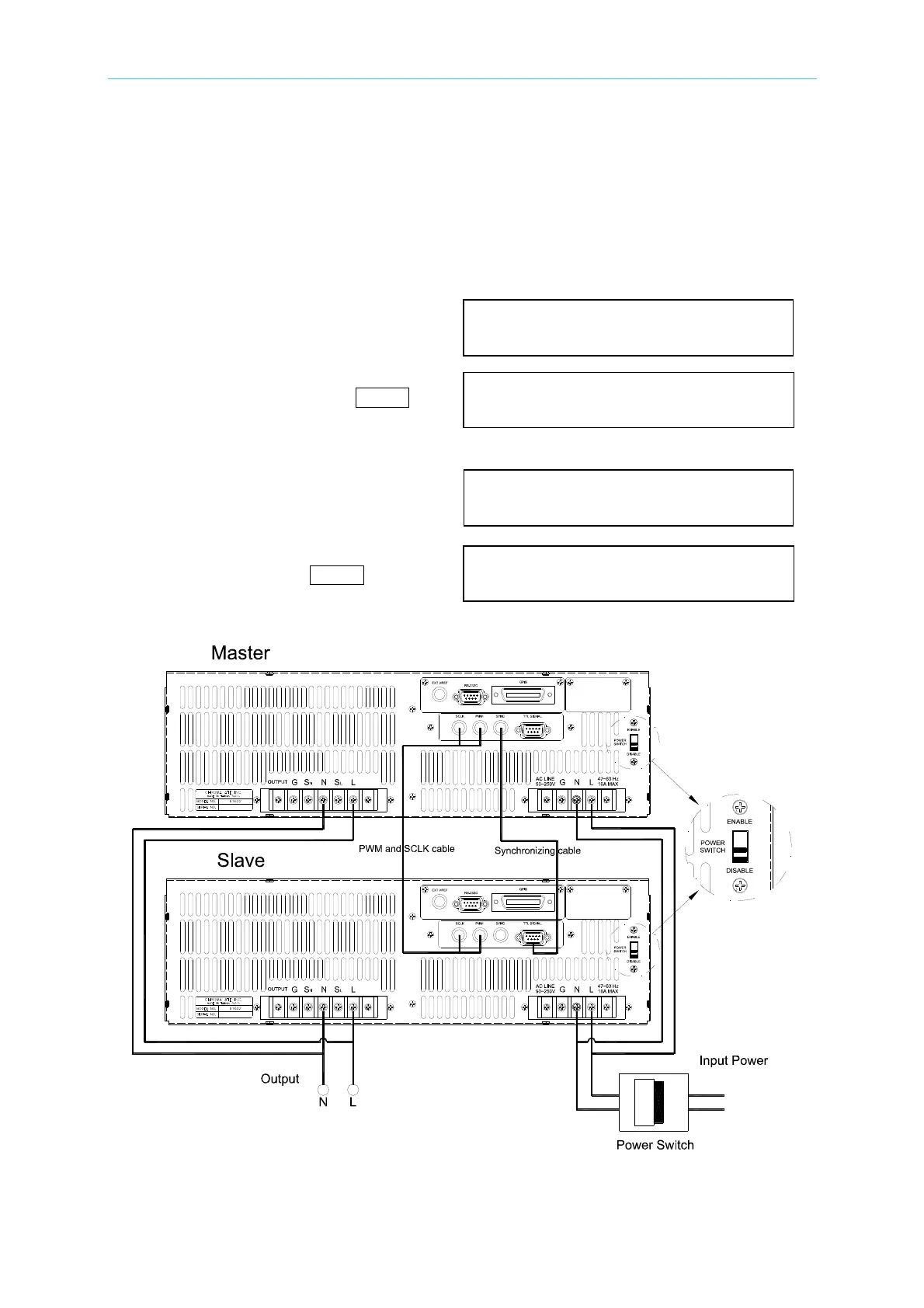
The procedures of removing PARALLEL MODE:
1. Quit the output of AC source from MASTER. Set Vout = 0V.
2. Don't change the PARALLEL MODE to OFF, power off the MASTER and SLAVE by an
additional power switch at the same time.
To change parallel mode OFF to MASTER as below:
1. Move the cursor to the command line
of “PARALLEL MODE=”. PARALLEL MODE
= OFF_
2. Turn RPG to change the option from
OFF to MASTER, then press
ENTER. PARALLEL MODE = MASTER
After checking PARALLEL MODE
setting and RANGE setting, confirm it.
3. The cursor moves to the command line
of “ CHECK OK” automatically. CHECK OK = NO_
4. Turn RPG to change the option from
NO to YES, then press
ENTER. CHECK OK = YES
Figure 3-4



 To Next Page