Programmable AC Source 61605 User’s Manual
1-6
9
Power line input is connected to the AC source through this
connector.
It enables or disables the main power switch. Users can
power on or off the main power switch when the power switch is
set to “ENABLE”. Conversely the main power switch is
inactive when the power switch is set to “DISABLE”.
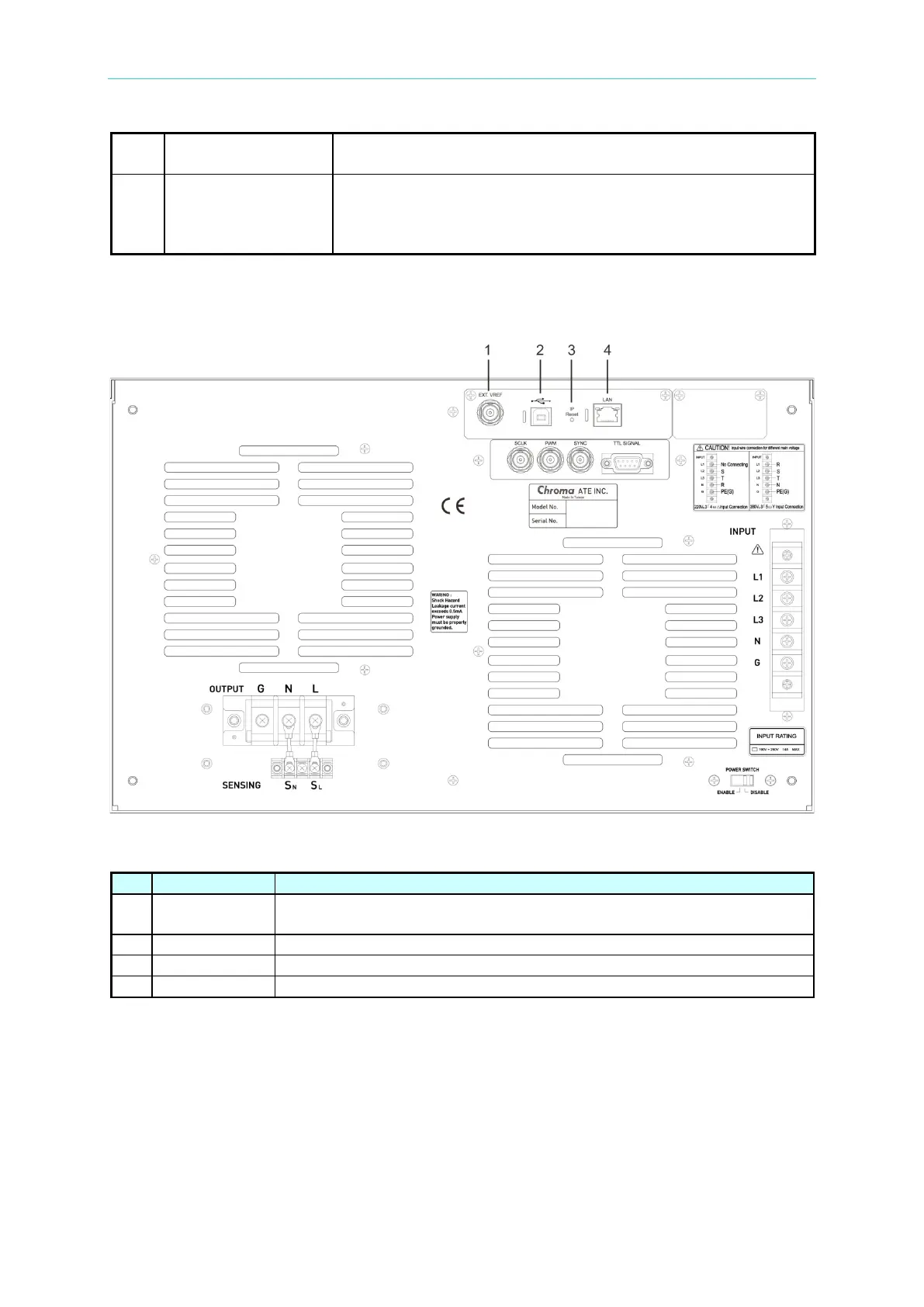
1.4.3 Rear Panel (with USB and Ethernet)
Table 1-3 Description of the Rear Panel
1 Ext. Ref.
A BNC connector to control waveform amplitude via external analog
(simulated).
Connecting AC source and PC for communication.
Connecting AC source and PC for network communication.



 To Next Page