Programmable AC Source 61705 User’s Manual
3-16
61700 can program the phase angle 0~360°, not fix to 120° only. Users can set PHASE 1-2
and PHASE 1-3 to achieve it in OUTPUT functional list (see 3.7). The parameter of PHASE
1-2 means the phase angle between Phase 1 (Φ1/L) and Phase 2 (Φ2/L).
The procedures of setting a balance phase angle are described as below:
1. The cursor moves to the command line
of “PHASE 1-2=” . PHASE 1-2=0.0 PHASE 1-3 =0.0
2. Press 1 , 2 , 0 , then press ENTER.
PHASE 1-2=120.0 PHASE 1-3 =0.0_
3. The cursor moves to the command line
of “PHASE 1-3=” automatically.
4. Press 2 , 4 , 0 , then press ENTER. PHASE 1-2=120.0 PHASE 1-3 =240.0_
Users cannot connect Φ1/L, Φ2/L, Φ3/L terminals of AC Source outputs
together, even the PHASE 1-2 = 0 and PHASE 1-3 = 0 are set.
3.7.5 Slew Rate of Output Transient
The AC Source can control the transition waveform of the output by setting Vs and DCs on
OUTPUT functional list (see 3.7). Users can use Vs (V/ms) and DCs (V/ms) two commands
to achieve the transient state of output waveform.
Vs: the slew rate of output Vac DCs: the slew rate of output Vdc.
When users change the output setting in MAIN PAGE, the output voltage will change
corresponding to the Vs, DCs commands.
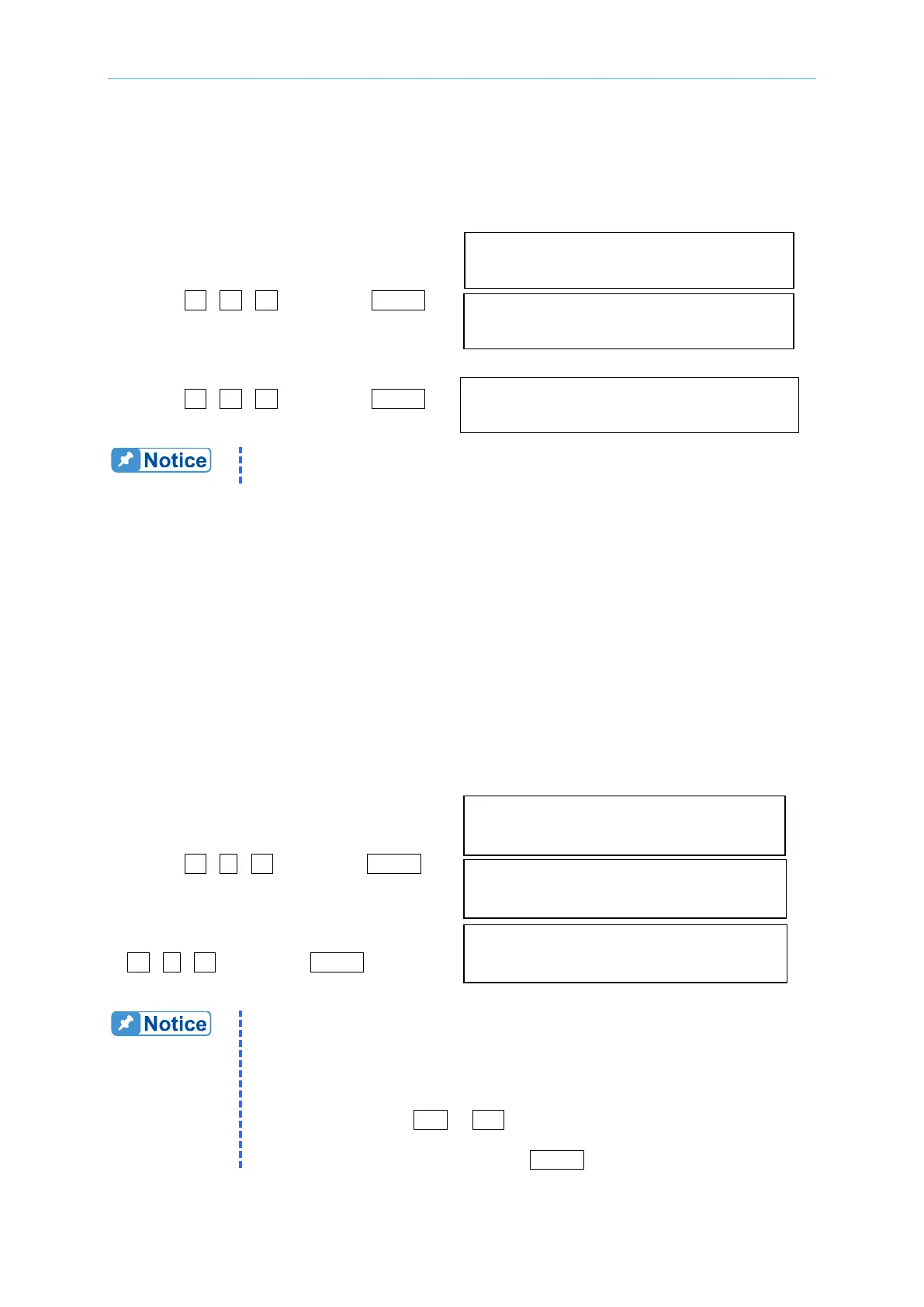
The procedures of setting Vs (V/ms)=0.2 and DCs (V/ms)=0.1 are described as below:
1. Move the cursor to the command line
of “Vs (V/ms) = ”. Vs (V/ms) = 0.000_
2. Press 0 , . , 2 , then press ENTER
to change the value to “0.2”. Vs (V/ms) = 0.200
3. The cursor moves to the command line
of “DCs (V/ms)=” automatically. Press DCs (V/ms) = 0.100_
0 , . , 1 , then press ENTER.
1. When users set Vs (V/ms)=0, DCs (V/ms)=0, the output transient is in
the fastest speed.
2. Vs and DCs have large input range in software programming, but the
output may not follow the slew rate exactly when Vs and DCs are too
large.
3. When users press OUT or Quit, the output voltage will change
immediately. If users want to out or quit the output with the set slew
rate, 0V must be keyin then press ENTER.



 To Next Page