14 EN
The machine is equpped with a software program that
makes it possible to quickly change the coffee dose without
needing the technician’s assistance.
Note: This function is possible ONLY if the entry “bean
key´LQWKHWHFKQLFDOFRQ¿JXUDWLRQPHQXKDVEHHQVHWWR
“YES” by the installer.
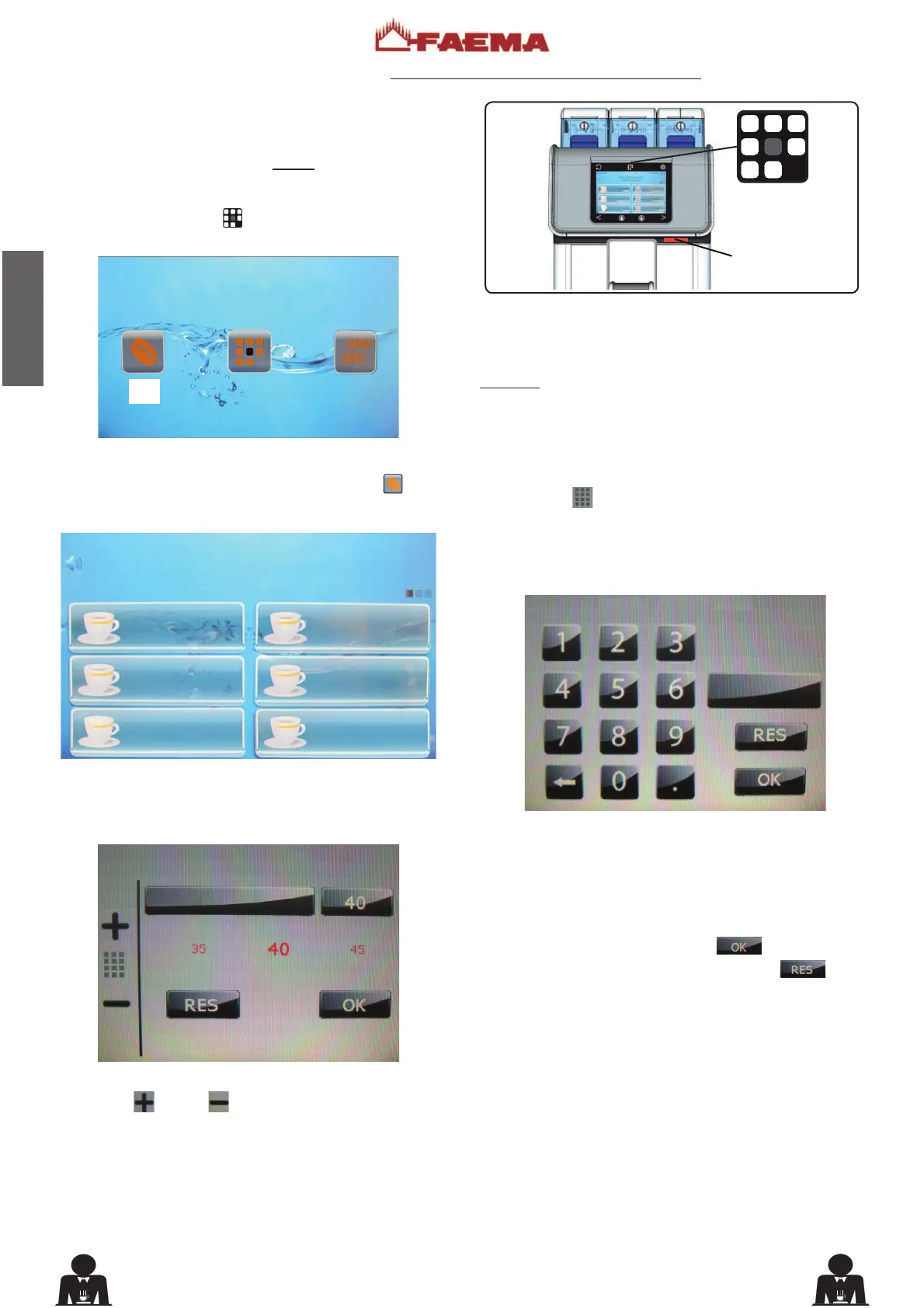
Press the key PRG (29) . The following will appear on
the display:
To modify the coffee dose press the “bean key”
(BK).
The following will appear on the display:
Press the key for which you want to vary the coffee dose.
The following will appear on the display:
Use the “+”
and “-” keys to set the number.
Coffee dose variation (6HOIYHUVLRQDFWLYDEOHRQO\LIFDUGLVHQDEOHG
The dose set for both grinders in the technician programming
menu can vary by ±5.
Example
7HFKQLFLDQSURJUDPPLQJ &XVWRPHU SURJUDPPLQJ
Coffee dose MM1 045 Coffee dose MM1 040÷050
Coffee dose MM2 020 Coffee dose MM2 015÷025
Press the key
to set the coffee dose manually; a number
keypad will appear on the display:
Enter the desired number: keep in mind that the variation
range remains ±5 the number set in the technical
programming menu. Numbers inserted beyond this range
will be associated with the admissible minimum or maximum
limits.
To exit the panel, press the key WR FRQ¿UP DQ\
changes made to the numbers or press the key to
leave the settings as is.
MM1 cof. dose
KEY MENU
1 COFFEE
1 COFFEE
1 COFFEE
1 COFFEE
1 CAPPUCCINO
1 COFFEE











 To Next Page