38 EN
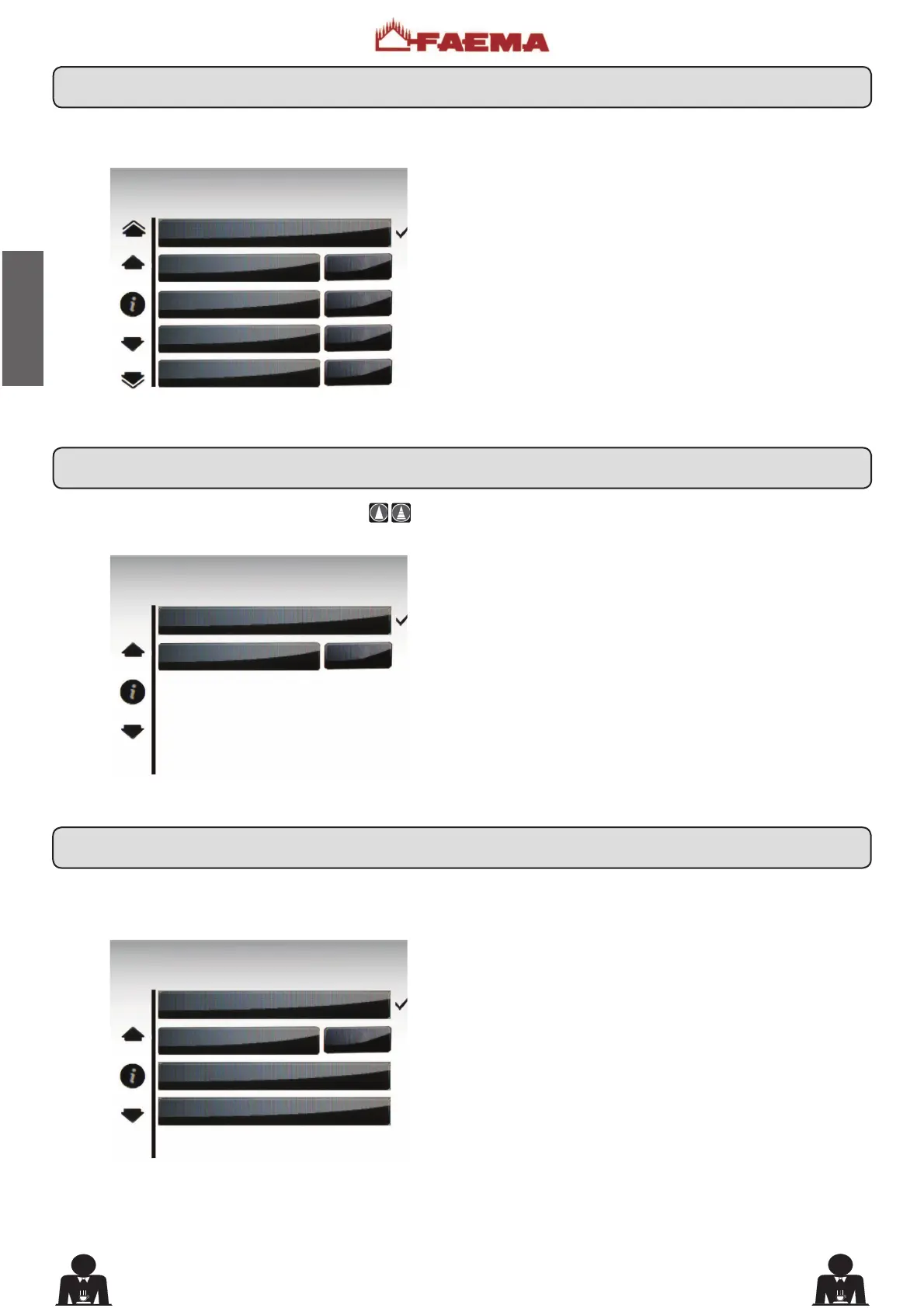
Press one of the milk dispensing keys. The display appears
as follows:
Press one of the hot water dispensing keys (12)
. The
following message will appear on the display:
The following cappuccino selection parameters can be
PRGL¿HG
- repetition (it represents the number of distributions of
the selected drink, from 001 to 099);
- milk dose (milk dispensing time: 0 ÷ 60 seconds, with
increments of 0.1););
- emulsion ((foamed milk dispensing time, 0 ÷ time set in
the milk dose);
- cold milk dose (cold milk dose; the setting of this parameter
makes it possible to obtain warm milk; setting between 0
to 20 with increments of 0.1 seconds);
- label (the text indicating the beverage that appears on
the key);
- icon (the picture of the beverage that appears on the key)
The following hot water selection parameters can be
PRGL¿HG
- water dispensing time (from 0 to 60, with increments
of 0.1 seconds).
Press one of the soluble dispensing keys. The display
appears as follows:
The following chocolate (
or other soluble beverage)
selection
SDUDPHWHUVFDQEHPRGL¿HG
- repetition (it represents the number of distributions of
the selected drink, from 001 to 099);
- label (the text indicating the beverage that appears on
the key);
- icon (the picture of the beverage that appears on the key).
KEY MENU
type 1 milk
Repetition 1
Milk dose 7.0
Emulsion
5.0
cold milk dose 1.0
KEY MENU
type water
dispens. time. 5.5
KEY MENU
type 1 chocolate
Repetition 1
label 1 chocolate
icon
17.3 Key menu - Milk selection
17.4 Key menu - Hot water selection
17.5 Key menu - Chocolate / Solubles selection











 To Next Page