15 EN
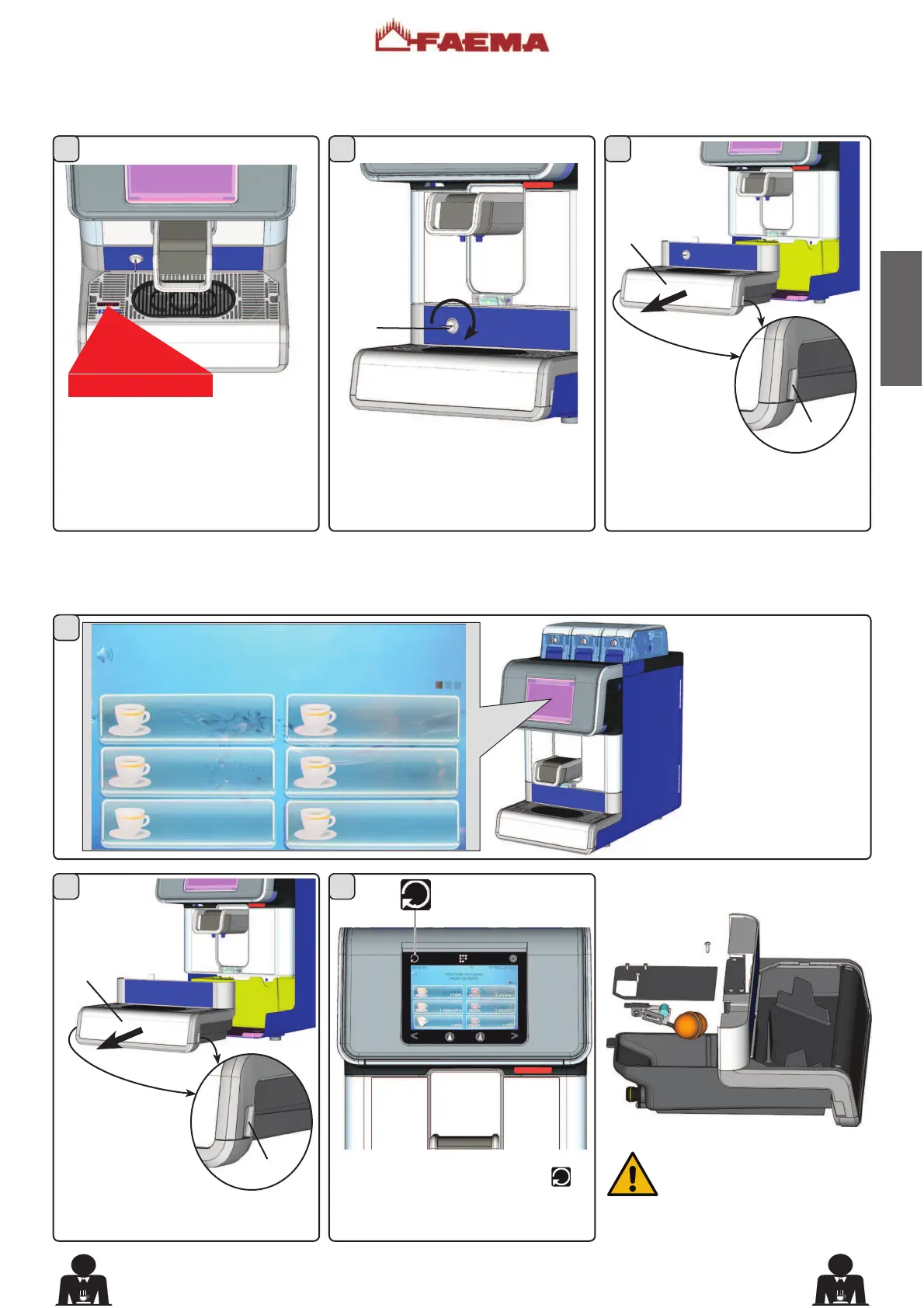
When the tray is full of
water, a notice appears on
the touch screen.
(*)
For the self-service
version only, the message
displayed is: "PLEASE
CALL THE OPERATOR":
Checking the water level in the tray
0HVVDJHYLDRSWLFDOGHYLFH(037<0(
:KHQWKHWUD\LV¿OOHGZLWKZDWHUWKH
words “EMPTY ME” appear in the
special slot on the grid.
Open the lock (F).
(*)
Self version only
Carefully remove the tray and empty
the water. Pull out the drawer (16);
lifting it slightly at points (A).
0HVVDJHYLDGLVSOD\RQO\IRUPDFKLQHVZLWK¿OOLQJVHQVRU
Reinsert the tray and press
to
remove the message from the touch
screen.
FILLING SENSOR
Note: It is advisable to
periodically empty the water
that collects in the tray and
QRWZDLWIRULWWRFRPSOHWHO\¿OO
with water.
15:15:04 20 MARCH 2015
EMPTY DIPTRAY THEN
PRESS RES FOR 8 SECS
(*)
1 COFFEE
1 COFFEE
1 COFFEE
1 COFFEE
1 CAPPUCCINO
1 COFFEE
Carefully remove
the tray and empty
the water. Pull out
the drawer (16);
lifting it slightly at
points (A).











 To Next Page